1
If you want the meter to calculate and display cumulative
formaldehyde levels over a period longer than 15 minutes
(the meter’s Auto Power Off triggering time), you must disable
the APO function. To power on the HHAQ-108 and
simultaneously disable the APO function, first press and
hold the HOLD button, and then (without releasing HOLD)
press and hold the PWR button. Doing this will cause a small
n to briefly appear on the LCD before the meter powers up
with both readouts visible. There is no permanent on-screen
indication that the APO function has been disabled. So if you
disable APO, realize that the batteries will discharge within an
hour or two if you forget to manually power off the meter
after a measurement session.
Once the meter has been powered on and both readouts have
stabilized, the HHAQ-108 automatically begins operating in realtime measurement mode. In this mode you can:
1) Turn the LCD backlight on and off, by briefly pressing the
BKLT button. This feature comes in handy when making
measurements above your head, below your knees, around
a corner, or in the dark.
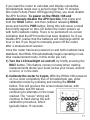
2) Calibrate the meter to 0 ppm. With the HHAQ-108 powered
on in a room completely free of formaldehyde gas, enter
calibration mode by pressing and holding the MODE
button. This will produce the screen shown below, with
temperature and RH values
continuing to alternate on the lower
readout. The “ooooo” string will
continue to flash during the selfcalibration procedure, which
typically takes 15 seconds.
11