1
notice that the temperature and/or RH readings on the lower
readout are consistently high or low, compared to a known
reference, write down the magnitude(s) of the difference,
including whether it is positive or negative. This number (for
temperature or RH) or these numbers (for both parameters),
represent the extent of the HHAQ-108’s temperature and/or
RH drift.
Following is a procedure that you can perform to offset either
or both types of drift and thereby restore the HHAQ-108’s
specified accuracy.
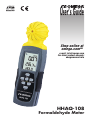
1) With the meter powered off, press and hold the MODE and
BKLT buttons with fingers of your left hand while pressing
and holding the MAX/MIN and PWR buttons with fingers of
your right hand.
2) When the LCD shows 0.0C and SET, release all four buttons.
3) If you prefer to work in °F, press the UNIT button briefly to
change 0.0C to 0.0F.
4) If your temperature drift is negative, you want to add value
to 0.0 to compensate. If your temperature drift is positive,
you want to subtract value. To add value to the 0.0 term,
press the HOLD button once for each 0.1° of compensation
you need. To subtract value, press the BKLT button once
for each 0.1°C of compensation. You can press and hold
the HOLD or BKLT button to add or decrease a large value.
The maximum amount of temperature drift you can
compensate for is ±9.9° (C or F).
5) If you only need to compensate for temperature drift, press
and hold the SET button to save the offset value you
entered. After the bottom line of the LCD shows SAVE for
2 seconds, the meter will automatically power off with your
temperature offset in place.
16