1
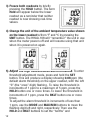
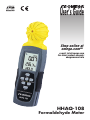
3) Freeze both readouts by briefly
pressing the HOLD button. The term
Hold will appear below the lower
readout as a reminder that neither
readout is now showing real-time
values.
4) Change the unit of the ambient temperature value shown
on the lower readout to/from °F and °C by pressing the
UNIT button. The HHAQ-108 will “remember” the unit in use
when the meter powers off and will resume using that unit
when it is powered on again.
5) Adjust the high concentration alarm threshold. To enter
threshold adjustment mode, press and hold the SET
button. This will produce a display showing 0.08 ppm (the
default alarm threshold) on the upper readout, with the left
“0” (the “ones” digit) flashing. To raise the threshold in
increments of 1 ppm to a maximum of 5 ppm, press the
HOLD button one or more times. To lower the threshold in
increments of 1 ppm, press the BKLT button one or more
times.
To adjust the alarm threshold in increments of less than
1 ppm, use the MODE and MAX/MIN buttons to move the
flashing digit left and right, respectively. Then use the
HOLD and BKLT buttons to set the “tenths” and
12