1
Chapter 3 Printer Driver
E
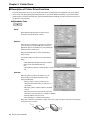
End Capture
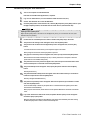
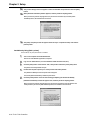
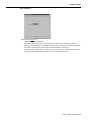
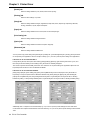
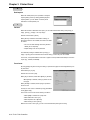
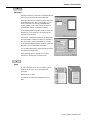
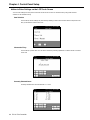
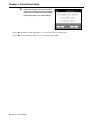
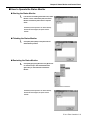
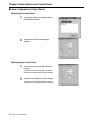
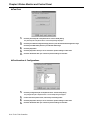
When the virtual printer port is specified on the [End
Capture] dialog shown by clicking [Details] tab-[End
Capture] button, you can delete a network printer
allocated as a virtual printer port.
F
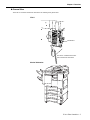
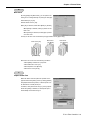
Finisher
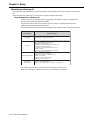
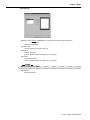
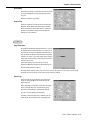
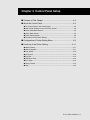
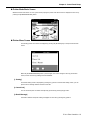
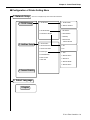
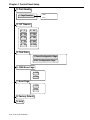
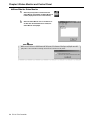
When the Finisher is attached to the copier, you can select the Finisher setting from [None], [2
Trays], [3 Trays], [4 Trays] or IT-101(2 Trays).
Default of the Finisher is [None].
When [None] is selected in the Finisher settings, or
when the Finisher is not installed, the function has limits
as follows:
• You can not select settings other than [Printer’s
default] as an output tray
• Staple settings can not be performed
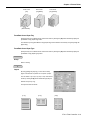
The Alternate printing is available when [2 Trays], [3
Trays] or [4 Trays] are not selected in the Finisher setting, or when they are not installed.
In this case, it is required that the same size of paper for both portrait and landscape is set to the
copier. (e.g., A4/A4R, or B5/B5R)
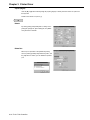
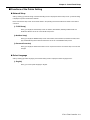
Front Cover
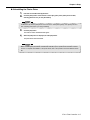
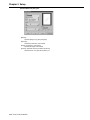
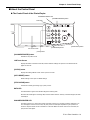
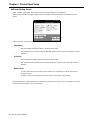
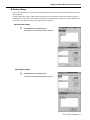
By using [Paper] tab-[Front Cover], the setting to print the first page from the designated tray can
be performed.
Select either [On] or [Off].
Default of Front Cover is [Off].
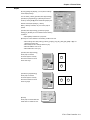
When [On] is selected, select either [Blank] or [Printed].
When [Blank] is selected, nothing is printed on the
first page.
When [Printed] is selected, the first page is printed on
the front cover.
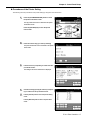
The tray for front covers is selected by using [Front/Back
Cover]-[Paper Tray].
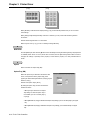
Front Cover can not be set in the following conditions:
• When [B6R] is selected as a paper size
• When Alternate is set to [On]
• When Duplex is set to [Booklet]
• When Sorting is set to [Group]
When Front Cover is set to [On], you can not use the Alternate printing and Sorting.
3-12 IP-011 Print Controller