1
----------------- Introduction
Overview
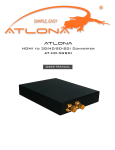
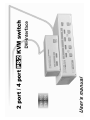
The KVM Switch DNV-102/DNV-104 is a computer
switch that allows access to two/four IBM compatible
computers from one keyboard, mouse and monitor.
Switching between computers is as easy as pressing
the push button or entering hot-key commands from
your keyboard without installing any interface card
and software.
The powerful KVM Switch is
independent of the computer operating system,
allowing the attached computers to run different
applications. The space-saving design enables you
to connect all the cables to the back of the
DNV-102/DNV-104 taking the least amount of space
on your desk. It is a valuable tool for your computer
management. Yet, for DNV-104, the user can press
“FUNC” button combining with the other pushbuttons
to adjust the optimal video signal strength
corresponding to the length or quality of DVI cable.
Automatic Mouse Conversion
This technology enables you to connect computers
with PS/2 mouse ports to the KVM Switch, and
control both computers from one PS/2 mouse. The
KVM Switch automatically identifies the mouse and
switches to proper mouse protocol.
1