1
ARECONT VISION AV100 VIDEO SYSTEM USER MANUAL
36
Day/Night
Day/Night
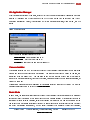
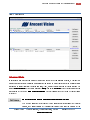
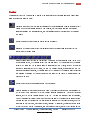
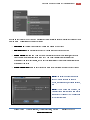
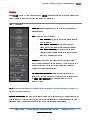
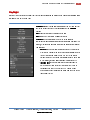
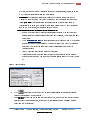
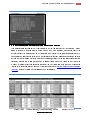
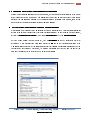
Day/Night (Figure 26) settings apply only to dual-sensor cameras as well as single-sensor DN camera models
equipped with a switching IR filter.
Figure 26. Day/Night setting menu
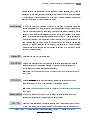
Automatic enables the camera to automatically switch from daylight
to nighttime conditions and vice versa based on the Threshold
settings.
Day forces day mode and disables night mode.
Night forces night mode and disables day mode.
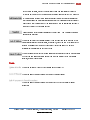
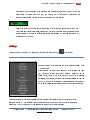
Threshold adjusts the automatic switching of the camera
(Note: for dual-sensor camera models the values are displayed in FStops, while for single-sensor DN models the values are in terms of
camera gain):
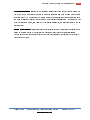
• Switch At adjusts the level of darkness to switch from day to
night mode. Values to the left will cause the camera to switch
to night mode when there is still much light in the scene.
Values to the right will cause the camera to stay in day mode
much longer, requiring near darkness in order to switch.
• Toggle Guard
Guard adjusts the level of brightness required to
switch from nighttime to daylight mode. Setting this to 0%
corresponds to “Switch At” set to 100%. Toggle Guard
should be adjusted to prevent the mode from toggling during
transitional lighting.
Arecont Vision
425 E Colorado St, 7 Floor Glendale, CA 91205
th
www.arecontvision.com
Revised 12/20/2010