1
User Manual
Aolynk DR814Q ADSL2+ Broadband Router
5 Advanced Configuration
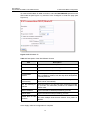
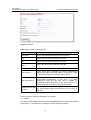
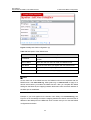
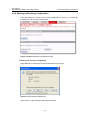
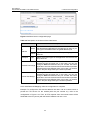
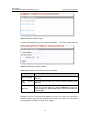
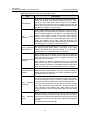
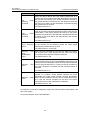
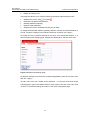
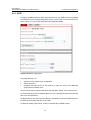
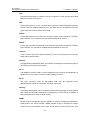
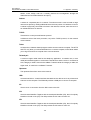
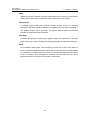
Table 5-7 Description on the items of the security trigger
Item
Description
Transport Type
From the drop-down list, select a transport type (TCP or UDP)
to which the newly added trigger is specified.
Port Number Start
Type in the start of the trigger port range that the primary
session uses.
Port Number End
Type in the end of the trigger port range that the primary
session uses.
Secondary Port
Number Start
Type in the start of the trigger port range that the secondary
session uses.
Secondary Port
Number End
Type in the end of the trigger port range that the secondary
session uses.
Allow
Hosts
Multiple
Select Allow if you want a secondary session to be initiated by
different remote hosts. Select Block if you want a secondary
session to be initiated only by one remote host.
Max
Interval
Activity
Type in the maximum activity interval (in milliseconds) for
secondary port sessions after the primary session starts.
Enable Session
Chaining
Select Allow or Block to determine whether the multi-level
TCP session chaining is accepted or not.
Enable
UDP
Session Chaining
Select Allow or Block to determine whether the multi-level
UDP session chaining is accepted or not. Before this, you must
enable the session chaining.
Binary Address
Replacement
Select Allow or Block to determine whether to use the binary
address replacement on the current trigger or not.
Address
Translation Type
Specify the address replacement type on a trigger. Before this,
you must set the binary address replacement to Allow.
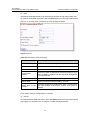
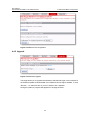
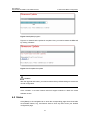
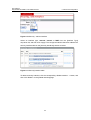
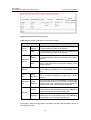
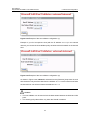
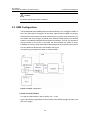
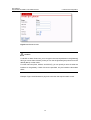
Click <Apply> after the configuration is complete. The [Security Trigger Configuration]
page is displayed, containing details of the trigger that you have just configured.
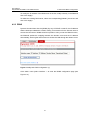
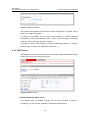
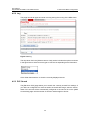
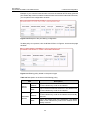
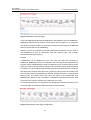
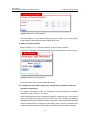
To delete an existing security trigger, click the corresponding <Delete> button in Figure
5-27 and then click <Delete>.
64