1
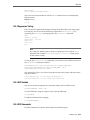
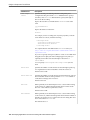
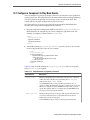
Assemble an OSGi Bundle with bundle.sh
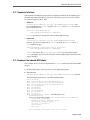
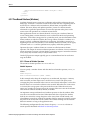
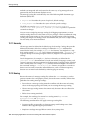
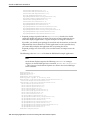
com.bea.wlevs.ede;version="11.1.1",
com.bea.wlevs.ede.api;version="11.1.1",
com.bea.wlevs.ede.impl;version="11.1.1",
org.osgi.framework;version="1.3.0",
org.springframework.beans.factory;version="2.5.6",
org.apache.commons.logging;version="1.1.0",
com.bea.wlevs.spring;version="11.1.1",
com.bea.wlevs.util;version="11.1.1",
org.springframework.beans;version="2.5.6",
org.springframework.util;version="2.0",
org.springframework.core.annotation;version="2.5.6",
org.springframework.beans.factory;version="2.5.6",
org.springframework.beans.factory.config;version="2.5.6",
org.springframework.osgi.context;version="1.2.0",
org.springframework.osgi.service;version="1.2.0"
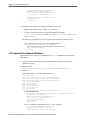
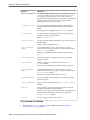
• Exported packages: Specified with the Export-Package header. You should
specify this header only when you need to share one or more application classes
with other deployed applications. A typical example is sharing an event bean.
If possible, you should export packages that include only the interfaces, and not the
implementation classes themselves. If other applications use the exported classes,
you cannot fully undeploy the application that is exporting the classes.
Exported packages are server-wide, so be sure their names are unique across the
server.
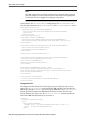
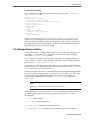
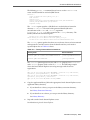
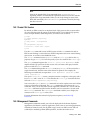
The following is the MANIFEST.MF file from the HelloWorld example application.
Note:
Oracle Stream Explorer requires the following MANIFEST.MF setting to
deploy to an Oracle WebLogic Server container: Bundle-ManifestVersion
2. This is because Oracle Stream Explorer uses Felix in the Oracle WebLogic
Server container.
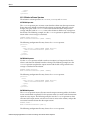
Manifest-Version: 1.0
Bundle-ManifestVersion: 2
Bundle-Version: 1.0.0
Bundle-Vendor: Oracle Corporation
Bundle-Copyright: Copyright (c) 2006-2009 by Oracle.
Export-Package: com.bea.wlevs.event.example.helloworld;version="12.1.2",
com.bea.wlevs.example.helloworld;version="12.1.2"
Import-Package: com.bea.wlevs.configuration;version="12.1.2"
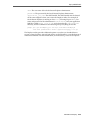
com.bea.wlevs.ede.api;version="12.1.2",
com.bea.wlevs.ede.impl;version="12.1.2",
com.bea.wlevs.ede.spi;version="12.1.2",
com.bea.wlevs.ede;version="12.1.2",
com.bea.wlevs.management.spi;version="12.1.2",
com.bea.wlevs.spring.support;version="12.1.2",
com.bea.wlevs.spring;version="12.1.2",
com.bea.wlevs.util;version="12.1.2",
org.apache.commons.logging;version="1.1.0",
org.springframework.beans.factory.config;version="2.5.6",
org.springframework.beans.factory;version="2.5.6",
org.springframework.beans;version="2.5.6",
org.springframework.core.annotation;version="2.5.6",
org.springframework.osgi.context;version="1.2.0",
org.springframework.osgi.extensions.annotation;version="1.2.0",
org.springframework.osgi.service;version="1.2.0",
org.springframework.util;version="2.5.6"
Bundle-Name: example.helloworld
13-8 Developing Applications for Event Processing with Oracle Stream Explorer