1
Note: In order to enable this, the camera must not be streaming.
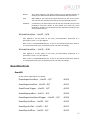
MulticastIPAddress – String – R/W
Set the multicast IP address.
PacketSize – Uint32 – R/W
In Bytes. Determines the Ethernet packet size. Generally speaking this number should be
set to as large as the network adaptor will allow. If this number is reduced, then CPU
loading will increase. These large packet sizes are called Jumbo Packets/Frames in
Ethernet terminology. If your GigE network adaptor does not support Jumbo
Packets/Frames of at least 8228 Bytes (the camera default on power up), then you will
need to reduce PacketSize parameter to match the maximum supported by your network
adaptor.
A PacketSize of 1500 is a safe setting which all GigEthernet network cards support.
Note: If you are seeing all “black images”, or all frames reported as StatFramesDropped
and zero images reported as StatFramesCompleted, you will likely need to decrease this
parameter.
Stats
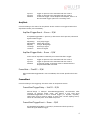
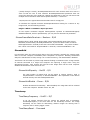
StatDriverType – Enum – R/V
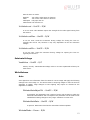
Standard
Filter
The default network card driver is being used only.
The AVT filter driver is being used in conjunction with the default
network card driver. Using the Filter driver will reduce the load on the
host CPU.
StatFilterVersion – String – R/C
Version of the filter driver.
StatFrameRate – Float32 – R/V
Frame rate of the camera.
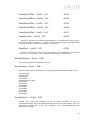
StatFramesCompleted – Uint32 – R/V
The number of camera images returned to the PvAPI frame queue successfully.
PvAPI programmers note: this stat does not increment if no frames queued.
Use tPvFrame.FrameCount for a counter of exactly which image the camera is returning.
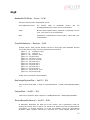
StatFramesDropped – Uint32 – R/V
The number of frames returned to the PvAPI frame queue with one or more dropped
packet within.
26