1
Chapter 4 Wiring
4. Wiring
4.1
Displaying Wiring Diag. screen
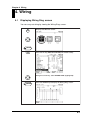
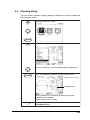
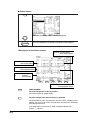
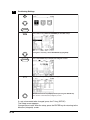
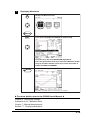
You can carry out wiring by viewing the Wiring Diag. screen.
TOP
MENU
Displays the Measure screen.
ENTER
F1
Press the F1 key (DISPLAY CHANGE) for window callup.
Using the cursor key, select WIRING DIAG. (highlighted).
ENTER
IM CW240P-E
Press the ENTER key to display the Wiring Diag. screen.
4-1