1
33348_BlueToothUSB.qxd
7/21/05 6:57 PM
Page 2
Installation Instructions
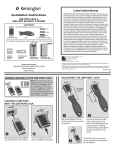
Mac OS X users (10.2.8 or later): Simply plug in the Bluetooth USB adapter to
start Bluetooth. For setup and configuration information, see page 12.
Windows XP users: Uninstall any existing Bluetooth software before you begin
this installation. Install the Bluetooth Software included on the CD-ROM first,
and then plug in the USB adapter.
For more detailed information or instructions consult the manual on
the CD-ROM.
Windows XP Installation
1. Put the installation CD in your CD drive.
3. Select I accept the terms in the license agreement, and click Next.
2. Click Click! to Install to begin. (If the CD does not autoplay, select
Start >Run... and type: D:autorun.exe, where ‘D’ is the letter of
your CD drive.)
2 • Bluetooth USB Adapter
4. Click Next to continue.
Bluetooth USB Adapter • 3