1
Pic. 2-1
Pic. 2-2, 2-3
3. If the printer is alright, make a printout to see the result.
Note: This system will not cause any damage to your printer.
II. Installation Procedures
1. Setting up the system
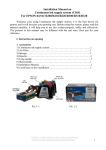
Place this system to the left of the printer, clean the ink-flow tubes (3-1-1),
pull the air balance plug out (3-1-2) and replace it with an air filter with the bigger
side faced down (3-1-3).These steps have to be repeated for each air balance plug.
Do not throw away the air balance plugs.
Pic. 3-1-1
Pic. 3-1-2
Pic. 3-1-3
2. Remove the cartridge holder
Select Main menu ->maintenance->cartridge change->cartridge change
tools->next step->next step->confirm, then remove the cartridge holder, press the
button (Pic. 3-2-2), plug out the power cord (Pic. 3-2-3).
CISS INSTALLATION MANUAL FOR EPSON C79/D78 PRINTER
2