1
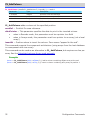
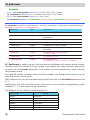
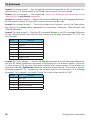
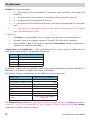
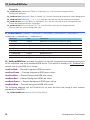
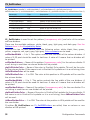
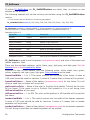
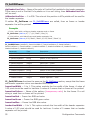
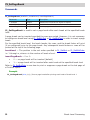
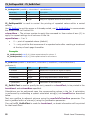
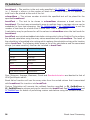
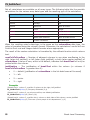
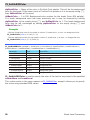
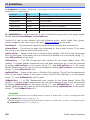
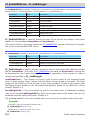
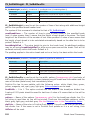
PL_SetBkHHeight - PL_SetBrkRowDiv PL_SetBkHHeight (areaRef:L; breakLevel:I; numBreakLines:I; breakHeightPad:I) Parameter Type Description areaRef longint Reference of PrintList Pro object on layout breakLevel integer Break level number numBreakLines integer Number of text lines in the break breakHeightPad integer Extra height for the break PL_SetBkHHeight is used to set the number of lines of text along with additional height pad for the specified break header level. The syntax of this command is identical to that of PL_SetBrkHeight. numBreakLines — The number of lines to give to each break of the specified break level. A value greater than 0 means that the height of each break is the same. The fixed height will be a function of the number of text lines specified. A value of zero means that the height of each break is to be calculated automatically based on the data that is to be printed. Default is 1. breakHeightPad — The extra height to give to the break level. An additional padding may be set using breakHeightPad to allow more space around the break. Text will be centered vertically within the break. Default is 0. The padding applies to the entire break and not on a line by line basis within the break. PL_SetBrkRowDiv (areaRef:L; lineWidth:F; pattern:S; plpColor:S; 4dColor:I) Parameter Type Description areaRef longint Reference of PrintList Pro object on layout lineWidth real Width of the break/row divider line pattern string Pattern of the line plpColor string Color from PrintList Pro’s palette for the line 4dColor integer Color from 4D’s palette for the line PL_SetBrkRowDiv is used to set the line width, pattern (transparency ratio) and color of the break/row divider line which is drawn between any/all break level information and the rows of list data (detail area) that immediately follow. PrintList Pro has its own palette, with the following colors: white, black, blue, green, yellow, magenta, red, cyan, gray, light gray. Color constants can be used. lineWidth — 0 to 1. This option controls the line width of the break/row divider line. A value of 0.25 pixels should be used for hairlines. A value of 0 means that no line will be printed. pattern — Name of the pattern (transparency ratio) for the break/row divider line. If a null string is used then no line will be printed. These are the available patterns: white, black, gray, light gray, and dark gray. See the Patterns item in the Compatibility Notes. plpColor — Name of the color in PrintList Pro’s palette. This will be the color for the break/ row divider line. If the name is not in PrintList Pro’s palette or it is a null string, then 4dColor will be used. 102 Break Level Processing