1
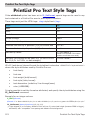
PL_Load / PL_Save PL_Load (areaRef:L; XML:T) -> result:L Parameter Type Description areaRef longint Reference of PrintList Pro object on layout XML text XML data that was saved using the PL_Save command result longint 0 if the XML was loaded OK; 1 if not Initialize an area from an XML (using UTF-8) text that was saved to a text field or variable using the PL_Save command or AL_Save (from AreaList Pro). PL_Load can be used without any other command use (e.g. no defined columns - they will be read from the XML). Do not call PL_Load more than once for the same area: it is not intended for that and many properties are not reinitialized to defaults. Example This example initializes a PrintList Pro area using settings that were saved into a field in the database. $err:=PL_Load (area;[Settings]PLP_template) PL_Save (areaRef:L; XML:T) -> result:L Parameter Type Description areaRef longint Reference of PrintList Pro object on layout XML text A variable or field to save an area’s XML settings into result longint 0 if the XML was saved OK; 2 if not Save an area’s settings as XML (using UTF-8) in a text variable or field. Use PL_Save after configuring the area but before printing. PrintList Pro modifies properties during printing - you would not get the original settings. Example Save a PrintList Pro area’s settings into a field in the database. C_TEXT($Settings) $err:=PL_Save (area;$Settings) [Settings]PLP_template:=$Settings 69 Configuration Commands