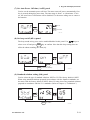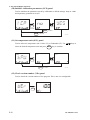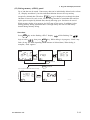
1
5. Keypad and Display Functions
5.3 Function Mode
Outline
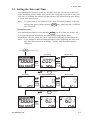
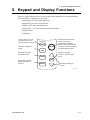
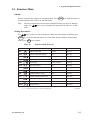
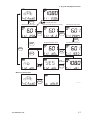
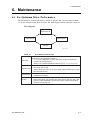
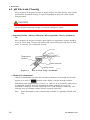
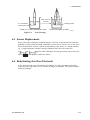
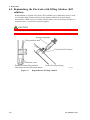
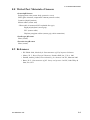
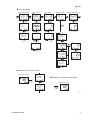
Various functions are supported by function mode. Press
F/ENT
key while the meter is
in measurement mode to move to function mode.
Note:
The last selected and executed item is displayed when you move to function
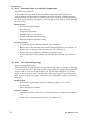
mode. Use
keys to cycle through the items listed in Table 5.1 in that
order.
Setting Procedures
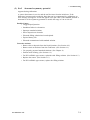
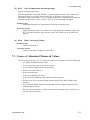
Use
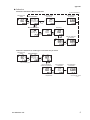
keys to move to the desired item. While the desired item is flashing, press
F/ENT
key to access that item panel. To return from function mode to measurement
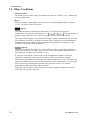
mode, press
MEAS
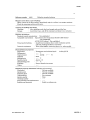
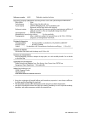
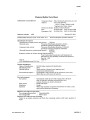
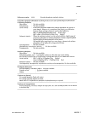
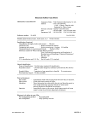
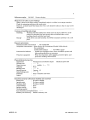
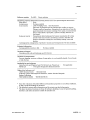
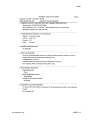
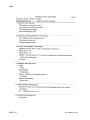
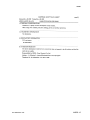
Table 5.1
Item*1
key anytime.
Function Mode Item List
Default*2
Description
For details, refer to:
dAt
Display stored data
no dAtA
Item (1)
M.tP
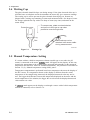
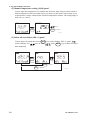
Manual temperature setting
25 8C
Item (2)
dEL.A
Delete all stored data
2
Item (3)
dAtE
Date setting
2004, 1 (month), 1 (day) Item (4)
tIME
Time setting
0 hour 0 minute
Item (5)
ALM
Alarm time setting
oFF
Item (6)
A.oFF
Set Auto Power Off time
20 min
Item (7)
bZ.o
Set beep on/off
on
Item (8)
Std
Standard solution setting
nISt
Item (9)
I.CP
Initialize calibration parameters
no
Item (10)
tP.U
Set temperature unit
8C
Item (11)
VEr
Check version number
2
Item (12)
dFLG
Defrag memory
2
Item (13)
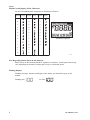
*1: For displayed digital characters, see Alphanumeric Display Table in Preface.
*2: "2" denotes that the item is not user configurable.
IM 12B03D01-01E
T0501.EPS
5-5