1
Preparation and Installation
1.5.4
03.04
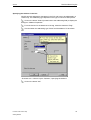
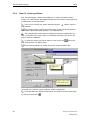
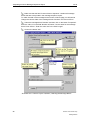
Installation: Authorization
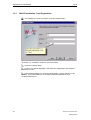
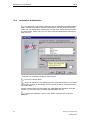
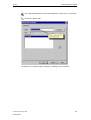
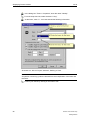
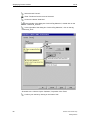
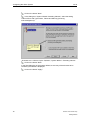
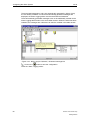
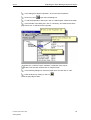
The dialog box "Authorization" displays a list of required authorizations based
on the selected components. Since the authorization can also be performed later,
select "No, the authorization is performed at a later time". Please note that without
an authorization, WinCC only runs in a demo mode and automatically shuts down
after one hour.
Illustration 1.6: Installation of WinCC; Authorization
Click on the button "Next".
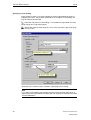
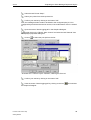
In the next dialog box, the settings you have made will be shown. If you would
like to make changes to the settings, click on the button "Back", otherwise click on
the button "Next".
WinCC will then begin with the transfer of the files.After the completion of the file
transfer, you have the option of reading the "README.TXT" file.
To finish the installation, click on "Yes, restart computer now" in the final
dialog box.
14
Printout of the Online Help
Getting Started