1
Chapter 2
BIOS Setup
2.6 Power Management Setup
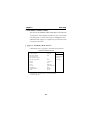
The Power Management Setup allows you to configure your
system to most effectively save energy while operating in a
manner consistent with your own style of computer use.
¡·
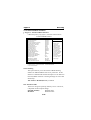
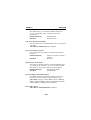
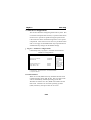
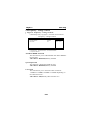
¡·Figure 6. Power Management Setup
CMOS Setup Utility-Copyright (C) 1984-2001 Award Software
Power Management Setup
ACPI Function
ACPI Suspend Type
Power Management Option
HDD Power Down
Suspend Mode
Video Off Option
Video Off Method
Modem Use IRQ
Soft-Off by PWRBTN
PWRON After PWR-Fail
IRQ / Event Activity Detect
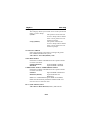
Enabled
S1(POS)
User Define
Disabled
Disabled
Suspend->Off
V/H SYNC+Blank
3
Instant-Off
Off
Press Enter
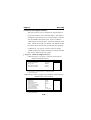
Item Help
Menu Level
←→↑↓: Move Enter:Select +/-/PU/PD:Value F10:Save ESC:Exit
F1:General Help F5:Previous Values F6:Fail-Safe Defaults
F7:Optimized Defaults
ACPI Function
This item display status of the Advanced Configuration and
Power Management (ACPI).
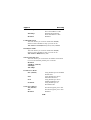
ACPI Suspend Type
The item allows you to select the suspend type under ACPI
operating system.
S1(POS) (default)
Power on Suspend.
S3(STR)
Suspend to RAM.
Power Management Option
This option allows you to set each mode individually.
When not disabled, each of the ranges are from 1 min. to 1
hr. except for HDD Power Down which ranges from 1 min.
to 15 min. and disable.
The Choices: User Define (default), Min Saving, Max
Saving.
2-24