1
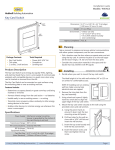
Rocker Pad (Single, Double) • Installation Guide
B. Flush Mounted Installation
NOTE: When installing over an existing wall box make
sure any bare electrical wires are capped. Where local
building codes require the use of UL certified wallplates,
please replace the provided wallplate by a certified
wallplate made of plastic. Metal wallplates are not recommended, as they would reduce radio coverage!
i. Remove the assembly screws which hold the wall
plate, rocker pad, and mounting plate together.
ii. Use a tool to carefully pry the
rocker pad free from the
back plate. The back plate is
not used for this option.
The Rocker Pads are Transmit-only Devices.
To link the Rocker Pad to a transceiver; the transceiver must first
be powered, within wireless range of the sensor, and set to accepts links.
To Link or Unlink a Rocker Pad
1. Set the desired transceiver to the desired Link/Unlink mode.
(refer to receiving device’s installation guide).
2. Click the rocker pad’s top button three times quickly.
••>The rocker pad is now linked.
Refer to the “Linking” section of the transceiver/controller installation guides to verify the linking process.
Troubleshooting
iii. Mount the rocker pad over
the existing wall box using
the two screw holes,
Problem
NOTE: For proper assembly, make sure to align the
“top” labels on the rocker pad and wall plate.
iv. Attach the wall plate on top of the rocker pad using
the two wall box screw holes.
4. Insert the trim plate tabs in the bottom slots, and then lightly
flex the plate to insert top tabs.
OP
Solution Checklist
The rocker pad
does not generate a
message
▪▪
Verify the rocker pad is installed in the proper
orientation
The linked device
does not respond
to wireless messages
▪▪
▪▪
▪▪
Check for environment or range issues
Verify the device is linked
Check the transceiver connection and the wiring for errors
Check if appropriate devices are linked according to good system planning
902 MHz:
▪▪
Contains
315 MHz:
FCC: SZV-PTM210U
IC: 5713A-PTM210U
Contains
FCC: SZV-PTM210C
IC: 5713A-PTM210C
This device complies with part 15 of the FCC rules and Industry Canada ICES-003. Operation
is subject to the following two conditions: (1) This device may not cause harmful interference,
and (2) this device must accept any interference received, including interference that may
cause undesired operation.
IMPORTANT! Any changes or modifications not expressly approved by the party responsible
for compliance could void the user’s authority to operate this equipment.
TIP: To remove the trim plate, use a flat-head screwdriver to
depress the trim plate tabs using the 2 slots on the bottom
of the wall plate. Alternatively, use a fingernail to press down
along the top groove and flex the tabs out of the slots.
Le présent appareil est conforme aux CNR d’Industrie Canada applicables aux appareils radio
exempts de licence. L’exploitation est autorisée aux deux conditions suivantes: (1) l’appareil ne
doit pas produire de brouillage, et (2) l’utilisateur de l’appareil doit accepter tout brouillage
radioélectrique subi, meme si le brouillage est susceptible d’en compromettre le fonctionnement.
IMPORTANT! Tous les changements ou modifications pas expressément approuvés par la
partie responsable de la conformité ont pu vider l’autorité de l’utilisateur pour actioner cet
équipment.
5. Click the rocker pad on and off to test the mechanism.
NOTE: To activate dimming, press and hold; top button to
increase, bottom button to decrease.
Linking
Two or more compatible devices can be linked and configured
to provide the desired control. There are two basic types of
devices in the system; transmitters and transceivers.
▪▪ Transmit-only: Transmitters are simple energy-harvesting
devices that send RF messages to communicate a condition,
level, or state. Transmitters can only be linked to transceivers.
Examples > Self-powered Light Switches, Occupancy Sensors
▪▪ Transmit & Receive: Transceivers are controlling devices
that send as well as receive RF messages. They also process
relevant control logic, and actuate the appropriate outputs
(switching a light on or off for example). Transceivers can be
linked with transmitters as well as other transceivers. A transceiver can have up to 30 devices linked to it.
Examples > Relays, Gateways
© 2014 EnOcean GmbH
Page 2
V2.2