1
Owner’s Project Requirements (OPR)
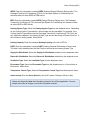
Occupant Control of Temperature: Select Yes if the building occupants may set and adjust
temperature settings in the condition space, otherwise Select No.
Occupant Control of Lighting: Select Yes, if the building occupants may turn lighting in the
space off or on, otherwise Select No.
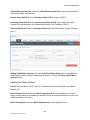
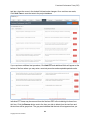
Enter the building’s primary occupancy schedule. Click the time box for start and stop times
of the Primary Schedule Occupied Schedule. A dialog box will open to select the time. Select
the hour and the minute with the slider button. If desired, a Now button will enter the current
time in the field. Click Done when finished.
Additional Occupied Schedule: A Secondary Occupied Schedule is available by Selecting
Yes. Another schedule will open, complete similar to the Primary Schedule Occupied Schedule.
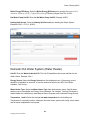
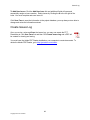
Approximate Building Construction Cost (USD): Enter the approximate building
construction Cost in U.S. Dollars. Enter numbers only in this field, no commas or decimal
points.
Approximate Building Construction Completion Date: Click the date box and a calendar will
open. Select the approximate construction completion date from the calendar provided.
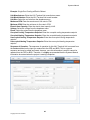
Building Systems
Check the boxes next to the building systems that require commissioning. You will configure
these building systems in the BOD page. You may return to this page to add or delete building
systems at any time by checking or unchecking the boxes. Use caution when deleting building
systems once you configure the systems in CxDocs. Information will be deleted throughout the
documents related to the deleted building system.
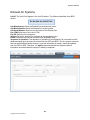
Environmental & Sustainability
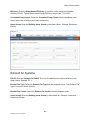
Sustainability Programs: Select the sustainability program from the dropdown menu. If your
sustainability program is not listed, select Suitable Sustainability Program.
12
Copyright 2014 Cx Solutions