1
•
•
•
•
•
•
•
2.2.4
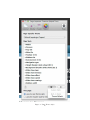
Auto - [Default] Scales according to the content within.
25% of Window
33% of Window
50% of Window
66% of Window
75% of Window
Full Window
Vista Image
Sets an optional image background to the vista area (top portion) of the layout.
If no image is desired then a color setting can be used which can be set in Colors
(Top) > Vista Background.
•
•
•
•
•
•
2.2.5
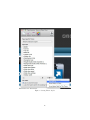
Vista 1
Vista 2
Vista 3
Vista 4
Vista 5
Color - [Default]
Header Height (ExtraContent 1)
Sets the height of the header or ExtraContent area 1 if ExtraContent is being
used. The header is located within the vista or top portion of the site, under
the title and slogan and will only appear if a) you set a header height here or
b) you propagate the area with ExtraContent. Since there is padding and the
possibility of content overrun, these heights are only an approximation.
•
•
•
•
•
•
•
•
•
2.2.6
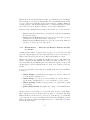
Auto - [Default] Scales according the the content within.
60px
120px
180px
240px
300px
360px
420px
480px
Header Image (ExtraContent 1)
Sets an optional image background and transparent color to the header or
ExtraContent 1. If no image is desired then a solid color setting can be used
6