1
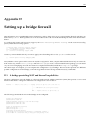
Chapter D. Setting up a bridge firewall
142
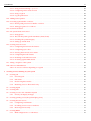
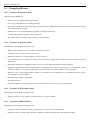
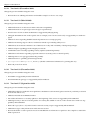
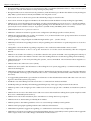
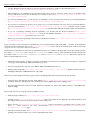
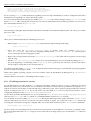
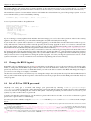
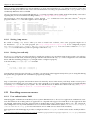
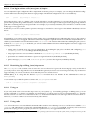
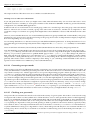
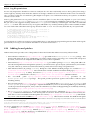
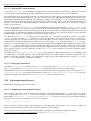
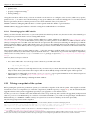
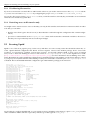
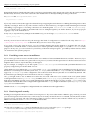
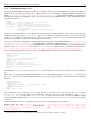
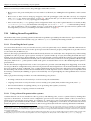
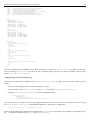
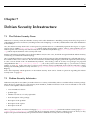
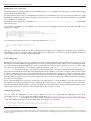
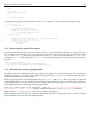
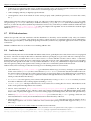
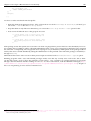
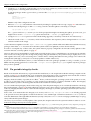
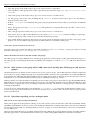
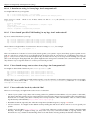
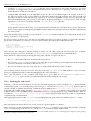
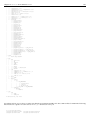
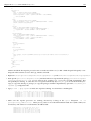
# other computers. Now if you want you can config a gateway on your
# bridge and choose it as your new gateway for the other computers.
/sbin/ifconfig br0 62.3.3.26 netmask 255.255.255.248 broadcast 62.3.3.31
# I have added this internal IP to create my NAT
ip addr add 192.168.0.1/24 dev br0
/sbin/route add default gw 62.3.3.25
D.2
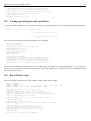
A bridge providing firewall capabilities
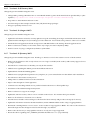
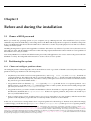
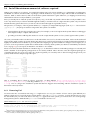
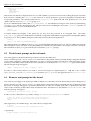
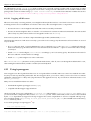
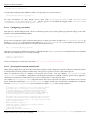
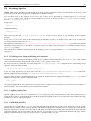
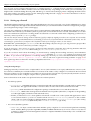
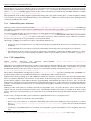
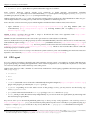
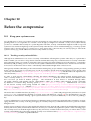
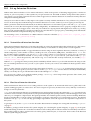
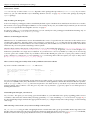
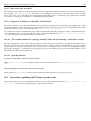
A second possible configuration is a system that is set up as a transparent firewall for a LAN with a public IP address space.
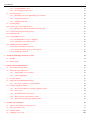
Internet ---- router (62.3.3.25) ---- bridge (62.3.3.26)
|
|
|---- WWW Server (62.3.3.28 gw 62.3.3.25)
|
|
|---- Mail Server (62.3.3.27 gw 62.3.3.25)
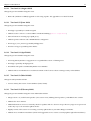
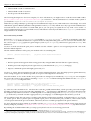
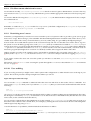
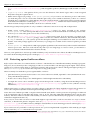
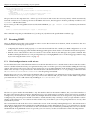
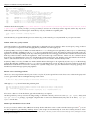
The following commands show how this bridge can be configured.
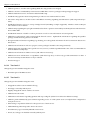
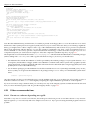
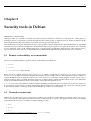
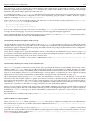
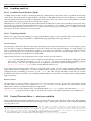
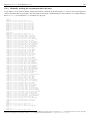
# Create the interface br0
/usr/sbin/brctl addbr br0
# Add the Ethernet interface to use with the bridge
/usr/sbin/brctl addif br0 eth0
/usr/sbin/brctl addif br0 eth1
# Start up the Ethernet interface
/sbin/ifconfig eth0 0.0.0.0
/sbin/ifconfig eth1 0.0.0.0
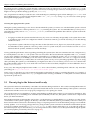
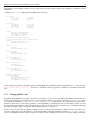
#
#
#
#
#
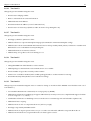
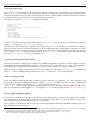
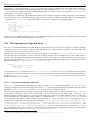
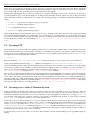
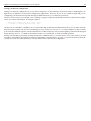
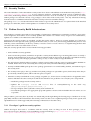
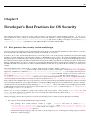
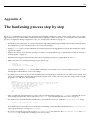
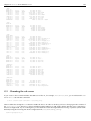
Configure the bridge Ethernet
The bridge will be correct and invisible
It’s hidden in a traceroute and you keep
other computers. Now if you want you can
bridge and choose it as your new gateway
( transparent firewall ).
your real gateway on the
config a gateway on your
for the other computers.
/sbin/ifconfig br0 62.3.3.26 netmask 255.255.255.248 broadcast 62.3.3.31
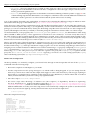
If you traceroute the Linux Mail Server, you won’t see the bridge. If you want access to the bridge with ssh, you must have
a gateway or you must first connect to another server, such as the “Mail Server”, and then connect to the bridge through
the internal network card.
D.3
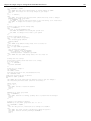
Basic IPtables rules
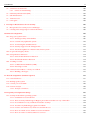
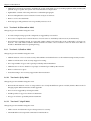
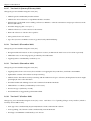
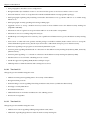
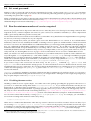
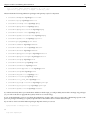
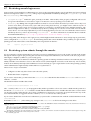
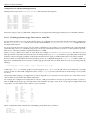
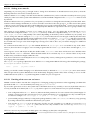
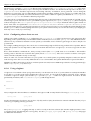
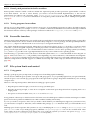
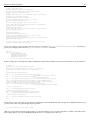
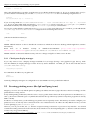
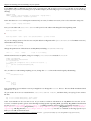
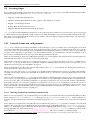
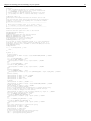
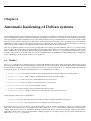
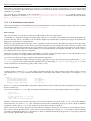
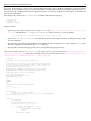
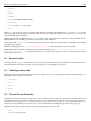
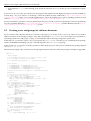
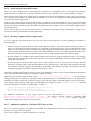
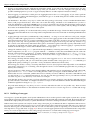
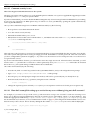
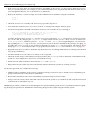
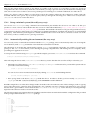
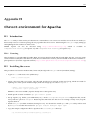
This is an example of the basic rules that could be used for either of these setups.
iptables
iptables
iptables
iptables
#
#
#
#
#
-F
-P
-A
-A
FORWARD
FORWARD DROP
FORWARD -s 0.0.0.0/0.0.0.0 -d 0.0.0.0/0.0.0.0 -m state --state INVALID -j DROP
FORWARD -m state --state ESTABLISHED,RELATED -j ACCEPT
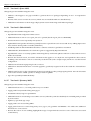
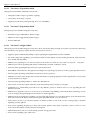
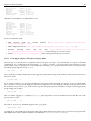
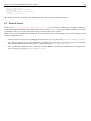
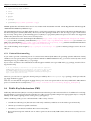
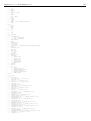
Some funny rules but not in
Limit ICMP
iptables -A FORWARD -p icmp
Match string, a good simple
iptables -I FORWARD -j DROP
a classic Iptables sorry ...
-m limit --limit 4/s -j ACCEPT
method to block some VIRUS very quickly
-p tcp -s 0.0.0.0/0 -m string --string "cmd.exe"
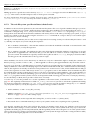
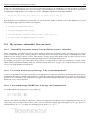
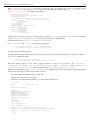
# Block all MySQL connection just to be sure
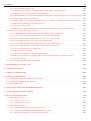
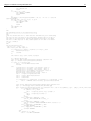
iptables -A FORWARD -p tcp -s 0/0 -d 62.3.3.0/24 --dport 3306 -j DROP
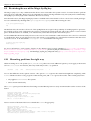
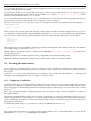
# Linux Mail Server Rules
# Allow FTP-DATA (20), FTP (21), SSH (22)
iptables -A FORWARD -p tcp -s 0.0.0.0/0 -d 62.3.3.27/32 --dport 20:22 -j ACCEPT
# Allow the Mail Server to connect to the outside
# Note: This is *not* needed for the previous connections
# (remember: stateful filtering) and could be removed.
iptables -A FORWARD -p tcp -s 62.3.3.27/32 -d 0/0 -j ACCEPT
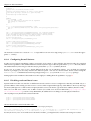
# WWW Server Rules
# Allow HTTP ( 80 ) connections with the WWW server