1
Chapter 4. After installation
59
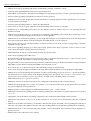
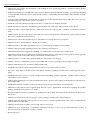
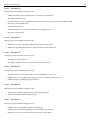
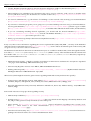
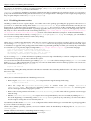
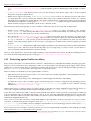
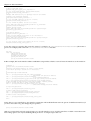
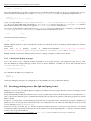
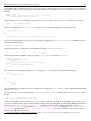
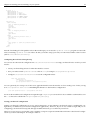
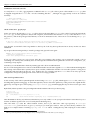
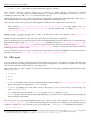
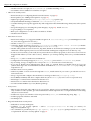
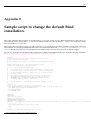
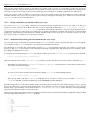
#!/bin/sh -e
# Script-name: /etc/network/interface-secure
#
# Modifies some default behavior in order to secure against
# some TCP/IP spoofing & attacks for a given interface.
#
# Contributed by Dariusz Puchalak.
#
IFACE=$1
if [ -z "$IFACE" ] ; then
echo "$0: Must give an interface name as argument!"
echo "Usage: $0 <interface>"
exit 1
fi
if [ ! -e /proc/sys/net/ipv4/conf/$IFACE/ ]; then
echo "$0: Interface $IFACE does not exit (cannot find /proc/sys/net/ipv4/conf/)"
exit 1
fi
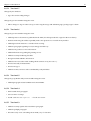
echo 0 > /proc/sys/net/ipv4/conf/$IFACE/forwarding # IP forwarding disabled.
echo 1 >/proc/sys/net/ipv4/conf/$IFACE/log_martians # Log strange packets.
# (this includes spoofed packets, source routed packets, redirect packets)
# but be careful with this on heavy loaded web servers.
# IP spoofing protection.
echo 1 > /proc/sys/net/ipv4/conf/$IFACE/rp_filter
# Disable ICMP redirect acceptance.
echo 0 > /proc/sys/net/ipv4/conf/$IFACE/accept_redirects
echo 0 > /proc/sys/net/ipv4/conf/$IFACE/send_redirects
# Disable source routed packets.
echo 0 > /proc/sys/net/ipv4/conf/$IFACE/accept_source_route
exit 0
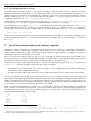
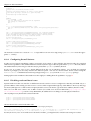
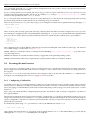
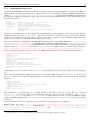
An alternative solution is to create an init.d script and have it run on bootup (using update-rc.d to create the appropriate rc.d links).
4.18.4
Configuring firewall features
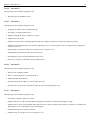
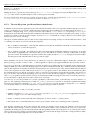
In order to have firewall capabilities, either to protect the local system or others behind it, the kernel needs to be compiled
with firewall capabilities. The standard Debian 2.2 kernel (Linux 2.2) provides the packet filter ipchains firewall, Debian
3.0 standard kernel (Linux 2.4) provides the stateful packet filter iptables (netfilter) firewall.
In any case, it is pretty easy to use a kernel different from the one provided by Debian. You can find pre-compiled
kernels as packages you can easily install in the Debian system. You can also download the kernel sources using the
kernel-source-X and build custom kernel packages using make-kpkg from the kernel-package package.
Setting up firewalls in Debian is discussed more thoroughly in ‘Adding firewall capabilities’ on page 77.
4.18.5
Disabling weak-end hosts issues
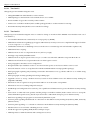
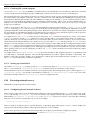
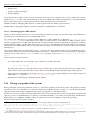
Systems with more than one interface on different networks can have services configured so that they will bind only to a
given IP address. This usually prevents access to services when requested through any other address. However, this does
not mean (although it is a common misconception) that the service is bound to a given hardware address (interface card). 31
This is not an ARP issue and it’s not an RFC violation (it’s called weak end host in RFC1122 (ftp://ftp.isi.edu/
in-notes/rfc1122.txt), section 3.3.4.2). Remember, IP addresses have nothing to do with physical interfaces.
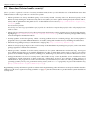
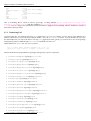
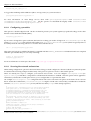
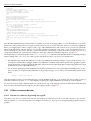
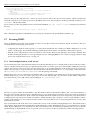
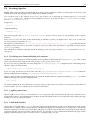
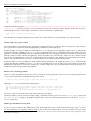
On 2.2 (and previous) kernels this can be fixed with:
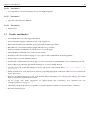
# echo 1 > /proc/sys/net/ipv4/conf/all/hidden
# echo 1 > /proc/sys/net/ipv4/conf/eth0/hidden
# echo 1 > /proc/sys/net/ipv4/conf/eth1/hidden
.....
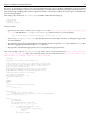
On later kernels this can be fixed either with:
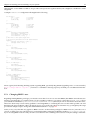
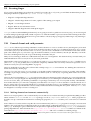
31 To
reproduce this (example provided by Felix von Leitner on the Bugtraq mailing list):
host a (eth0 connected to eth0 of host b): ifconfig eth0 10.0.0.1 ifconfig eth1 23.0.0.1 tcpserver -RHl localhost 23.0.0.1 8000
echo fnord host b: ifconfig eth0 10.0.0.2 route add 23.0.0.1 gw 10.0.0.1 telnet 23.0.0.1 8000
It seems, however, not to work with services bound to 127.0.0.1, you might need to write the tests using raw sockets.