1
Chapter B. Configuration checklist
217
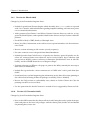
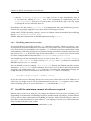
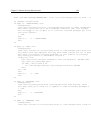
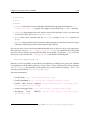
– Disable other gratuitous network services; ftp, DNS, WWW etc should not be running if you do not need them and monitor them regularly. In most cases mail should
be running but configured for local delivery only.
– For those services which you do need, do not just use the most common programs,
look for more secure versions shipped with Debian (or from other sources). Whatever you end up running, make sure you understand the risks.
– Set up chroot jails for outside users and daemons.
– Configure firewall and tcpwrappers (i.e. hosts_access(5)); note trick for /etc
/hosts.deny in text.
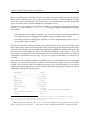
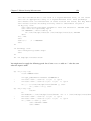
– If you run ftp, set up your ftpd server to always run chroot’ed to the user’s home
directory
– If you run X, disable xhost authentication and go with ssh instead; better yet, disable remote X if you can (add -nolisten tcp to the X command line and turn off
XDMCP in /etc/X11/xdm/xdm-config by setting the requestPort to 0)
– Disable remote access to printers
– Tunnel any IMAP or POP sessions through SSL or ssh; install stunnel if you want
to provide this service to remote mail users
– Set up a log host and configure other machines to send logs to this host (/etc
/syslog.conf)
– Secure BIND, Sendmail, and other complex daemons (run in a chroot jail; run as a
non-root pseudo-user)
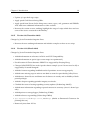
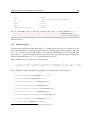
– Install tiger or a similar network intrusion detection tool.
– Install snort or a similar network intrusion detection tool.
– Do without NIS and RPC if you can (disable portmap).
• Policy issues
– Educate users about the whys and hows of your policies. When you have prohibited
something which is regularly available on other systems, provide documentation
which explains how to accomplish similar results using other, more secure means.
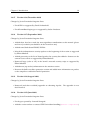
– Prohibit use of protocols which use clear-text passwords (telnet, rsh and friends;
ftp, imap, http, . . . ).
– Prohibit programs which use SVGAlib.
– Use disk quotas.
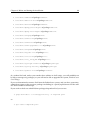
• Keep informed about security issues
– Subscribe to security mailing lists
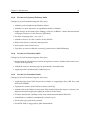
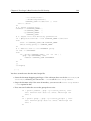
– Configure apt for security updates – add to /etc/apt/sources.list an entry
(or entries) for http://security.debian.org/
– Also remember to periodically run apt-get update ; apt-get upgrade
(perhaps install as a cron job?) as explained in ‘Execute a security update’ on
page 48.