1
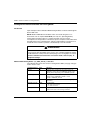
Chapter 15 Analog Module Diagnostics . . . . . . . . . . . . . . . . . . . . . . .
259
Diagnostics of an Analog Module . . . . . . . . . . . . . . . . . . . . . . . . . . . . . .
Detailed Diagnostics by Analog Channel. . . . . . . . . . . . . . . . . . . . . . . . .
260
262
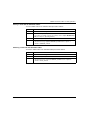
Chapter 16 Operating Modules from the Application . . . . . . . . . . . .
263
16.1
Access to the Measurements and Statuses. . . . . . . . . . . . . . . . . . . . . . .
Addressing of the Analog Module Objects. . . . . . . . . . . . . . . . . . . . . . . .
Module Configuration. . . . . . . . . . . . . . . . . . . . . . . . . . . . . . . . . . . . . . . .
Additional Programming Features . . . . . . . . . . . . . . . . . . . . . . . . . . . . . .
Presentation of Language Objects Associated with the Analog Modules
Implicit Exchange Language Objects Associated with Analog Modules .
Explicit Exchange Language Objects Associated with Analog Modules .
Management of Exchanges and Reports with Explicit Objects . . . . . . . .
Language Objects Associated with Configuration . . . . . . . . . . . . . . . . . .
264
265
267
270
271
272
273
276
280
Part III Quick Start: Example of Analog I/O Module
Implementation . . . . . . . . . . . . . . . . . . . . . . . . . . . . .
283
Chapter 17 Description of the Application . . . . . . . . . . . . . . . . . . . . .
285
16.2
Overview of the Application . . . . . . . . . . . . . . . . . . . . . . . . . . . . . . . . . . .
285
Chapter 18 Installing the Application Using Unity Pro . . . . . . . . . . .
287
18.1
Presentation of the Solution Used . . . . . . . . . . . . . . . . . . . . . . . . . . . . . .
Technological Choices Used . . . . . . . . . . . . . . . . . . . . . . . . . . . . . . . . . .
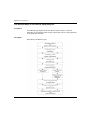
The Different Steps in the Process Using Unity Pro . . . . . . . . . . . . . . . .
Developing the Application . . . . . . . . . . . . . . . . . . . . . . . . . . . . . . . . . . .
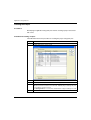
Creating the Project . . . . . . . . . . . . . . . . . . . . . . . . . . . . . . . . . . . . . . . . .
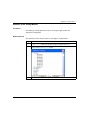
Selection of the Analog Module . . . . . . . . . . . . . . . . . . . . . . . . . . . . . . . .
Declaration of Variables. . . . . . . . . . . . . . . . . . . . . . . . . . . . . . . . . . . . . .
Creation and Use of the DFBs . . . . . . . . . . . . . . . . . . . . . . . . . . . . . . . . .
Creating the Program in SFC for Managing the Tank . . . . . . . . . . . . . . .
Creating a Program in LD for Application Execution . . . . . . . . . . . . . . . .
Creating a Program in LD for Application Simulation. . . . . . . . . . . . . . . .
Creating an Animation Table . . . . . . . . . . . . . . . . . . . . . . . . . . . . . . . . . .
Creating the Operator Screen . . . . . . . . . . . . . . . . . . . . . . . . . . . . . . . . .
288
289
290
291
292
293
294
297
302
306
308
310
311
Chapter 19 Starting the Application . . . . . . . . . . . . . . . . . . . . . . . . . .
315
Execution of Application in Simulation Mode . . . . . . . . . . . . . . . . . . . . . .
Execution of Application in Standard Mode . . . . . . . . . . . . . . . . . . . . . . .
316
317
Chapter 20 Actions and transitions . . . . . . . . . . . . . . . . . . . . . . . . . . .
323
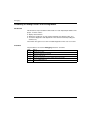
Transitions . . . . . . . . . . . . . . . . . . . . . . . . . . . . . . . . . . . . . . . . . . . . . . . .
Actions . . . . . . . . . . . . . . . . . . . . . . . . . . . . . . . . . . . . . . . . . . . . . . . . . . .
324
326
Appendices . . . . . . . . . . . . . . . . . . . . . . . . . . . . . . . . . . . . . . . . . . .
329
18.2
6
35011978 07/2012