1
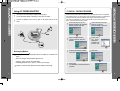
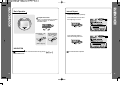
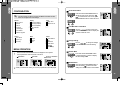
Using AC POWER ADAPTER
Use only the AC Power Adapter supplied with the player.
The AC operating voltage of this player is 100~240V, 50~60Hz.
Connect the adapter to the 5.0V DC jack on the player and into an AC
outlet.
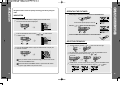
Recharging Method
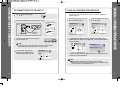
TO INSTALL THE DEVICE DRIVER
Win
auto
Win
reco
func
Windows Me, Windows 2000, and Windows XP will recognize the iGP as a USB drive
automatically and you can use the player with out installing the driver. For Windows 98
SE users, the driver must be installed for the computer to recognize the player.
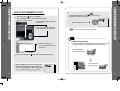
First, insert the installation CD, then connect the iGP to your PC and power on the
player. Then follow the instructions below."
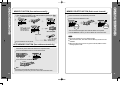
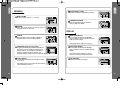
Connect the player to your PC,
Windows will display the "Add New
Hardware Wizard. Click Next.
Choose "Search for the best
driver for your device
(Recommended)." Click Next.
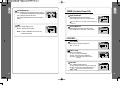
Place a checkmark next to
"Specify a location" and click
Browse.
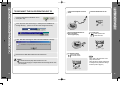
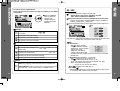
Choose "iGP100 Driver”
folder on the
installation CD
and Click “OK”.
Once the path has been located,
Click “Next”.
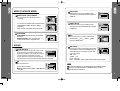
Click “Next”
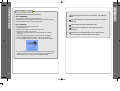
The player will charge automatically when the AC adapter is connected to the
player.
When fully charged, charge indicator light turns off.
Charging : Approx. 2 hours (At full discharge)
Discharging (Playback time) : Approx. 12 hours (At full charge)
Playtime is measured under playback of MP3 128Kbps at full charge.
8
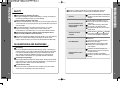
Click “Finish”
The installation of the Device Driver is
complete.
9