1
CHAPTER 15
Serial Control
4.
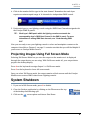
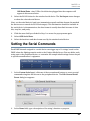
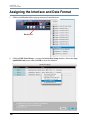
After defining the desired action, click Send Now to test this string on your serial
device.
5.
Close the Edit General Serial Preset window by clicking the O.K. button.
6.
Repeat with the other Custom Serial panel buttons until you have entered all the
command strings needed.
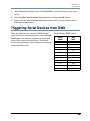
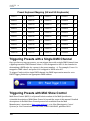
Triggering Serial Devices from DMX
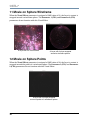
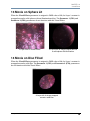
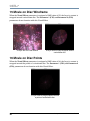
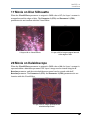
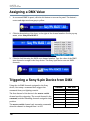
When the Media Server receives a DMX channel
value allocated to a particular button on the Custom
Serial panel, the software transmits the associated
string to the connected serial device. The Media
Server sends the string once each time it receives the
associated DMX value.
Catalyst® V3 Media Server User Manual
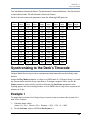
Serial Button DMX values
Serial
Button
DMX
Value
OFF
0
1
6
2
31
3
56
4
81
5
106
6
131
7
156
8
181
9
206
10
231
133