1
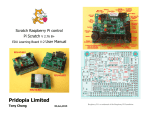
Scratch Raspberry Pi control
Pi Scratch V 2.73 B+
EDU Learning Board User Manual
Pridopia Limited
Tony Chang
Raspberry Pi is a trademark of the Raspberry Pi Foundation
18,Dec,2014
Contents
1. Install EDU Learning Board ------------------------------------------------------------ 2
2. Download & Install Pi_Scratch software --------------------------------------------- 3
Setting Scratch for Auto loading Pi_Scratch ----------------------------------------- 4
3. Enable i2c & Install i2c ----------------------------------------------------------------- 5
4. Other software pack install ------------------------------------------------------------- 7
5. Basic GPIO Function -------------------------------------------------------------------- 13
1. BASIC GPIO input & output demo ------------------------------------------------- 15
2. BASIC GPIO step motor demo ----------------------------------------------------- 17
6. EDU Learning Board support ------------------------------------------------------------ 18
1. RTC setting --------------------------------------------------------------------------- 20
2. Stepper Motor ------------------------------------------------------------------------ 24
3. 1-Wire DS18B20 Temperature Sensor -------------------------------------------- 27
4. DC 5V Mini Fan ---------------------------------------------------------------------- 29
5. IR PIR Motion Sensor Module ----------------------------------------------------- 31
6. IR remote control -------------------------------------------------------------------- 34
7. RFID reader --------------------------------------------------------------------------- 40
8. NRF24L01 Radio Frequency Reader module --------------------------------------45
7. Raspberry Pi B+ GPIO support ---------------------------------------------------------- 49
8. Python Test Code ------------------------------------------------------------------------- 50
Install EDU Learning Board
(1) Install RTC Battery
(2) Install PCB spacer
Q&A
Pi_Scratch Install Q & A ------------------------------------------------------------- 52
How to Auto run Scratch & auto load Pi_Scratch example file ----------------- 56
How to make Image from three ZIP file ------------------------------------------ 58
First thing need do for Pi_Scratch ready Image ---------------------------------- 59
How to upgrade from old Pi_Scratch to new Ver Pi-Scratch ------------------- 60
VNC (VIRTUAL NETWORK COMPUTING) setting ------------------------------- 61
Setting Scratch to active Mesh function ----------------------------------------- 64
EDU Learning Board GPIO List
2
Download program pack from our web site
setting Auto login -> startx -> Scratch -> load file for Pi_Scratch
sudo wget http://pridopia.co.uk/pi-pgm/Pi_Scratch_v273.tar
tar xf Pi_Scratch_v273.tar
cd Pi_Scratch_v273
1.
Copy the two [.desktop] files to ~/.config/autostart/ and to the desktop at
~/.Desktop
You can use “sudo python Install-With-Scratch.py “
this will help you create a
folder and copy two files to the folder & install Auto login -> startx -> Pi_Sratch
You can use “sudo python Install-Without-Scratch.py “
a folder and copy two files to the folder & install Auto login
Two desktop files you can modify
Scratch-Handler
Scratch-File
You will find inside folder Pi_Scratch_v273
have 1 library folder lib
one WebIoPi-0.6.0 support DAC function
one installer folder include two python tools Install-WithScratch.py & Install-Without-Scratch.py for setting Auto Login &
Auto Load Pi_Scratch
Install-autorun-Scratch.py - for auto run example without press
any key
one Tools install all necessary program install.py
RFID-Installer.py Install RFID tools pack
one License document LICENSE.txt
one main program Pi_Scratch_v273.py
*
set up the auto login & auto start manually.
4
this will help you create
1.Make sure your I2C driver are enable
3. Next install the python-smbus python module:
To enable it all you need to do is comment out a line by putting # in front
sudo apt-get install python-smbus
sudo nano /etc/modprobe.d/raspi-blacklist.conf
sudo apt-get install i2c-tools
Now you are ready to use the i2c with python.
If you already install I2c driver ,
i2cdetect -y 0
in /etc/modules
sudo nano /etc/modules
2. Add i2c-dev
- for Raspberry Pi V1 board
by use
i2cdetect -y 1
- for Raspberry Pi V2 Board
6
B+ detect and install
# gunzip RPi.GPIO-0.5.6.tar.gz
# tar –xvf RPi.GPIO-0.5.6.tar
# cd RPi.GPIO-0.5.6
# sudo python setup.py install
(4) install RPIO 0.10.0
https://pypi.python.org/pypi/RPIO#downloads
# sudo apt-get install python-setuptools
# sudo easy_install –U RPIO
Install IR diver by manually
(5) LIRC module
# sudo apt-get install lirc
In Installer folder , type “python Install-WithScratch.py”
System will auto detect model B+, and
install Pi_Scratch for model B+
In “Pi_Scratch_v272-B” folder
install other necessary software package
use our install.py will help you install WebIOPi , spidev & RPIO
sudo python install.py
(1) install WebIOPi
goto folder “WebIOPi-0.6.0” “Python” run the command:
sudo python setup.py install
(2) install spidev
sudo apt-get install git
Then install py-spidev:
git clone git://github.com/doceme/py-spidev
cd py-spidev/
sudo python setup.py install
(3) install GPIO Library
https://pypi.python.org/pypi/RPi.GPIO
GPIO library
GPIO library - RPi.GPIO-0.5.6.tar.gz
Install python , library and run the test program
# sudo apt-get install python-dev
# wget http://www.pridopia.co.uk/pi-pgm/RPi.GPIO-0.5.6.tar.gz
(6) python LIRC module
https://pypi.python.org/pypi/python-lirc/1.1
# sudo apt-get install python-lirc
finished all necessary software install.
sudo Pi_Scratch_v273.py
sudo Pi_Scratch_v273.py -d
information display
in debug mode with more
sudo wget http://pridopia.co.uk/pi-pgm/EDU-Pack.tar
EDU Learning Board Software Pack
8
The Program run in back ground detect all the device connect to
Raspberry Pi. You can use Scratch with GPIO control function now.
The Program will run and waiting for Scratch connect …
1. Shift-click the Share in menu bar choose “Host Mesh”.
*** For the first time use Pi_Scratch
Load “g17-g27demo.sb” demo program first, shift-click “Share
“ Host Mesh --
will appear a IP address windows “Ok”
Then save this project in your pi again.
2. choose Host Mesh --- will appear a IP address windows
9
Next time you can load “g17-g27demo” the scratch will automatic
connect our “Pi_Scratch” , with “Remote sensor connections
enable” window, you don’t need choose “Host Mesh” every time”
10
*** You can run Scratch in PC use “Join Mesh”
To control Raspberry Pi ( need IP for your Raspberry Pi)
Raspberry Pi in “ Host Mesh”
Minimum Requirements – a Raspberry Pi with Raspbian (wheezy)
installed
12
1.The Pi_Scratch use GPIO number (BCM) not raspberry pi pin number. so can
support V2 P5 (GPIO 28,29,30,31) four extra GPIO pins.
2. example 1)define GPIO as input or output
g17out ---> GPIO17 output ( P1 pin 11)
2) set GPIO g17on -->PIO17 on(High)
g17in --> GPIO17 input
g17off ---> GPIO17 off(Low)
Example : 1.G17out g27out ( g17,g27 LED on off) Delay 1 sec
2 G17on g27off
3 G17off g27on
delay 2 sec
delay 2sec
4 goto step 2
example Program g17-g27demo.sb
Scratch demo code
Our "Pi_Scratch" for scratch V1.4 driver
The main goal for this software is towards helping children /
beginner programmers / hardware enthusiasts build up their
skills by doing simple tasks with even easier commands /
controls.
13
14
g17-g27demo.py
1. BASIC function 1
BASIC GPIO input & output demo
example Program RYG-LED-SW-demo.sb
1. define GPIO 23, 24 as input
2.define GPIO 4, 17,27 as output
3. press sw2 yellow LED on 1 sec, then Red LED "ON" The Cat say "Red"
4. press sw1 Red LED off 1 sec, then Green LED "ON" The Cat say "Green"
15
16
2
BASIC function 2
BASIC GPIO Step Motor demo
3. Raspberry Pi B+ (B Plus) EDU Learning Board support
first set traffic light Red (GPIO19), Yellow(GPIO13), Green (GPIO12)
,Switch 1(GPIO20)
second set traffic light Red (GPIO16), Yellow(GPIO21), Green (GPIO26)
,Switch 2(GPIO6)
command "SMOTORainit" initial GPIO 17,18,27,22 as A Step Motor Port
command "SMOTORbinit" initial GPIO 23,24,25,7 as B Step Motor Port
command "SMOTOR" + speed (3-50) +(a or B ) + output step
100 --- clockwise 100 step , -100 --- anticlockwise 100 step
a -- GPIO 17,18,27,22 , b -- GPIO 23,24,25,4
1. Setting GPIO 19,13,12 as output for R,Y,G LED
2. Setting GPIO 16,21,26 as output for R,Y,G LED
3. Setting GPIO 20,6 as input for 2 Switch
17
18
1. EDU Learning Board RTC setting
I2C DS1307 RTC
68 -> RTC DS1307
BASIC traffic light demo
19
20
i2c address 68 DS1307 RTC detect & demo
if you can't detect RTC function in Scratch
you can add ds1307 in /etc/rc.local
after broadcast "Update" in Sensing --> Slider , you will see the
RTC in the list
"Year, Month, Day, Date, Hour, Minutes, seconds"
in 0x68 address display "UU"
RTC information from Raspberry Pi i2c RTC module
21
22
2.
send
Stepper Motor
broadcast "rtc" then broadcast "update"
after broadcast "Update" in Sensing --> Slider , you will see the
RTC in the list
"Year, Month, Day, Date, Hour, Minutes, seconds"
main program turn relay 1,on 2 off -> 1 off, 2 on
on cycle
press C Stepper Motor clockwise press A Stepper Motor anticlockwise
Press S Stop
23
24
(2) Step Motor
smotor command easy way
5V Step Motor
command "SMOTORainit" initial GPIO 17,18,27,22 as A Step Motor Port
command "SMOTORbinit" initial GPIO 23,24,25,7 as B Step Motor Port
command "SMOTOR" + speed (3-50) +(a or B ) + output step
100 --- clockwise 100 step , -100 --- anticlockwise 100 step
a -- GPIO 17,18,27,22 , b -- GPIO 23,24,25,4
(2) Stepper Motor Test
25
26
3. 1-Wire 18B20 temp Sensor
Command " TEMPB20" to active 1-wire in pin7(GPIO4)
1.broadcast ""TEMPB20"
2. after broadcast in Sensing --> Slider ,
you will see the " Temp18B20" in the list
VCC to 3.3V P1 pin1, Data to P1 pin7(GPIO4) , GND to P1
pin6(GND)
Data & VCC we have one 10K SMD Resister
27
4.
DC 5V MINI FAN control (GPIO5)
1. broadcast "g5" + "out" setting GPIO 5 as output for Mini Fan
broadcast "g20" + "in" setting GPIO 205 as Micro Switch input
2. broadcast "update”
3.in Sensing --> Slider , you will see the "GPIO-20" in the list
29
30
5. IR PIR Motion Sensor Module (GPIO23)
1.broadcast "pir" + "init" + "29" GPIO 29 as input
2.in Sensing --> Slider , you will see the "PIR-29" in the list
31
32
6. IR remote control (GPIO23)
The PIR -29 value change
between "0" & "1"
ULN2803 pin 5 input from GPIO23
Provide 20cm male to female cable, you can use this
cable connect IR sensor to Pi without EDU board
33
34
Download 3 Remote control setting files
lircd.conf
.lircrc
hardware.conf
Copy hardware.conf , lircd.conf & lircrc to
1. pin5 move
2. ULN2803 remove
1. remove unl2803 pin 5 GPIO23 out of socket, use this
way , so you can use one Stepper Motor and 1-Wire
DAS18B20 sensor & IR remote sensor
or you can use way 2
2. remove uln2803 IC out of socket for IR remove sensor
working correctly. Use this way you can have stepper
Motor function.
Copy .lircrc
35
to /root
36
/etc/lirc
Remote control example
irw
IRR_v2.py
read information from remote control
demo
irexec
37
read information from remote control
7. RFID reader (SPI signal)
Scratch setting demo
Command " LIRREMOTE" +"INIT" to active IR REMOTE CONTROL
1.broadcast "LIRREMOTEINIT"
2. after broadcast Press the key in remote control you want use in Scratch
in Sensing --> Slider ,
you will see the key you press in the list
39
Install tools for RFID kit
In folder” Installer”
1) Command "RFID"+"INIT"+"0" for CE0
or Command "RFID"+"INIT"+"1" for CE1
will initial SPI signal to active RFID Reader
2) you will see "LastRFID" & "RFID" in Sensors
RFID socket
From pin1 (SDA,SCK,MOSI,MISO,IRQ,GND,RST,3V3
Scratch demo read RFID and GPIO output
(1) GPIO (SPi) RFID Reader & GPIO Relay output
Scratch control demo
RFID reader & Relay & Step Motor control
42
scratch demo code
ADD RFID Card into data base
Press “space” key then scan your RFID card
Active with Step Motor and GPIO Switch input
43
44
8. NRF24L01 Radio Frequency Reader module (SPI signal)
NRF24L01 socket
From pin1 (GND,3V3,GPIO25,CE0,SCLK,MOSI,MISO,X)
Or move “autostart” folder from /root/.config
For test NRF24L01 module you need
Sudo nano /etc/rc.local
Put # in front of
su –l root –c startx
Or Or move “autostart” folder from /root/.config
45
to desktop
to desktop
In “nrf24scannerPi” folder
WiFi scanner
test program
The pingtest & pongtest need 2 of Pi & 2 set of NRF24L01 Module , one
for pingtest another one for pongtest.
In “rf24pi” folder examples folder
Use chmod +x scanner ,
chmod +x pingtest , chmod +x pongtest
47
7. Example 01- Setting GPIO as output
1. define GPIO 5,6,12,13,16,19,20,21,26 as output
2. send GPIO 5,6,12,13,16,19,20,21,26 LED "ON"
3. send GPIO 6,13,16,20,26 LED "OFF" & 5,12,19,21 LED "ON"
4. send GPIO 6,13,16,20 LED "ON" & 5,12,19,21 LED "OFF"
Python Test Code
In EDU-Pack “18B20” folder Type python 18b20.py
18b20-1.py
In PIR folder type “python PIR.py”
You can change GPIO23 to any GPIO you want use
49
or python
Pi _Scratch Install Q & A
1. When you type “python Pi_Scratch_v268.py –d”
You see following message
In “Step” folder python step-v2.py for 1 step motor
Type “python step-v2.py”
In “TrafficLight” folder mina.py
Type “python main.py”
Type
“python Install.py”
install again
2. When you type “python Pi_Scratch_v268.py –d”
You see following message
In “RFID” folder RFID.py
Type “python RFID.py 0” for CE0
Check your setting
in /etc/modules
sudo nano /etc/modules
51
52
by use
4. When you type “python Pi_Scratch_v272-B.py –d”
You see following message
Use “root” to login your Pi, because some of the
software function need access your Pi
5. When you type “python Pi_Scratch_v268.py –d”
You see following message
3. Use manually start Pi_Scratch first, after everything working fine, then
setting Auto login and auto start , use root first
Type “startx” first, the open “LXTerminal” type “python
Pi_Scratch_v268.py –d”
53
6. When Manually start Pi_Scratch if you can’t see “Host
Mesh” Choose “Stop Hosting Mesh” first,
How to auto run Pi_Scratch without press any key
Type “python Install-autorun-Scratch.py”
Will do the setting for you also copy the autorun.sb example file
Use Pi_Scratch_V271
“shift S”
you will see “Host Mesh”
When receive “startup” to active auto run example file
We now have the program auto run in presentation mode, but
as mentioned earlier there is a pop-up message "Remote
sensor connections enabled" that stop update information
for sensor “ it will update until you have clicked OK. This
is something that needs to be turned off within the Scratch
application, which is one of the hidden settings within
Scratch.
After lauching Scratch shift left-click on the R in
the Scratch logo (top left) and choose "turn fill
screen off". Click on the white area to the right or
bottom of the screen and choose "Open" and "Browser".
Navigate to the section Scratch-UI-Panes ->
ScratchFrameMorph -> menu/button actions ->
enableRemoteSensors and remove the line:
Dialogboxmorph Inform: 'Remote Sensor
Connections Enabled' Localized
55
How to use three zip file change to Image file
Use 7-Zip software
Copy three zip file into one new folder, use 7-zip, click right mouse
key choose “Extract files”
Then click with the centre mouse button (or Ctrl and left
button) and choose Accept (s).
You can now remove the white space in Scratch by shift left
click on the R in Scratch logo and choose Turn Fill screen on.
Finally shift left click on the logo again and choose "save
image for end-user"
Click “OK”
After finished, you will have Pi_Scratch-V268-n1.img
57
58
Upzip 3 zip file for Linux
How to upgrade from old Pi_Scratch to new Ver Pi_Scratch
1) Download all the files to the same directory such as /home/pi/Scratch
In old ver Pi_Scratch_268 folder
---
remove auto-login auto run first
sudo python remove.py
2) If they are named in the same format as Pi_Scratch.... then you can run "cat
Pi_Scratch* >> merged.zip" or the name of the files minus the zip file extension & 001,
then reboot
002 etc.
3) run "unzip -FF merged.zip" to unzip the image.
4) run the DD command to copy the image to another storage unit ( SD card, USB
drive etc. )
If either one of the archives has a missing part / sector then the unzip will fail.
download new Ver Pi_Scratch
sudo wget http://pridopia.co.uk/pi-pgm/Pi_Scratch_v272.tar
tar xf Pi_Scratch_v272.tar
cd Pi_Scratch_v272
cd Installer
sudo python Install-autorun-Scratch.py
--- auto run example
without press any key – choose root
First thing need do for Pi_Scratch ready Image
or
sudo python Install-with-Scratch.py
--- auto load example but
need click “ok” and “greeng flag” in scratch – choose root
Pi_Scratch-v272 ready Image information
Use
Raspbian Wheezy
2014-06-20
ready to use Pi_Scratch_v272 with Auto Login & Auto Load Pi_Scratch
& SSH enable -SSH enable -- user - root password : pi for 4GB SD card
TightVNCserver install password : pipipi -Use sudo vncpasswd to change password
Use the Pi_Scratch ready Image first thing you need do
sudo raspi-config
Choose 1 “expand Filesystem to Ensures that all of the SD card s
59
60
VNC (VIRTUAL NETWORK COMPUTING)
VNC connect from iPad & idevice
VNC is a graphical desktop sharing system that allows you to
remotely control the desktop interface of one computer from
another. It transmits the keyboard and mouse events from the
controller, and receives updates to the screen over the network
from the remote host. You will see the desktop of the Raspberry
Pi inside a window on your computer. You'll be able to control
it as though you were working on the Raspberry Pi itself.
Type tightvncserver
to start VNC control from PC Mac or iPad
61
62
VNC connect from Android Smart Phone / Tablet
1. Scratch V1.4 Setting to Active Mesh function
1. Shift-click the upper part of the R in the Scratch logo.
2. Select "turn fill screen off".
3. You will now have a white area at the bottom and right side
of the screen. Click on the white area and select "open...".
4. Now select "browser".
5. Now you've opened the System Browser! In this place you can
edit Scratch.
63
64
5. Now you've opened the System Browser! In this place you can
edit Scratch.
Go to Scratch-UI-Panes - ScratchFrameMorph - menu/button
actions - addServerCommandsTo: .
6. Look down, and edit the "t2 ← true" to "t2 ← false".
7. Right-click and select "accept".
(or press middle key or wheel )
to
65
66
If you don't want to go through the process every time you want
to use Mesh, you can save the System Browser so Mesh will stay
available - Shift-click the R again and select "save image for
end-user".
If you don't want Mesh anymore, just change the 'false' back to
'true'.
Active Mesh
• Host Mesh lets you host a Mesh session.
• Join Mesh lets you join a Mesh session.
To host a Mesh session:
1. Click Host Mesh.
2. Done! Your IP address will show up
8. Enter in your initials (you can fake it, it doesn't matter) and
click "accept".
9. Exit the System Browser.
10. Shift-click the R and select "turn fill screen on".
What if you want to join a Mesh session, but the person hosting
the Mesh session forgot to tell you the IP address, and he/she
forgot what the IP address is? He/she Shift-clicks the
Share button and selects "Show IP address". The IP address will
pop up like before.
68
Use “ifconfig” check the IP of Raspberry PI
Join Mesh “input Raspberry Pi IP” login from Desktop or Laptop
To join a Mesh session:
1. Click Join Mesh.
2. Enter in the IP address of the Raspberry Pi that is hosting the
Mesh session. ( use “ifconfig” in terminal command line)
A Mesh session can have more than two Scratch programs
connected at once - there's no limit! All Scratch programs have
to connect to the same IP though.
69
70
Raspberry Pi is a trademark of the Raspberry Pi Foundation
Raspberry Pi is a trademark of the Raspberry Pi Foundation