1
Email: [email protected]
Web: www.model.com
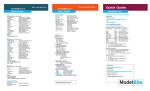
ModelSim 5.8
ModelSim 5.8
Quick Guide
Quick Guide
vlog
Key Arguments (use –help for full list)
[-vlog95compat]
Disable Verilog 2001 keywords
[-compat]
Disable event order optimizations
[-f <filename>]
Pass in arguments from file
[-fast]
Optimize design (see Performance below)
[-05]
Maximum optimization
[-hazards]
Enable run-time hazard checking
[-help]
Display vlog syntax help
[-nodebug]
Hide internal variables & structure
[-quiet]
Disable loading messages
[-R <simargs>]
Invoke VSIM after compile
[-refresh]
Regenerate lib to current version
[-sv]
Enables SystemVerilog keywords
[-version]
Returns vlog version
[-v <library_file>]
Specify Verilog source library
[-work <libname>]
Specify work library
<filename(s)>
Verilog file(s) to be compiled
Examples
vlog top.v
vlog –work mylib –refresh
vcom
Key Arguments (use –help for full list)
[-2000] [-93] [-87]
Choose VHDL 2000,1993, or 1987
[-check_synthesis]
Turn on synthesis checker
[-debugVA]
Print VITAL opt status
[-05]
Maximum optimization
[-explicit]
Resolve ambiguous overloads
[-help]
Display vcom syntax help
[-f <filename>]
Pass in arguments from file
[-norangecheck]
Disable run time range checks
[-nodebug]
Strip internal names
[-novitalcheck]
Disable VITAL95 checking
[-nowarn <#>]
Disable individual warning msg
[-O0]
Disable optimization
[-quiet]
Disable loading messages
[-refresh]
Regenerate library image
[-version]
Returns vcom version
[-work <libname>]
Specify work library
<filename(s)>
VHDL file(s) to be compiled
Examples
vcom MyDesign.vhd
vcom -93 -work /lib/mylib util.vhd
vcom -refresh
sccom
Key Arguments (use –help for full list)
-link
Links source code, required
[CPP option]
C++ compiler option
[-g]
Compile with debugging info
[-nonamebind]
Disables automatic name binding
[-scv]
Includes SystemC verification library
<filename(s)>
SystemC files to be compiled
Examples
sccom -g example.cpp
sccom -link example
sccom -I/home/systemc/include -g a.cpp b.cpp
Code Coverage
Key Arguments to vcom/vlog
-cover bcesx
Specifies coverage type(s)
Key Arguments to vsim
-coverage
Enables statistics collection
Wave Window
add wave <item> <item> Wave specific signals/nets
add wave *
Wave signals/nets in scope
add wave -r /*
Wave all signals/nets in design
add wave -label <name> <item>
Wave and rename a signal/net
add wave abus(31:15)
Wave a slice of a bus
view wave
Display wave window
view wave -new
Display additional wave window
write wave
Print wave window to file
<left mouse button>
Select signal / Place cursor
<middle mouse button>
Zoom options
<right mouse button>
Context Menu
<ctrl-f>
Find next item
<tab> (go right)
Search forward for next edge
<shift-tab> (go left)
Search backward for next edge
i or + | o or Zoom in | Zoom out
f | l
Zoom full | Zoom Last
Tcl/Tk
Environment Variable
MODELSIM_TCL
Online Documentation
Help->Tcl Help
Help->Tcl Syntax
Help->Tcl Man Pages
Help->Technotes->MTI_Widgets
Language Syntax
command arg1 arg2 arg3 ...
Language Syntax: Command
set <var> <value>
expr <math expression>
exec <ShellCommand>
info <option> <procedure name>
winfo <option> <window name>
Language Syntax: Procedures
proc name {arglist} {body}
proc diag {a b} {
set c [expr sqrt($a*$a + $b
return $c
}
Language Syntax: Conditionals
if {boolean} {bodytrue} else {bodyfalse}
if {$now < 10000} {echo $now}
Language Syntax: Loops
while {boolean} {body}
foreach loopVar {valuelist} {cmdBody}
for {initial} {test} {final} {body}
Poking around in ModelSim Tcl/Tk
Get info on a Tcl construct
info
info xx
Find out the args to info
Get info on Tk widgets
winfo
winfo xx
Find out args to winfo
winfo children . Return the sub-widgets to ModelSim
Light blue highlight denotes SE-only features.
Quick Guide
ModelSim 5.8
Installation / Environment / Licensing
Documentation
Installation instructions:
www.model.com/support/installation/default.asp
FlexLM:
www.macrovision.com
Web — Download the Latest Release
www.model.com/downloads/default.asp
Environment Variables (see ModelSim cmd “printenv”)
Pathname of license.dat file or
port@host
DOPATH
Optional Search path for “.do” files
EDITOR
Optional Specifies editor for “edit” cmd
MODELSIM
Optional Pathname of modelsim.ini file
MODELSIM_TCL
Optional List of modelsim.tcl files
MODEL_TECH_TCL
Optional Pathname to Tcl/Tk libraries
Don’t Set Used internally by ModelSim
MODEL_TECH
MGC_LOCATION_MAP Optional Used as “soft” path to find files
PLIOBJS
Optional Used to load PLI object files
TMPDIR
Optional Used by VSIM for temp space
LM_LICENSE_FILE
Required
PATH Environment Variable
Unix: Add /<install_dir>/modeltech/<platform> to $path
or /<install_dir>/modeltech/bin to $path
PC: PATH will be updated automatically during installation
Starting the License Server
Unix: Copy license.dat file to /<install_dir>/modeltech/<platform>/
Run /<install_dir>/modeltech/<platform>/START_SERVER
PC: Run /<install_dir>/modeltech/win32/lmtools.exe
Use “Config Services” and “Start” tabs to configure and start server
Licensing Diagnostics
Unix: Run /<install_dir>/modeltech/<platform>/lmstat -a
or lmdiag
PC: Run /<install_dir>/modeltech/win32/lmutil lmstat -a
-oror lmutil lmdiag
PC: Start->Programs->ModelSim->Licensing Wizard
Invoking ModelSim
Unix: Run /<install_dir>/modeltech/<platform>/vsim
or /<install_dir>/modeltech/bin/vsim
PC: Start->Programs->ModelSim->ModelSim
-orPC: Double-click on: <install_dir>/modeltech/win32/modelsim.exe
ModelSim Products
www.model.com/products/default.asp
Quick Guide Notes
Find this document at
www.model.com/support/documentation/SE/pdf/qk_guide.pdf)
Commands in bold are typed at the
ModelSim> or VSIM> prompts
Light blue highlight denotes SE-only features.
Web: www.model.com
Phone: 503-685-0820
Email: [email protected]
ModelSim 5.8
ModelSim 5.8
ModelSim 5.8
Quick Guide
Quick Guide
Quick Guide
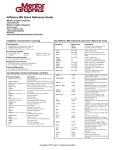
Key ModelSim Commands
Commands may be used in the following locations: (Sh)ell, (M)odelSim> prompt, or (V)SIM>
prompt. See Command Reference for complete command list and syntax.
Sh, M, V VHDL Compiler (see below)
vcom
vdel
Sh, M, V Deletes a design unit from a specific library
vdir
Sh, M, V Lists the contents of a library
vlib
Sh, M, V Creates a design library
vlog
Sh, M, V Verilog Compiler (see below)
sccom
Sh, M, V SystemC Compiler (see below)
vmap
Sh, M, V Defines or displays library mappings
vsim
Sh, M, V VHDL and/or Verilog Simulator (see below)
add list | wave V
Add signals to the List or Wave windows
add log
V
Log signals to vsim.wlf file for analysis later
alias
M, V
Create a user defined alias (e.g., alias h “history” )
bp, bd
V
Set/Clear a breakpoint (see Managing Breakpoints below)
cd
Sh, M, V Change directory
change
V
Modify a VHDL variable or Verilog register
checkpoint
V
Save the state of you simulation (see restore)
compare add M, V
Compare signals
configure
M, V
Configure List or Wave window attributes
delete
V
Remove HDL item from List or Wave window
do
M, V
Execute a file of commands (e.g., do macro.do )
drivers
V
Display current and future value of signal or net drivers
dumplog64
Sh
Dump the contents of the vsim.wlf file in a readable form
echo
M, V
Display message (e.g., echo “Time is $now ns.” )
edit
M, V
Invoke editor specified by the EDITOR env variable
environment M, V
Display or change current region/signal environment
examine
M, V
Examine one or more HDL items (e.g., exa /top/clk )
find
V
Display pathnames of matching HDL items
force
V
Force signals or nets (e.g., force clk 1 10, 0 20 -r 100 )
history
M, V
List previous commands
noforce
V
Release signals or nets from force commands
notepad
M, V
Simple text editor
printenv
M, V
Display names and values of environment variables
profile on
M, V
Turn on Performance Analyzer
property
V
Change List or Wave signal attributes (color, radix, etc.)
pwd
M, V
Display current path in Main transcript window
radix
M, V
Change the default radix in all windows
report
M, V
returns all control or state variable values
restart
V
Restart the simulator
restore
M, V
Restore the simulation state from a previous checkpoint
resume
M, V
Resume macro execution after a pause command
right | left
V
Search in wave window for next transition or -expr
run
V
Advance simulation time (e.g., run 1000 )
search | next V
Search specified window for next item matching pattern
seetime
V
Scroll List or Wave window to time (e.g., seetime wave 500 )
vcd2wlf
Sh
Translate VCD file into WLF file
vcddumpports M, V
Create a VCD file
vcover merge Sh, M, V Merges coverage reports
vgencomp
Sh
Create VHDL component from compiled Verilog module
view
M, V
Open a ModelSim window and pop it to the top
vmake
Sh
Print a makefile for a library
vsource
V
Display HDL source file in Source window
when
M, V
Perform action on condition (e.g., when clk=1 {echo clk} )
where
M, V
Display info about the environment
write
M, V
Records names, window contents, and preferences to a file
!! | !n
M, V
Repeat last command, Repeat nth command
!abc
M, V
Repeat cmd starting “abc”
^abc^xyz
M, V
Replace “abc” in previous command with “xyz”
vsim
Key Arguments (use –help for full list)
[-c ]
Run in cmd line mode
[-coverage]
Invoke Code Coverage
[-do “cmd” | <file>]
Run cmd or file at startup
[-elab]
Create elaboration file
[-f <filename>]
Pass in args from file
[-g|G<name=value>]
Set VHDL Generic values
[-hazards]
Enable hazard checking
[-help]
Display vsim syntax help
[-l <logfile>]
Save transcript to log file
[-load_elab]
Simulate an elaboration file
[+notimingchecks]
Disable timing checks
[-quiet]
Disable loading messages
[-restore <filename>]
Restore a simulation
[-sdf{min|typ|max}
Apply SDF timing data e.g.,
<region>=<sdffile>]
sdfmin /top=MySDF.txt
[-sdfnowarn]
Disable SDF warnings
[-t [<mult>]<unit>]
Time resolution
[-version]
Returns vsim version
[-view <filename>]
Log file for VSIM to view
[-wlf <filename>]
Log file to create
[<libname>.<config>
Configuration, Module, or
| <module>
Entity/Arch to simulate
| <entity>[(<arch>)]]
Examples
vsim top
vsim -lib mywork top -do commands.do
Files
modelsim.ini System Initialization or Project file; stores library locations,
simulator resolution, paths, etc.
modelsim.tcl Window sizes, positions, colors, etc.; user Tcl/Tk code
startup.do Default name of macro executed after design is loaded;
See “startup=” line in modelsim.ini
transcript Default filename that ModelSim transcript window activity
is saved to
vsim.wlf
Default name of simulation log file saved by VSIM
modelsim.ini
Copy modelsim.ini to current directory
Execute vmap -c
Loading order (stops after finding first file)
1. $MODELSIM environment variable
2. Current directory if $MODELSIM is not set
3. In /<install_dir>/modeltech/<platform> directory
4. In /<install_dir>/modeltech directory
For Detailed Information see:
ModelSim User’s Manual “ModelSim Variables”
modelsim.tcl
Loading order
Always loads: /<install_dir>/modeltech/tcl/vsim/pref.tcl
Loads the first found from:
1. $MODELSIM_TCL if it exists (“:” separated list)
(all files in list are loaded)
2. Current directory ./modelsim.tcl
3. $HOME/modelsim.tcl
Managing Breakpoints
bp
Sets a breakpoint; without arg shows all bps
bd
Deletes a breakpoint
disablebp Turn off all breakpoints
enablebp
Turns all breakpoints on
onbreak
Define what to do when a breakpoint is hit during a macro
(e.g., onbreak {resume})
when
Perform actions under certain conditions
Performance
Key arguments to vlog
[-fast]
Optimize design
[+opt]
Optimize previously compiled
design
[+acc=[<spec>]+[<module>]]
Enable design object
visibility
[+nocheckALL]
Increase -fast optimizations
Key arguments to vsim
[-elab]
Create elaboration file
[-load_elab]
Simulate elaboration file
Signal Spy
init_signal_driver
init_signal_spy
signal_force
signal_release
Drive hierarchical signal
Read hierarchical signal
Force hierarchical signal
Release hierarchical signal
More Info . . .
PDFs (see docs/pdf sub-directory)
Installation Guide
se_install.pdf or pe_install.pdf
User’s Manual
se_man.pdf or pe_man.pdf
Command Reference
se_cmds.pdf or pe_cmds.pdf
ModelSim Tutorial
se_tutor.pdf or pe_tutor.pdf
FLI Reference
fli.pdf
Technical Notes
www.model.com/support/default.asp
See <install_dir>/modeltech/docs/technotes
Company Periodical
ModelUser (req via [email protected])
ModelSim Help Pulldown
Help > Release Notes
Help > Tcl Man Pages
Training
www.model.com/training/default.asp
Email Notification of New Versions
www.model.com/products/informant.asp
Support
Model Technology Customers
www.model.com/support/default.asp
Model Technology Customers in Europe
www.model.com/contact_us/default.asp
Mentor Graphics Customers
[email protected]
1-800-547-4303
Mentor Graphics Customers outside North America
www.mentor.com/supportnet/support_offices.html
8005 SW Boeckman Road
Wilsonville, OR 97070
Phone: 503.685.0820
Toll free: 877.744.6699
Fax: 503.685.0910
Copyright © 2003, Mentor Graphics Corporation
R E P R O D U C T I O N
P E R M I T T E D
(
219710 / DOCS1003
A N D
E N C O U R A G E D
!)