1
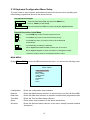
2.10 Keyboard Configuration Menu Setup
The user needs to setup network, passwords and special functions such as uploading and
downloading programmed data from the dome cameras.
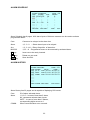
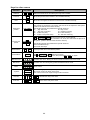
Key operation example
CTRL + MENU
: Press and hold down CTRL Key and press MENU Key
1 + CAM
: Press 1, CAM keys sequentially
CTRL + Joystick : Press and hold down CTRL Key while manipulate Joystick Handle
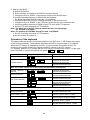
Special Key action in the Menu
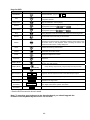
PGM Key
: Press PGM Key to save and exit to previous menu
ESC Key
: Press ESC Key to exit current menu without saving.
ON Key
: Press ON Key when you need to insert or fill the data field
automatically.
OFF Key
: Press OFF Key to delete the data field.
Joystick
: Move Joystick upward/downward to select item in the menu.
Move Joystick right/left to enter sub-menu or change the value.
Twist the handle to select or increase/decrease the value.
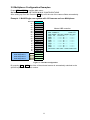
MAIN MENU
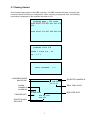
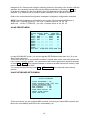
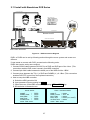
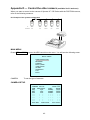
Press CTRL + MENU to enter the KBD controller main menu. You will see the following menu.
MAIN MENU
CONFIGURATION
NETWORK
DATA BANK
TIME/DATE
ALARM
SCHEDULE
LCD
EXIT
<Main Menu Screen>
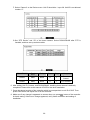
Configuration
Enters the configuration setup submenu.
Network
Enters the Network setup submenu to set baud rate, port, Mux & Slave KBD.
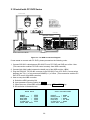
Data bank
Enters the Data bank submenu to upload or download the programmed data.
Time/date
Enters the Time and Date setup submenu.
Alarm
Enters Alarm setup submenu for the Alarm interface box.
Schedule
Enters the Schedule setup submenu to set macro, weekly & annual schedule
& sequence.
15