1
AEI Tag Programming Software
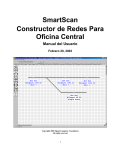
Figure 5 - Page Setup
The program should now be ready to program AEI tags.
3. BRIEF OVERVIEW
The AEI Tag Programming Software was designed to run under Windows, interface to an AP4110
Tag Programmer (not included), print to a DYMO LabelWriter 300 Printer (included) and optionally
interface to an AI2000 SmartScan Portable AEI Reader (not included).
The AEI Tag Programming Software for Windows program was developed to help solve two main
issues. The existing tag programming software developed by Amtech and included with each
AP4110 Tag Programmer is a DOS program. DOS programs will not run under new Windows
operating systems such as Windows XP.
The second issue concerns tag quality. Tag quality can be broken down into two main concerns.
The first concern is the accuracy of the data encoded in to the tag. The AEI Tag Programming
Software has a number of features that help reduce errors in encoding (programming) data into a
tag. The following describes some of these features:
1. The program makes a number of reasonability checks on the data being entered into the
tag. For example, if 5 axles is entered, the program would give a warning that this is an
unusual entry for this field.
2. The program contains a subset of UMLER that allows it to check the data being
programmed into the tag against the vehicle’s UMLER data and warns if there are
differences. Because the program’s UMLER database must be periodically updated via a
CD-ROM, the program may not, however, have the most up-to-date UMLER data.
3. The program prints all programmed data fields on the tag’s label. This allows the end user
of the tag to check all of the tag’s data fields prior to placing the tag on a vehicle.
Page 5
23 January, 2002