1
Contents
Contents
1
2
2.1
3
3.1
4
5
6
6.1
6.2
6.3
6.4
Introduction
Getting Started
Quick Start
Overview
About HDMI
Your VP-725xl Presentation Switcher / Scaler
Installing in a Rack
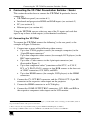
Connecting the VP-725xl Presentation Switcher / Scaler
Connecting the VP-725xl
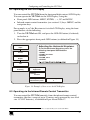
The RGBS and RGsB PINOUTs
Connecting a PC
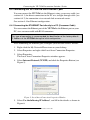
Connecting the VP-725xl via the ETHERNET port
1
1
1
3
5
5
10
11
11
13
13
14
6.4.1
6.4.2
Connecting the ETHERNET Port directly to a PC (Crossover Cable)
Connecting the ETHERNET Port via a Network Hub (Straight-Through Cable)
14
15
7
7.1
7.2
7.3
7.4
7.5
8
8.1
Operating the Presentation Switcher / Scaler
Switching an Input in the Video Group Mode/Scaler Mode
Understanding the PIP Feature
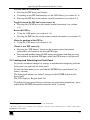
Locking and Unlocking the Front Panel
Freezing the Image
Displaying a Blank Screen
Configuring and Controlling the VP-725xl
Configuring the VP-725xl via the OSD MENU Screens
15
16
16
17
18
18
19
19
8.1.1
8.1.2
8.1.3
8.1.4
8.1.5
8.1.6
8.1.7
8.1.7.1
8.1.8
The Input Screen
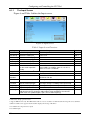
The Picture Screen
The Output Screen
The PIP Screen
The Geometry Screen
The Setup Screen
The Slideshow Feature
The Advanced Setup Screen
Verifying Configuration Details via the Info Screen
20
21
22
23
24
25
26
27
30
8.2
8.3
8.4
9
10
11
11.1
Operating via the LCD Display
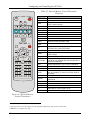
Operating via the Infrared Remote Control Transmitter
Operating via ETHERNET/Serial Port
Using Text Overlay
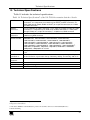
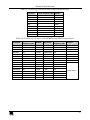
Technical Specifications
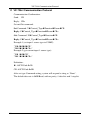
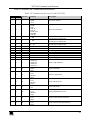
VP-725xl Communication Protocol
Error Codes
31
31
33
33
35
38
49
i