1
Important information
Important information
1. First steps before using the Mobi-Click Compact
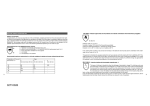
Mobi-Click Compact possesses an integrated circuit for the protection of the battery from over and under
charging as well as from short-circuit. This protective circuit is activated with a small slide switch (see design).
In order to avoid damage during transport, this slide switch is set to the OFF position at the factory. Before
first use the protective circuit must be activated by moving the slide switch from the OFF to the ON position.
.
1.
Leave the Compact connected to the battery charger for a minimum of 40 Minutes to ensure that the battery is fully
charged.
2.
2.
Before switching on the Compact (with the ON/OFF key) the battery charger must be disconnected. Once Compact
is switched on, the battery charger can be connected or disconnected as required, or be permanently connected.
This way, a temporally unlimited working time of Compact can be guaranteed (e.g. monitoring during a vacation).
3.
3.
Compact allows the user a variety of programming options and adjustments of the device functions to suit individual
requirements of the user. If during the programming something does not really work, you can reprogram the device,
reset the Compact by moving the reset switch (located under the rear cover) to the OFF position for a minimum of 5
seconds and then ON again. This does not erase previous settings, but sets the Compact ready to receive new
instructions. Restart the Compact after resetting.
(View of the Compact from the rear)
..
..
..
..
..
..
..
..
To set the Compact in operation
To set the Compact in operation
Open the rear cover
Open the rear cover
Open the SIM-card caddy
Open the SIM-card caddy
Using a pointed tool, move the slide switch to the ON position
Using a pointed tool, move the slide switch to the ON position
Insert SIM-card
Insert SIM-card
Close the SIM-card caddy
Close the SIM-card caddy
Close the rear cover
Close the rear cover
Connect the battery charger
Connect the battery charger
A peep signals indicates that the Compact has successfully started
A peep signals indicates that the Compact has successfully started
4
5