1
Instruction Manual Mi 190 DO Bench Meter
www.milwaukeeinst.com
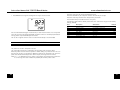
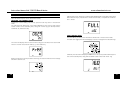
Pressing the arrow keys, the instrument will display the same parameter but for a different
record:
SLOPE CALIBRATION
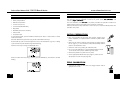
It is suggested to perform the slope calibration in air.
• Rinse the probe in clean water to remove any residual zero oxygen solution.
Note: If you did not perform the zero calibration procedure, press CAL and then the
ARROW keys to select the 100% D. O. calibration point.
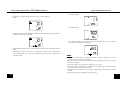
Press the RANGE key and the instrument will display the next logged parameter:
• The date: month and day on the primary LCD and the year on the secondary LCD,
along with “DATE” tag.
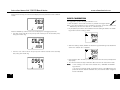
• Dry the probe tip and allow a few seconds for the LCD reading to stabilize. The “WAIT”
tag will blink until the reading is stable.
• When the reading is stable, “READY” & “ACCEPT” tags start blinking. Press ACCEPT to
confirm the “100.0%” D.O. calibration.
• The time: hour and minutes on the primary LCD and the seconds on the secondary
LCD, along with “TIME” tag.
• If the reading is within the limits (±15% f.s.), the meter stores the value (and adjusts the
slope point).
• The instrument stores the slope calibration data and returns to measurement mode.
Note:
• If the reading is not close to the selected value, “WRONG“ & “BUFFER”
tags will blink.
• MI 190 has automatic buffer recognition function. If the ARROW keys are
pressed to select the desired calibration value, the automatic buffer recognition
function is disabled.
16
13