1
Installation / Setup
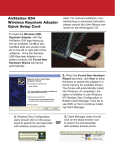
Insert the AirNavigator CD. Click Next at the Welcome to the Found New Hardware
Wizard. Select Search for a suitable driver for my device. Click Next to continue.
Check only the CD-ROM drives checkbox, and clear any other checkboxes that are
selected. Click Next to continue.