1
Contents
Notices ................................................................................................................................................. 5
Safety information............................................................................................................................ 9
Conventions used in this guide.................................................................................................10
Where to find more information................................................................................................10
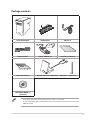
Package contents............................................................................................................................11
Chapter 1:
Getting started
Welcome!............................................................................................................................................13
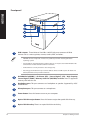
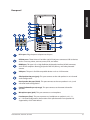
Getting to know your computer................................................................................................13
Setting up your computer...........................................................................................................17
Turning your computer ON/OFF................................................................................................20
Chapter 2:
Connecting devices to your computer
Connecting a USB storage device.............................................................................................21
Connecting microphone and speakers...................................................................................22
Connecting multiple external displays...................................................................................25
Connecting an HDTV.....................................................................................................................27
Chapter 3:
Using your computer
Proper posture when using your Desktop PC.......................................................................29
Using the memory card reader..................................................................................................30
Using the optical drive..................................................................................................................31
Chapter 4:
Connecting to the Internet
Wired connection............................................................................................................................33
Chapter 5:
Troubleshooting
Troubleshooting..............................................................................................................................39
Appendix
Windows® 8.1 User Manual
Starting for the first time..............................................................................................................49
Windows® 8.1 lock screen..............................................................................................................49
Using the Windows® UI..................................................................................................................50
Working with Windows® apps.....................................................................................................53
Other keyboard shortcuts............................................................................................................58
Turning your Desktop PC OFF....................................................................................................59
3