1
PMSDRP
Images
One final comment: First try what
you have available before you
spend a lot of money for something
new! The built-in sound cards in
computers or notebooks are usually
adequate, as long as they provide
stereo inputs.
Always use the LINE-input! (Only
this input is usually set up as the
stereo input needed by PMSDR.)
The tried and true SAMSUNG NC10
is an exception. This small computer
has no line-in input on its high quality
built-in sound card, only usually a
microphone input and a headphone
output.
Nevertheless,
the
microphone input is stereo, and can
therefore be used for our purposes!
One limitation: this card can only
produce a 48 kHz resolution.
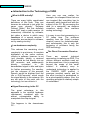
The boxed text to the right may be of
some help in finding a sound card.
The prices shown are only
approximate, and will vary from
vendor to vendor, sometimes over a
large range. Some of the cards
labeled “discontinued” show up used
in places like eBay, or even new in
Amazon. Shop around!
The following cards are well
suited to our applications, not
only for the PMSDR, but also for
every SDR.
ESI JULI@PCI, PCI, to 192 KHz,
(discontinued, hard to find)
ESI MAYA44e, PCIe, to 96 kHz,
(discontinued, hard to find)
Infrasonic Quartet, PCI, to 192
KHz, ca. US$ 100 (discontinued,
available)
Creative EMU-1820, PCI with
external connection box, to 192 kHz,
ca. US $ 200-300
Creative EMU-1212, PCIe with
external connection board, to 192
kHz,, ca. US$ 160-260
Creative EMU-1616, to 192 kHz,
various forms: PCI, PCIe, with ext.
Interface, ca. US$ 350 to 450
Creative EMU-0404 USB to 192
kHz, ca. US$ 175
Creative EMU-0202 USB to 192
kHz, ca. US$ 90
Creative EMU-0204 USB to 192
kHz, ca. US$ 130
M-Audio Audiophile to 192 kHz
PCI ca. US$ 200
The bold-face suggestions are
especially suited and
recommended for 192 kHz use.
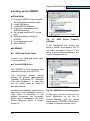
Fig. 80:
Cards.
38
Selection
of
Proven