1
Creating an Oracle TimesTen User Account
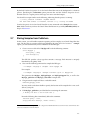
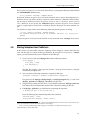
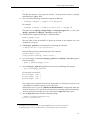
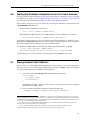
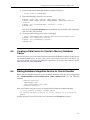
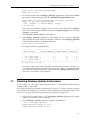
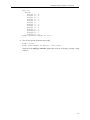
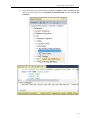
SQL> SELECT value FROM nls_database_parameters WHERE
parameter='NLS_CHARACTERSET';
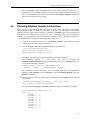
e. All other fields can be left empty.
7.
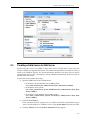
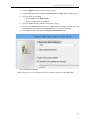
Select the IMDB Cache tab if you want to integrate with Oracle In-Memory Database
Cache.
a. Enter the Oracle Net service Name. For example, “orcl11g”.
b. Click OK.
3.3
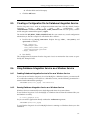
Creating an Oracle TimesTen User Account
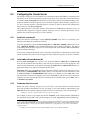
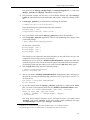
Starting with Oracle Timesten 11.2.1, database access control is mandatory.
If you are acting as your own database and system administrator, use the following steps to create an account for the user “Student”:
1.
Log in as the instance administrator (the user that installed TimesTen).
2.
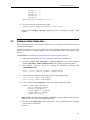
Connect to the Oracle TimesTen database where the user account must be created:
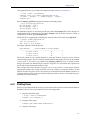
> ttIsql -connStr "DSN=ExampleAdmin"
3.
Enter the following to create a user account with the name “Student” and password
“mypsswrd”:
Command> create user Student identified by mypsswrd;
Command> grant all privileges to Student;
Command> exit
3.4
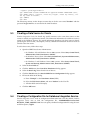
Creating a Data Source for Oracle TimesTen
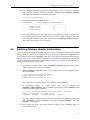
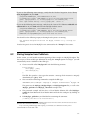
Database Integration Service for Oracle TimesTen uses the Oracle TimesTen ODBC driver to access
data sources (datastores). In this section you will create a data source (DSN) for Database Integration Service for Oracle.
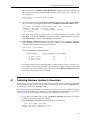
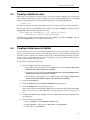
To add a data source:
1.
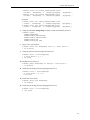
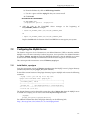
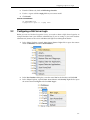
Open the ODBC Data Source Administrator:
• On Windows XP and Windows Server 2003 systems: Select Start, Control Panel,
Administrative Tools, Data Sources (ODBC).
• On Windows Vista systems: Select Start, Control Panel, System and Maintenance,
Administrative Tools, Data Sources (ODBC).
• On Windows 7 and Windows Server 2008 systems: Select Start, Control Panel,
System and Security, Administrative Tools, Data Sources (ODBC).
2.
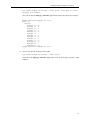
Select the User DSN tab.
In this document Database Integration Service will be run from the command line. If you
want to run the daemon as a Window service select System DSN instead of User DSN.
3-3