1
Configuration and Startup
Configuring the PROFINET IO controller
7
7
Configuration and Startup
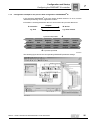
This section describes how you configure the MOVIDRIVE® B inverter with the DFS22B
option. The following GSD file is used for the configuration of DFS22B with MOVIDRIVE® B:
GSDML-V2.1-SEW-DFE-DFS-2Ports-yyyymmdd.xml
This GSD file contains a unit description for operation of the DFS22B integrated in
MOVIDRIVE® B.
7.1
Configuring the PROFINET IO controller
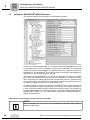
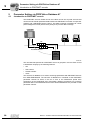
This section describes the process of configuring MOVIDRIVE® B with PROFINET
using the current GSD file. The configuration is explained using the SIMATIC Manager
configuration software with a SIMATIC CPU 315F 2 PN/DP as an example.
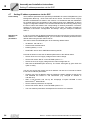
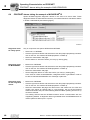
Initializing the
GSDML file
•
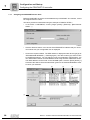
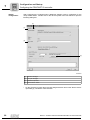
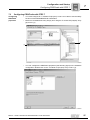
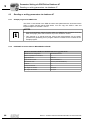
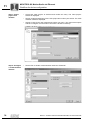
Start the STEP 7 HWCONFIG and choose [Extras] / [Install new GSD file].
•
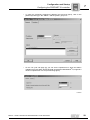
In the dialog box that appears, choose the file "GSDML-V2.1-SEW-DFE-DFS2Ports-YYYYMMDD.xml" from the "Software ROM 7" CD. "YYYYMMDD"
(year/month/day)is the date of the file. Click the "Browse" button to navigate to the
required directory. Confirm your selection selection with [OK].
•
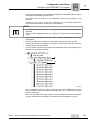
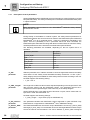
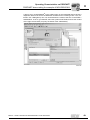
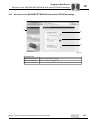
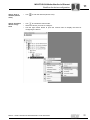
The SEW-PROFINET IO connection DFS22B can be found under [Other field
devices] / [Drives] / [SEW] / [DFE/DFS(2Ports)].
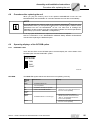
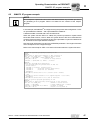
NOTE
You can download the latest edition of the GSD file from the SEW homepage
(www.sew-eurodrive.de) under "Software".
Manual – Fieldbus Interface DFS22B PROFINET IO with PROFIsafe
27