1
Peachtree Accounting® Link User Manual
Peachtree Accounting Link Overview
The role of Catalyst Manufacturing® with regard to financial and accounting
capabilities is the capture and storage of inventory and order transactions from
manufacturing operations so that they can be submitted to an accounting software
package for payment processing and posted to the proper account. This data can be
edited, maintained, and organized in the accounting software for financial reporting
purposes in much the same manner as native data. The Peachtree Accounting® Link is
intended to provide a mechanism to exchange data and facilitate this process in a manner
that is both easy to manage and reliable. It is recommended that authority and
responsibility for importing and exporting data between the two systems reside with a
sole individual, typically the person who currently manages and maintains Peachtree.
Catalyst interfaces with Peachtree Accounting® in two ways: through commaseparated value (CSV) text files and Dynamic Data Exchange (DDE). Any data that is
being collected by Catalyst from Peachtree is retrieved via DDE, while any data that is
flowing from Catalyst back to Peachtree is written to CSV files that are manually
imported into Peachtree. The import files ensure that the data is validated before
importing, and makes for a more reliable transfer of data. Regardless, it is recommended
that you always backup your Peachtree company before attempting to import any data
from the text files.
In order for the DDE link to function, you must have both Catalyst and Peachtree
installed on the same local machine and your Peachtree company must be open. The
Peachtree interface options in Catalyst cannot be performed otherwise. In addition, if data
security has been established in Peachtree, then you will need to create a system user in
Peachtree.
Setup Peachtree Accounting Link
The company information from your Peachtree Accounting® database can be
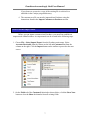
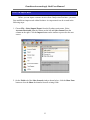
imported into Catalyst by selecting Peachtree > Setup Company Data from the Catalyst
main menu. The Peachtree Setup utility will import chart of accounts, customers,
vendors, and sales tax information using Dynamic Data Exchange (DDE). In order for
this DDE link to function, your Peachtree company must be open. The import can only be
performed on workstations with a local installation of Peachtree Accounting®. The
Peachtree Setup utility only needs to be run once to initialize Catalyst prior to running
any of the other Peachtree options such as exporting Accounts Receivable and Accounts
Payable records.
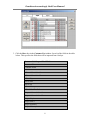
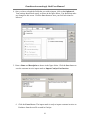
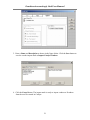
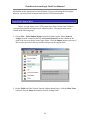
On the Peachtree Setup dialog box, select your Peachtree company from the dropdown list, then click OK to update the Catalyst database with your current Peachtree
information. If you are not sure of your Peachtree company’s data file name, refer to the
3