1
Super L III 2
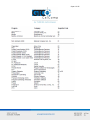
Table of Contents
Standard Operating Information
Parts Checklist
What You Need to Use Super L III
Caring for the Tablet and Transducer
Cleaning the Tablet
Replacing the Pen Tip
Replacing the Pen Batteries
Installing Super L VI
Mounting a Large Super L III Tablet
Connecting to Your Computer
Connecting to the Power Supply
Connecting the Transducer
Applying Power to Super L III
Configuring Your Computer
Mounting the Transducer Holders
Using the SuperSet Menu
Configuring for Specific Application Programs
Introduction to the Tablet Configuration Utilities
Communication Options
Output Format Options
Mode Options
Using the Tablet Configuration Utilities
Controlling the Alarm
Controlling the Alarm Using Remote Commands
Resetting Super L III
Tablet Power/Proximity LED
Super L III Tones
Troubleshooting Guide
Procedure A: Begin Troubleshooting
Procedure B: Troubleshooting
Procedure C: Troubleshooting
Using GTCOTEST
Reducing Monitor Interference
Changing the Frequency of the Cordless Cursor
5
5
5
5
5
6
6
8
8
8
8
9
9
9
10
10
10
21
21
21
22
23
25
25
26
26
26
27
28
29
30
31
32
32