1
TM
INTERNATIONAL®
Free-Flow Packaging International, Inc.
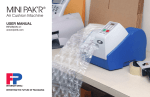
MINI PAK’R™
Air Cushion Machine
USER MANUAL
www.fpintl.com
REVISION 3.4
Inventing the Future of Packaging
6/2007
This product is in conformity with the essential requirements of European Directive 1999/5/EEC and
the following standards: EN 300-330-2 V1.1.1, EN 61000-6-3(2001) + A11 (2004), EN 6100-6-2(2001),
EN61000-3-2 (2000), EN61000-3-3 (1995), EN 60204-1 (1997), EN 60950-a (2002), EN 1050 (1997),
EN 292-1 (1991), and EN 292-2 (2002).
This product is compliant with Directive 2002/95/EC, Restricition of Hazardous Substances.
Disposal: Power tools, accessories and packaging should be sorted for environmental-friendly recycling.
Only for EC countries: Do not dispose of power tools into household waste!
According to the European Directive 2002/96/EC on waste electrical and electronic equipment and
its incorporation into national law, products that are no longer suitable for use must be separately
collected and sent for recovery in an environmentally-friendly manner
Official agency certifications, declaration documents, and RoHS position statements are
available upon request or by visiting our website at www.fpintl.com.
Congratulations on your purchase of the MINI PAK’RTM Machine!
You now own the world’s only retail, on-demand Air Cushion
Machine! You can now produce a wide variety of air cushions just
by loading a roll of film and pressing the Start button!
INTERNATIONAL®
The MINI PAK’R Machine:
Saves valuable space - eliminates the need to store
traditional bubble and other packaging materials.
Fits anywhere - its small footprint means it’s perfect for
pack-and-ship stores or small packing operations. Wall
mount accessory is also available.
Is versatile and easy to operate - RFID technology
automatically adjusts MINI PAK’R Machine settings,
including air fill level and seal temperature, based on the
film roll you install.
Is reliable - the MINI PAK’R Machine is virtually maintenance
free.
Is innovative - combines the best of our NOVUS® and
CELL-O® air cushion systems in one durable machine.
MINI PAK’R Machine User Manual
Page -1-
ENGLISH
Table of
Contents
ENGLISH
Box Contents
Technical Data
Safety
MINI PAK’R Machine Parts- External
MINI PAK’R Machine Parts- Internal
Loading a Film Roll
Basic Operation
Machine Settings
Length Control
Air Control
Temperature Control
Maintenance
Replacing Blades
Replacing Belts
Routine Maintenance
Display Error Codes
Troubleshooting Guide
Warranty Notice
Contact and Ordering Information
Legal Page
3
4
5
6
7
8-9
10-11
12
13
13
14
15
15
16
17
18-19
20
21
MINI PAK’R Machine User Manual
Page -2-
As you unpack the box, you will find the following:
Box
Contents
MINI PAK’R™ Air Cushion Machine
Power Cord (USA or EUR version, depending on country of purchase)
Spare parts: Two (2) Teflon Seal Belts
Quick Start Guide
User Manual
Warranty Registration Card: Please complete this card and return to
FP International within 4 weeks of date of purchase.
Quick Reference Guide
Mini Pak’r
USA
EUROPE
MINI PAK’R Machine User Manual
Page -3-
OR
USER MANUAL
WARRANTY REGISTRATION CARD
QUICK START GUIDE
SPARE SEAL BELTS
ENGLISH
Technical
Data
The MINI PAK’R Machine creates air cushions on demand for use as cushioning,
protective wrap, and general transport packaging. Strict compliance with the
safety instructions are required to ensure personal safety (See Safety Instructions in this manual).
Specification
Film Roll Product
Production Rate
Power Rating
Machine Dimensions
Recommended Power
Fuse
Maximum Roll Diameter
Width of Roll
Machine Weight
Roll Weights
ENGLISH
preconfigured NOVUS and CELL-O film for
MINI PAK’R Machine
7.5 meters per minute (25 ft./minute)
Model # MMP01MNPKR - 120V 3.15A
Model # MMP02MNPKR - 230V 1.6A
33cm (13”) wide X 36cm (14”) long X 28cm
(11”) tall
5mm X 20mm, Slow-Blow: 110V (2x) 3.15A,
230V (2x) 1.6A
Up to 175mm (6.9”)
Up to 400mm
6 kg (13.5 lbs.)
Cello - 3.6 kg (8 lbs), NOVUS - 5.9 kg (13 lbs.)
MINI PAK’R Machine User Manual
Page -4-
Safety
Instructions
!
MINI PAK’R Machine User Manual
Page -5-
To ensure the personal safety of operating personnel and/or users of this machine, the
instructions below must be followed at all times.
1.
2.
Avoid all contact with internal electrical components.
In case of emergency, press the red STOP button. The machine will stop. Once a fault
has been corrected, the machine can be restarted following the directions below.
3. If the machine is not used for any length of time, the Power Switch must be turned
OFF at the rear of the machine.
4. During Installation and Maintenance, the Power Switch must be in the OFF position,
with the Power Cord disconnected.
5. All safety and protection measures must be fitted and adequately maintained in
accordance with Iocal regulations.
6. Only trained and qualified service personnel may maintain any electrical and or
mechanical part of the machine.
7. FP International machines are supplied preset and fully tested. Any loss arising from
production downtime and failure of the machine caused by incorrect operation,
poor or faulty maintenance, or the use of materials other than those provided by FP
International shall void the terms of the warranty.
8. During machine operation, NEVER touch the film at its point of entry into the
machine. Do not attempt to guide the film into the machine. Injury may result.
9. Under no circumstances may any installed safety feature be overridden.
10. After loading the Film Roll, the machine will automatically adjust to the right seal
temperature for the film. Any contact with the heating element must be avoided
(or any part in direct contact with the heating element) since it may remain hot
for several minutes after the machine has been switched OFF.
ENGLISH
MINI-PAK’R
Parts
External Parts
1 Power Cord, Power Switch,
Fuse
2 Air Filling Tube
3 Control Panel
4 Upper Belt Cover
5 Lower Belt Cover
6 Quick Reference Guide
7 Film Roll Holder
ENGLISH
MINI PAK’R Machine User Manual
Page -6-
How the MINI PAK’R Machine Works
• Load any approved FP International Film Roll onto Film Roll Holder (7).
• The right side of the Film is guided onto the Air Fill Nozzle (8) and pulled through the machine.
• The Seal Belts (10 and 13) and Driver Rollers (12) advance the film.
• Air is injected by the Air Pump (14) through the Air Fill Nozzle (8), creating Air Cushions.
• The inflated Air Cushions are sealed by the Hot Sealing Bar (11).
• The right edge of the film is then cut from the Air
Internal Parts
Fill Nozzle (8) by the Slitting Blade.
7 Film Roll Holder
8 Air Fill Nozzle
9 Belt Release Lever
10 Upper Teflon Seal Belt
11 Hot Sealing Bar
12 Drive Rollers
13 Lower Teflon Seal Belt
14 Air Pump
MINI PAK’R Machine User Manual
Page -7-
ENGLISH
Loading a
Film Roll
STEP 1: Connecting Power
• Insert provided Power Cord
into the rear of the machine.
• Plug Power Cord into a
dedicated, grounded outlet.
• Switch machine power ON (I).
Serial Label
ON/OFF Switch
Accessory Port
Power Cord
3 STEPS
Rear of MINI PAK’R Machine
STEP 2: Loading a Film Roll
• Push Film Roll onto Film Roll Holder (with
the film feeding off the top of the roll as
shown) until it seats firmly.
200mm wide film
400mm wide film
ENGLISH
MINI PAK’R Machine User Manual
Page -8-
STEP 3: Threading the Film
Air Channel
• Slip the Air Channel
over the end of the
Air Fill Tube.
• Pull to unwind 18 inches
(45cm) of film. Open the
Air Channel at the right
side of the Film Roll.
Advance Film Manually
OR
Advance Film Automatically
Pull the film down
the Air Fill Tube
until it stops, then
press and hold the
Start Button to
advance the film
automatically.
Pull the film
down the
Air Fill Tube
and through
the Sealing
Mechanism.
MINI PAK’R Machine User Manual
Air Fill Tube
Page -9-
ENGLISH
Basic
Operation
Display
Set Length Control per use
(measured in feet or
meters, depending on
country of purchase)
Green LED
•
Blinks while warming up
•
Solid when ready.
Set Air Fill Level
Set Seal Temperature
Red LED
Stop Button
•
Stop Production
•
Reset MINI PAK’R
machine after error
is corrected
Start Button
•
Warm up MINI PAK’R
Machine
•
Start production of Air
Cushions
Initially, the display will show “sty” (Standby). Once the film
is loaded, the MINI PAK’R Machine will detect the roll. The
green LED on the Start Button will begin flashing. A flashing
green LED indicates that the Machine is warming to the
correct seal temperature. The Control Panel will display seal
temperature while adjusting.
When the correct temperature is reached, the green
LED will remain solid green. The display will show “rdy”
(Ready). The MINI PAK’R Machine is ready for production.
Press the Start Button to begin making Air Cushions.
ENGLISH
MINI PAK’R Machine User Manual
Page -10-
Start Production When the green LED remains steady green,
and the Display reads “rdy” (Ready), press
and release the Start Button again to begin
production. The Air Pump will force air into
the film, and after a few seconds the Drive
Motor will advance the inflated Air Cushions
through the Seal Bar and past the Slitting
Blade. Air Cushions will emerge at the front
of the MINI PAK’R Machine.
Press the Stop Button to stop production.
The MINI PAK’R Machine is factory set
in continuous mode, and will create Air
Cushions until the Film Roll is empty. To
create a fixed length of Air Cushions, use
the Length Control buttons (next page).
Standby mode
MINI PAK’R Machine User Manual
Page -11-
If the MINI PAK’R Machine is not used for
15 minutes, it will enter “Standby” mode.
The Display will read “Sty”. To resume Air
Cushion production, press the Reset Button.
The Seal Bar will begin heating. Press the
Start Button again when the green LED
remains steady green and the Display reads
“rdy” to resume Air Cushion production.
ENGLISH
Changing MINI PAK’R Machine Settings
Machine
Settings
The MINI PAK’R Machine automatically chooses the correct air and temperature settings
for the Film Roll you have loaded. You do not need to adjust Machine settings manually.
However, if the automatic settings are not optimal, the Control Panel allows you to change
the following settings.
Length Control
Length Control sets the length of Air Cushions to be produced each time you press the
Start Button. You have 2 options:
Continuous Mode
Length Control at the factory is preset at continuous production.
Press the Start Button and the machine will run the film until the
Film Roll is empty or the Stop Button is pressed. The Machine will
display the length of Air Cushions produced.
Fixed Length
If you want to produce a fixed length of Air Cushions, press the
+ Button until the desired length is displayed. The Machine will
count down the length of Air Cushions yet to produce.
To change from Fixed to Continuous mode, press the - Button
until the Display shows ”- - -”
NOTE on Length Control Display
Model # MMP01MNPKR (120V, 3.15A, USA) will display length units in FEET.
Model # MMP02MNPKR (230V, 1.6A, EUR) will display length units in METERS.
ENGLISH
MINI PAK’R Machine User Manual
Page -12-
Air Control
Temperature Control
Air Control regulates the amount of
air in the Air Cushions.
The Temperature Control regulates the temperature of the Seal Bar that
fuses the front and back film sheets together.
If you want fuller Air Cushions, press
the + Button.
If the Air Cushions become flat, and upon inspection the Heat Seals are
leaking air, increase the Temperature Control by pressing the + Button.
If you want less full Air Cushions, press
the - Button.
If the Air Cushions become flat because the seals are burned through at
the seal line as evidenced by holes in the Air Cushions, decrease the Temperature Control by pressing the - Button.
NOTE: After changing the Temperature Control
setting, the MINI PAK’R Machine may take a few
moments to establish the new seal temperature.
During heat-up or cool down, green LED will
flash until the correct temperature has been
achieved.
If Air Cushions continue to show poor seals and
produce flat cushions, contact FPI for assistance.
MINI PAK’R Machine User Manual
Page -13-
ENGLISH
Maintaining
Replacing Blades
Replace the Slitting Blade:
• If the film jams frequently.
• After 50 Film Rolls have been processed.
• If the Blade is not cutting the film properly or is
making a very rough cut.
the MINI-PAK’R
Machine
1 Turn Power OFF, unplug Power Cord, then wait
!
Risk of Burn!
10 minutes for Seal Bar to cool. Open Belt Cover
with Slotted or Phillips Screwdriver.
3 Remove Blade with 1.5mm Hex
2 Remove Thumbscrew
then Blade Assembly.
Wrench. Flip Blade over or Replace Blade if both sides of Blade
have been used. Reinstall
Blade Assembly.
Before opening
Covers, turn Power
OFF, unplug the
Power Cord, and wait
10 minutes for Seal
Bar to cool
1.5
mm
ENGLISH
MINI PAK’R Machine User Manual
Page -14-
Replacing Seal Belts
Replace the Seal Belts when:
• The film jams frequently.
• The film does not advance with drive motor running.
• The machine is producing very poor seals even after
adjustment of the seal temperature.
1 Turn Power OFF, unplug Power
2 Lift Belt Release
Cord, then wait 10 minutes for Seal
Bar to cool. Open Belt Cover with
Slotted or Phillips Screwdriver.
3 Push spring-loaded
Lever to loosen
Seal Belts.
4 Tighten Seal Belts by
rollers toward front of
Machine to loosen either
Seal Belt. Remove Seal
Belt and replace it.
Replace both Seal Belts.
locking Belt Release
Lever in place.
Routine Maintenance
Weekly Maintenance: If necessary, clean the Seal Belts and the Drive Rollers. Warm water and mild detergent are recommended.
Monthly Maintenance: Check the entire MINI PAK’R Machine for damage. Replace worn or damaged parts, if necessary, and/or
contact your distributor.
MINI PAK’R Machine User Manual
Page -15-
ENGLISH
Display
Error Codes
Error Codes
If the Display shows an Error Code, and the red LED flashes, consult the chart below to
determine the cause. Clear the problem as described below then press the STOP/RESET
Button to resume normal operation.
Display Code Error
ENGLISH
Action
Cover Open
Make sure covers are closed.
Jam/end of roll
In case of jam, open Belt Cover and remove jammed film carefully.
Temp. too high
Contact your distributor or FP International for assistance.
Temp. too low
Contact your distributor or FP International for assistance.
Temp not rising
Contact your distributor or FP International for assistance.
No roll detected
Press STOP/RESET. This may clear the error. If not, Display will show
“Sty” (Standby state). Advance the film slowly at the front of the
Machine so the Film Roll rotates. The display should change to
show the seal temperature, and then “rdy” (Ready state). If the
error can’t be cleared, contact your distributor or FP International
for assistance.
MINI PAK’R Machine User Manual
Page -16-
Troubleshooting
Trouble
No power to MINI PAK’R machine
Possible Problem
Power Cord unplugged
Circuit Breaker OFF
Power Switch OFF
Fuse is blown
Belt Cover(s) open
Solution
Plug Power Cord into MINI PAK’R Machine and outlet
Turn Circuit Breaker ON at Electrical Panel
Turn Power Switch ON
Replace Fuse
Tighten Belt Cover Screw with Screwdriver
Film won’t advance
Film Roll installed backwards
Non-FPI film installed
Turn Film Roll around (page 8)
Install FPI Film Roll
Air Cushions do not hold air
Air Fill Tube not inside film
Air Pump not working
Seals leaking
Too much air fill
Reload film onto Air Fill Tube (page 9)
Contact FPI for assistance
Adjust seal temperature (page 13)
Reduce air fill (page 13)
Film jams frequently
Blade is dull
Drive Belts are worn
Replace or Reverse Blade (page 14)
Replace both Drive Belts (page 15)
Machine won’t stop automatically
Length Control set to continuous
Press + or - Length Control Buttons to set desired
length of Air Cushion production (page 12)
MINI PAK’R Machine User Manual
Page -17-
ENGLISH
MINI PAK’R™ Air Cushion Machine, Accessories, and Customer Kits Limited Warranty
Warranty
Notice
FP International (“FPI”) warrants the MINI PAK’R Air Cushion Machine, accessories, and
customer kits against defects in material and workmanship for a period of one year from
the date you purchased that product, as stated on your sales or delivery receipt. This
warranty applies only if you are the original end-user purchaser and is not transferable.
You will be asked to provide proof of purchase as a condition of receiving warranty service.
For MINI PAK’R Machines, accessories, and customer kits under this warranty, FPI will, at its
sole option, repair or replace any defective part or product with a functionally equivalent
new or factory-reconditioned part or product. Replacement parts and products are
warranted to be free from defects in material and workmanship for 90 days or for the
remainder of the applicable warranty period for the parts or products they are replacing
or in which they are installed, whichever is longer. FPI will have no obligation to repair or
replace any parts or products until you return the defective product to FPI. You will be
responsible for all transportation risks and costs in connection with this warranty service.
Exclusions
This Limited Warranty does not apply to (1) expendable or consumable parts, including
injector blades and Teflon seal belts and tape; (2) normal wear from regular use of the
MINI PAK’R Machine; (3) any product with the serial number removed; (4) any MINI PAK’R
Machine that has been operated with non-FPI film; or (5) any product if damaged or
defective due to (a) accident, misuse, abuse, contamination, improper or inadequate
maintenance or calibration or other external causes; (b) software, interfacing, parts or
supplies not supplied by FPI; (c) loss or damage in transit; or (d) modification or service by
other than FPI or an FPI-authorized service provider.
ENGLISH
MINI PAK’R Machine User Manual
Page -18-
Non-Warranty Repairs
For service that FPI performs that is not covered under this Limited Warranty, FPI will charge its standard time and materials
rates. Customer will be responsible for all transportation risks and costs in in connection with this service.
Limitations of Warranty/Local Laws
EXCEPT AS EXPRESSLY SET FORTH IN THIS LIMITED WARRANTY, FPI MAKES NO OTHER WARRANTIES OR CONDITIONS,
EXPRESS OR IMPLIED, INCLUDING ANY IMPLIED WARRANTIES OF MERCHANTABILITY AND FITNESS FOR A PARTICULAR
PURPOSE. FPI EXPRESSLY DISCLAIMS ALL WARRANTIES AND CONDITIONS NOT STATED IN THIS LIMITED WARRANTY. ANY
IMPLIED WARRANTIES THAT MAY BE IMPOSED BY LAW ARE LIMITED IN DURATION TO THE APPLICABLE WARRANTY PERIOD.
Some states or countries do not allow a limitation on how long an implied warranty lasts or the exclusion or limitation of
incidental or consequential damages for consumer products, or of a consumer’s statutory rights. In such states or countries,
some exclusions or limitations of this Limited Warranty may not apply to you. This Limited Warranty is applicable in all
countries and may be enforced in any country where FPI or its authorized service providers offer warranty service.
MINI PAK’R Machine User Manual
Page -19-
ENGLISH
Contact and
Ordering Info
For Sales and Service
United States and Canada: 888 - MINIPKR (888-646-4757)
International: 00800-FREEFLOW (00800-37333569)
or visit us at
www.fpintl.com
NOVUS Quilt-Air Small®
Interweaving and wrapping
400mm (16”) wide roll
Item code: FMPQSL8650
Cell-O® EZ Film (Available in USA only)
Large void fill 8” x 8”
200mm (8”) wide roll
Item code: FMPEZL2088
NOVUS Quilt-Air Large®
Void fill and wrapping
400mm (16”) wide roll
Item code: FMPQLL8650
Cell-O® EZ Film (Available in USA only)
Small void fill 4” x 8”
200mm (8”) wide roll
Item code: FMPEZL2048
NOVUS Supertube®
Void fill and wrapping
400mm (16”) wide roll
Item code: FMPSTL8650
Cell-O® EZ Extra (Available in EU only )
130 mm X 200 mm
200mm wide roll
Item code: 3127101
ENGLISH
NOVUS Double Cushion®
Large void fill & Blocking and bracing
400mm (16”) wide roll
Item code: FMPDCL8650
MINI PAK’R Machine User Manual
Page -20-
Copyright © 2007 Free-Flow Packaging International, Inc. (FP International)
All rights reserved.
Without the expressed written permission of FP International, neither the MINI
PAK’R Air Cushion Machines and software, nor this User’s Manual, may in any way
(including electronically) be reproduced, copied or translated.
INTERNATIONAL ®
MINI PAK’R, NOVUS and CELL-O are trademarks of FP International. The MINI
PAK’R Machine has patents pending. NOVUS film is protected by one or more of the
following patents: U.S. 6,761,960, U.S. 6,565,946, U.S. Design 480,711, U.S. Design
512,311, U.S. Design 513,182, U.S. Design 480,971, U.S. Design 480,646: Canadian IDR
102,282, IDR 107,374 and IDR 107,375; EP15656-0001, EP15656-0002, EP15656-0003,
EP15656-0004, EP15656-0005. Other patents pending for both NOVUS and CELL-O
film.
Important notice:
All safety instructions described in this manual must be carefully followed at all
times when operating the MINI PAK’R machine to avoid personal injury or danger to
operators, and to avoid damage to any materials. Only FP International’s NOVUS or
CELL-O films may be used with the MINI PAK’R Machine.
MINI PAK’R Machine User Manual
Page -21-
ENGLISH