1
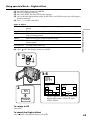
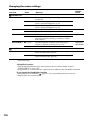
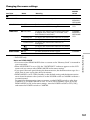
Changing the menu settings
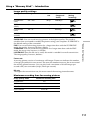
Icon/item
Mode
Meaning
POWER
switch
MEMORY SET
SLIDE SHOW
FILE NO.
DELETE ALL
FORMAT
——
To play back images in a continuous loop (p. 144).
MEMORY/
NETWORK*
z SERIES
To assign numbers to file in sequence even if the
“Memory Stick” is changed.
MEMORY/
NETWORK*
VCR
RESET
To reset the file numbering each time the
“Memory Stick” is changed.
——
To delete all the unprotected images (p. 149).
MEMORY/
NETWORK*
To cancel formatting.
MEMORY/
NETWORK*
z RETURN
OK
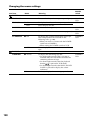
To format an inserted “Memory Stick.”
Formatting erases all information on the
“Memory Stick”.
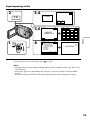
1. Press r/R to select FORMAT then press EXEC.
2. Press r/R to select OK, then press EXEC.
3. After “EXECUTE” appears, press EXEC.
“FORMATTING” flashes during formatting.
“COMPLETE” appears when formatting is
finished.
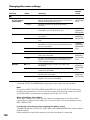
Notes on formatting
•The “Memory Stick” supplied with your camcorder has been formatted at factory.
Formatting with your camcorder is not required.
•Do not turn the POWER switch or press any button while FORMATTING is
displayed.
•You cannot format the “Memory Stick” if the write-protect tab on the “Memory Stick”
is set to LOCK.
•Format the “Memory Stick” if
FORMAT ERROR appears.
•Formatting erases protected image data on the “Memory Stick”.
Customising Your Camcorder
* DCR-IP55 only
179