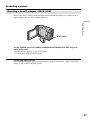
1
Making your own titles
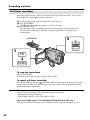
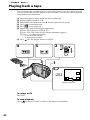
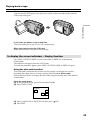
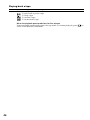
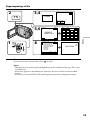
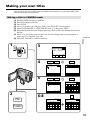
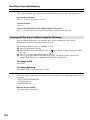
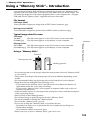
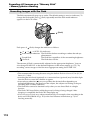
You can make up to two titles and store them in the memory of your camcorder. Each
title can have up to 20 characters.
Making a title in CAMERA mode
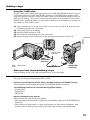
(1)
(2)
(3)
(4)
(5)
(6)
1
Editing
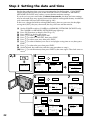
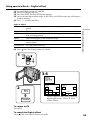
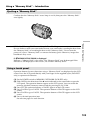
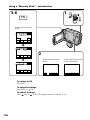
Set the POWER switch to CAMERA.
Press FN to display PAGE2.
Press TITLE.
Press r/R to select
, and press EXEC. The TITLE SET screen appears.
Select CUSTOM1 SET or CUSTOM2 SET with r/R, then press EXEC.
Select the desired character. Repeat pressing a key to select the desired character on
the key.
(7) Press t to move the cursor for the next character. Repeat the same procedure as
step 6 and 7 to complete your title.
(8) Press SET. The title is stored in memory.
3
CAMERA
MEMORY/
NETWORK
PAGE1 PAGE2 PAGE3 EXIT
(CHG)
OFF
VCR
ON
MODE
SELF
TIMER
TITLE
DIG
EFFT
MEM
MIX
POWER
4
r
R
STBY
TITLE SET
CUSTOM1 SET
CUSTOM2 SET
r
5
R
2
TITLE SET
STBY
CUSTOM1 SET
CUSTOM2 SET
r
R
STBY
TITLE SET
CUSTOM1 SET
CUSTOM2 SET
r
EXIT
RET.
EXEC
r
EXEC
R
EXEC
R
PAGE2
RET.
EXEC
EXIT
TITLE SET
STBY
EXIT
[____________________]
t
&? ! ABC
DEF T
RET.
GH I
JKL
MNO
123
45
678
90
PQR
S
TUV
WXY
Z
.,
/—
SET
6-8
FN
EXEC
EXIT
SET
STBY
TITLE SET
EXIT
[ PAR_ _ _ _ _ _ _ _ _ _ _ _ _ _ _ _ _ ]
t
&? ! ABC
DEF T
TITLE SET
STBY
EXIT
[ PARTY_______________]
t
&? ! ABC
DEF T
GH I
JKL
MNO
123
45
678
90
GH I
JKL
MNO
123
45
678
90
PQR
S
TUV
WXY
Z
.,
/—
SET
PQR
S
TUV
WXY
Z
.,
/—
SET
97