1
Table of contents
“Memory Stick” Operations
Using a “Memory Stick”
– Introduction ................................... 103
Recording still images on a
“Memory Stick”
– Memory photo recording ............. 114
Recording an image from a tape
as a still image ................................... 122
Superimposing a still image in a
“Memory Stick” on an image
– MEMORY MIX ............................... 125
Recording moving pictures on the
“Memory Stick”
– MPEG movie recording ................ 129
Recording a picture from a tape as a
moving picture .................................. 132
Viewing a still image
– Memory photo playback .............. 135
Viewing a moving picture
– MPEG movie playback ................. 138
Copying still images recorded on the
“Memory Stick” to a tape ................ 140
Enlarging still images recorded on the
“Memory Stick”
– Memory PB ZOOM ....................... 142
Playing back images continuously
– SLIDE SHOW ................................. 144
Preventing accidental erasure
– Image protection ............................ 146
Deleting images – DELETE .................... 147
Writing a print mark – PRINT MARK .... 150
Viewing images recorded on a
“Memory Stick” on your computer
– For Macintosh users ...................... 171
Using the Network function
(DCR-IP55 only)
Accessing the network ............................ 172
Customising your Camcorder
Changing the menu settings .................. 174
Troubleshooting
Types of trouble and how to correct
trouble ................................................ 183
Self-diagnosis display ............................. 190
Warning indicators and messages ........ 191
Additional Information
Usable cassettes ........................................ 194
About the “InfoLITHIUM” battery pack .... 196
About i.LINK ............................................ 198
Using your camcorder abroad ............... 200
Maintenance information and
precautions ........................................ 201
Specifications ............................................ 206
Quick Reference
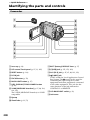
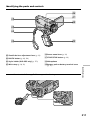
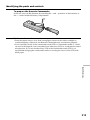
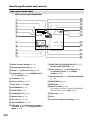
Identifying the parts and controls ......... 208
Index .......................................................... 215
Viewing Images Using your
Computer
Viewing images on your computer
– Introduction ...................................
Connecting your camcorder to your
computer using the i.LINK cable
– For Windows users .......................
Connecting your camcorder to your
computer using the USB cable
– For Windows users .......................
Viewing images recorded on a tape on
your computer
– For Windows users .......................
Viewing images recorded on a
“Memory Stick” on your computer
– For Windows users .......................
Connecting your camcorder to your
computer using the USB cable
– For Macintosh users ......................
151
152
153
161
166
169
7