1
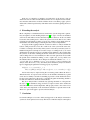
interactive components that appear in the interface (called interactors). In the present
example one interactor describes actions as well as visible attributes of the state of the
system. It is clear that in an air conditioning system it is also possible to feel or hear the
effect of changes in the temperature, fan speed and where the air is flowing, but these
additional modalities are ignored. Context effects, for example whether the car windows are open or not, are also ignored for the purposes of this analysis. These aspects
of the system may be considered informally as an adjunct to the analysis if appropriate.
There are three types of MAL axioms. Propositional axioms describe invariants
over the state of the interactor. Modal axioms describe the effect of an action in terms of
the state of the interactor. The modal axioms can be seen as describing production rules
that define a state machine. Finally deontic axioms capture conditions that determine
when actions are permitted or obligatory. For present purposes the deontic axioms are
ignored.
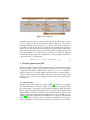
Three visible attributes of the state are particularly important to the functioning of
the air conditioning system: temperature (settemp), the flow speed that is defined by the
fan speed indicator (fanspeed ) and the flow mode (airflow ) that defines where the air
flows, for example dashboard level or floor level or to the windscreen. These attributes,
see (a)-(c) in Figure
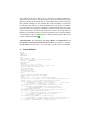
Normal logical operators are assumed in this fragment of the specification and actions appear in square brackets. The expression to the right of the action describes how
the state attributes are changed. In the case of [tempup] therefore if the temperature is
lower than the maximum possible (MAXHOT ) then it is incremented. The new state of
settemp is indicated by priming the attribute, hence the new value (settemp 0 ) becomes
the previous plus one. If the set temperature is already equal to MAXHOT , then its
value does not change: (keep(settemp)). Note that if an attribute does not appear in
the keep list and its behaviour is not defined by the axioms its value after the action is
specified to be random. The axiom for tempdown is defined similarly.
In the same way [fanspeedup] and [fanspeeddown] are defined. More axioms are
involved in dealing with actions associated with where the air flows. Possible air flow
modes are defined by the set:
AirFlow = {panel , double, floor , floorws, wsclear }
A feature of the design is whether the air conditioning system is switched on or off.
This is not yet captured in these axioms. It is not an accident that this aspect has been
ignored, since it is not clearly visible in the current system. The only possible indicator
is the fan speed (see indicator (b) in Figure
The air conditioning mode selector key (5) is defined when the system is on and
when it is off. When off, pressing the button has no effect on the state attributes, when
on the mode key simply changes the ac attribute, toggling its value.
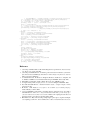
on → [ackey] ac 0 = ¬ac ∧
keep(auto, airintake, settemp, on, front, airflow , fanspeed )
¬on → [ackey] keep(auto, airintake, settemp, on, front, airflow , fanspeed , ac)
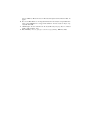
The windscreen (flow ) mode selection button [frontkey] has the following axioms: