1
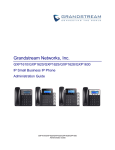
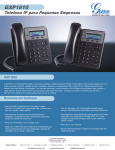
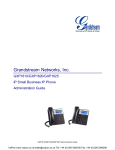
PRODUCT OVERVIEW FEATURE HIGHTLIGHTS 132*48 pixel backlit graphical LCD display(GXP1610 doesn’t support backlit) 2 dual-color line keys, 3 XML programmable context-sensitive soft keys, 8 BLF keys (GXP1628 only), 3-way conference, multi-language support HD wideband audio (GXP1620/GXP1625/GXP1628 only), superb full-duplex hands-free speakerphone with advanced acoustic echo cancellation and excellent double-talk performance Large phonebook (up to 500 contacts) and call history (up to 200 records) Automated personal information service (e.g., local weather, etc.), personalized music ring tone/ring back tone, flexible customizable screen content & format using XML, and advanced Web and enterprise applications, local weather service Dual switched 10/100 Mbps ports on GXP1610/GXP1620/GXP1625, dual switched auto-sensing 10/100/1000 Mbps Ethernet ports on GXP1628, integrated PoE on GXP1625/GXP1628 Automated provisioning using TR-069 or encrypted XML configuration file, SRTP and TLS for advanced security protection, 802.1x for media access control Perfectly compatible with Grandstream UCM Features Innovative UI design (easy and useable multi-language support ) Use with Grandstream’s UCM61xx series IP PBX appliance for Zero-Config provisioning, 1-touch call recording and more GXP1610/GXP1620/GXP1625/GXP1628 TECHNICAL SPECIFICATIONS Table 1: GXP1610 Technical Specifications Protocols/Standards Network Interfaces Graphic Display Feature Keys Voice Codecs Telephony Features SIP RFC3261, TCP/IP/UDP, RTP/RTCP, HTTP/HTTPS, ARP/RARP, ICMP, DNS (A record, SRV, NAPTR), DHCP, PPPoE, SSH, TFTP, NTP, STUN, SIMPLE, LLDP-MED, LDAP, TR-069, 802.1x, TLS, SRTP Dual switched auto-sensing 10/ 100 Mbps Ethernetports 132*48 LCD display 2 line keys with dual-color LED and 1 SIP account.3 XML programmable context sensitive soft keys. 5 (navigation, menu) keys. 13 dedicated function keys for PAGE/INTERCOM, PHONEBOOK, MESSAGE, HOME, HOLD, RECORD, MUTE, HEADSET, TRANSFER, CONFERENCE, SEND and REDIAL, SPEAKERPHONE, VOLUME Support for G.711µ/a, G.722 (wide-band), G.723(pending),G.726-32, G.729 A/B, in-band and out-of-band DTMF (In audio, RFC2833, SIP INFO) Hold, transfer, forward (unconditional/no-answer/busy), 3-way conference, call park/pickup, downloadable phone book (XML, LDAP,up to 500 items), GXP1610/GXP1620/GXP1625/GXP1628 Administration Guide Page 11 of 48