1
NetXtreme
User Guide
September 2013
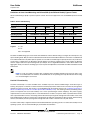
Both Operator and Administrator roles also have an associated set of rights that determines which RMCP Remote Control
commands it has the right to execute on the managed client. These Remote Control commands include:
•
Power-Up
•
Reset
•
Power-Reset
•
Power-Down
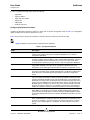
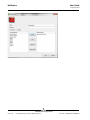
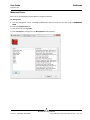
To assign rights to an authenticated operator or administrator, select the appropriate check boxes in the Rights section.
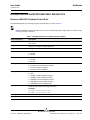
CONFIGURING WEB SERVICES MANAGEMENT
Web Services (WS) Management is a DMTF specification that delivers standards-based web services management for
DASH-enabled clients and SMASH-enabled servers. Both HTTP and HTTPS protocols are supported.
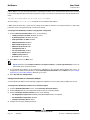
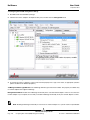
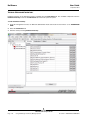
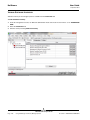
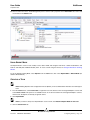
1. Click the name of the TruManage-enabled adapter in the Explorer View pane, and then click the Configurations tab.
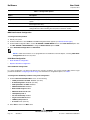
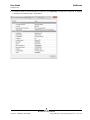
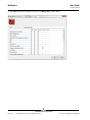
2. From the OOB Management section, select the property you want to set.
3. To change the value of a property, select an item from the property’s list or type a new value, as appropriate (selection
options are different for different properties).
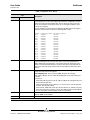
HTTP Support. This parameter determines whether or not HTTP communications will be supported by the management
firmware. Both WS Management/HTTP (for DASH/SMASH Class A Security) and the web browser/GUI interface (over
HTTP) depend on this parameter being set to Enabled.
HTTP Port Number. This parameter determines the TCP port number on which the management firmware will listen for
incoming HTTP connections. This port will be used both for incoming WS Management/HTTP and web browser/GUI (over
HTTP) requests.
HTTPS Support. This parameter determines whether or not HTTPS communications will be supported by the management
firmware. Both WS Management/HTTPS (for DASH/SMASH Class B Security) and the web browser/GUI interface (over
HTTPS) depend on this parameter being set to Enabled. HTTPS support also depends on the Private RSA Key and TLS
Server Certificate records containing valid data.
HTTPS Port Number. Enter the destination port in decimal notation on which the management firmware will listen for
incoming HTTPS connections. This port will be used both for incoming WS Management/HTTPS and web browser/GUI (over
HTTPS) requests.
Bro adco m C orp or atio n
Page 172
Configuring Out-of-Band (OOB) Management Settings
Document
INGSRV162-CDUM100-R