1
Multimedia
You can store multimedia files in
your phone’s memory so you have
easy access to all your pictures,
sounds, videos and games. You can
also save your files to a memory
card. Using a memory card allows
you to free up space in your phone’s
memory.
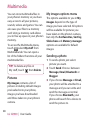
To access the Multimedia menu,
touch
select My stuff from
Multimedia tab. You can open a
list of the folders that store all your
multimedia files.
TIP! To delete any files in
My stuff, touch
then Delete.
Pictures
My images contains a list of
pictures including default images
pre-loaded onto your phone,
images you have downloaded
and those taken on your phone’s
camera.
68
LG GD900 | User Guide
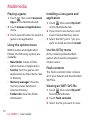
My images options menu
The options available to you in My
images depend on the type of
image you have selected. All options
will be available for pictures you
have taken on the phone’s camera,
but only the Set favorites, Sort by,
Slide show and Memory manager
options are available for default
images.
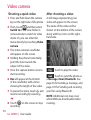
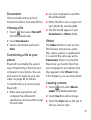
Sending a photo
1 To send a photo just select
picture you want.
2 Touch Send. Choose between
Message, Email, Bluetooth or
Blogger.
3 If you choose Message or Email,
your photo will be attached to a
message and you can write and
send the message as normal.
If you choose Bluetooth, your
phone will search for a device to
send the picture to.