1
US006878067B2
(12) United States Patent
(10) Patent N0.2
Blanco
(54)
(45) Date of Patent:
5,791,992 A
5,876,286 A
8/1998 Crump et al.
3/1999 Lee
GAMING SYSTEM
5,878,134 A
5,896,125 A
3/1999 Handelman et al.
4/1999 Niedzwiecki
5,917,256 A
(73) Ass1gnee: Microsoft Corp., Redmond, WA (US)
_
5,978,920 A
Inventor.
.
-
Victor Keith Blanco, Bothell, WA (US)
.
.
.
( * ) Notice:
(21)
Apr. 12, 2005
METHOD AND APPARATUS FOR CREATING
AND PLAYING SOUNDTRACKS IN A
-
(75)
US 6,878,067 B2
.
.
.
10/1999 Looney et a1‘
6/1999
Broadbent, II
5,973,683 A
10/1999
Cra un et al.
A
11/1999 Leeg
5 993 319 A
11 1999
6j001:015 A
121999 Nglailrlnrii et aL
patent is extended or adJusted under 35
6,009,433 A
12/1999 Kurano et aL
U-S-C- 154(k)) by 0 days-
6,025,869 A
2/2000 Stas et al.
6,115,079 A
9/2000 McRae
6,224,485 B1
5/2001 Dickinson et al.
SllbJeCb to any disclaimer, the term of this
Appl' No‘: 10/778’643
(22) Filed:
5,969,283 A
Feb. 12,2004
(Continued)
US 2004/0162140 A1 Aug. 19, 2004
EP
EP
Related US. Application Data
0889420
1126425
W0 0040027
WO 01/05477
WO 01/08148
W0
W0
W0
1/1999
8/2001
7/2000
1/2001
20001
OTHER PUBLICATIONS
(62)
Division of application No. 09/802,661, ?led on Mar. 9,
2001'
(51)
(52)
Int. Cl.7 ................................................. .. A63F 9/24
US. Cl. .......................................... .. 463/43; 463/35
Stalling; Cryptography and network security: Principles and
Practice, Second Edition, Prentice Hall 1999; pp. 330 and
(58)
Field of Search ....................... .. 463/30—32, 35—38,
333—338~
463 43—44
.
/
(56)
References Cited
Primary Examiner—Kim Nguyen
U_S_ PATENT DOCUMENTS
4,296,476 A
2/1984
4,905,280 A
2/1990 Wiedemer
5,382,983 A
1/1995 Kwoh et a1_
5,459,487 A
5,550,575 A
(74) Attorney, Agent, or Firm—Lee & Hayes PLLC
10/1981 Mayer et al.
4,432,067 A
(Continued)
(57)
Nielsen
ABSTRACT
,
,
A gaming system includes a game console that executes an
application that creates and plays soundtracks through the
10/1995 Bouton
8/1996 West et al.
gaming system. The application alloWs a user to create
soundtracks by copying audio tracks from one or more audio
5,551,701 A
9/1996 Bouton et 211.
sources. Auser-created soundtrack can be associated With a
5,558,339 A
55927651 A
9/1996 Perlman
1/1997 Rackman
particular game such that the user-created soundtrack is
played during execution of the game instead of the game’s
2
5:649:862 A
igzlizsniset a1‘
7/1997 sakaguchi et a1‘
default soundtrack. During execution of a game, a user may
change the soundtrack being played.
5,716,273 A
2/1998 Yuen
5,752,883 A
5/1998 Butcher et al.
14 Claims, 12 Drawing Sheets
1302
r1300
uEs THE SELECTED
GAME HAVE A usEmAsscclArEn
SOUNDTRACK!
130$
1M:
1308
‘
LAUNCH TNE SELECTED GAME
AND PlAY THE USER
AssocrArzn SOUNDTRACK
PRESENT YHE USER WITH AN OPTION TO
SELECT A SOUNDTRACK OR Puw GAME
usms THE DEFAULT SOUNDTRACK
i
1310
NEw SGUNDYRACK QR
DEFAULT SOUNDTRACK?
1312
LAUNCH THE SELECTED GAME
AND PLAY we DEFAULT
1314
GAME SOUNDTRACK
PRE$ENY we USER wlm AvAiLAaLE
1315
LAUNCH THE SELECTED GAME AND PLAY
TNE SELEcTEu SOUNDTRACK
US 6,878,067 B2
Page 2
Thurrott; “WindoWs Media Player 7 revieWed” Winsupersite
US. PATENT DOCUMENTS
6,230,320 B1
’Onlilne! Aug. 15, 2000 Retireved from the internet:
5/2001 Gakumura
6,280,327 B1
6,280,329 B1
6,298,441 B1
8/2001 Leifer et al.
8/2001 Kondo et al.
10/2001 Handelman et al.
6,299,535 B1
10/2001 Tanaka
6,309,301 B1 * 10/2001
URL:http://WWW.Winsupersite.com/revieWs/Wmp7.asp>
retrieved on Jun. 18, 2004.
Takahasi, “Microsoft goes gaming; (Product Develop
ment);” Electronic Business; May, 2000; 2 pages.
Sano ......................... .. 463/35
6,312,336 B1
11/2001 Handelman et al.
6,393,430 B1
6,396,531 B1
5/2002 Van RyZin
5/2002 GersZberg et al.
6,464,585 B1 * 10/2002 Miyamoto et al. .......... .. 463/35
6,468,160
6,535,269
6,599,194
6,712,704
6,769,989
2001/0004609
2002/0077177
2003/0008715
2004/0162137
B2
B2
B1
B2
B2
A1
A1
A1
A1
10/2002
3/2003
7/2003
3/2004
8/2004
6/2001
6/2002
1/2003
8/2004
Eliott
Sherman et al.
Smith et al.
Eliott
Smith et al.
Walker et al.
Elliott
Huber et al.
Eliott
Press Pass; “Xbox to Deliver Ultimate Console Gaming
Experience”; San Jose, CA; Mar. 10, 2000; 3 pages; 2001.
IGN.com; “What is the 64DD?” Sep. 17, 1997; 9 pages.
IGN.com; “The 64DD: Nintendo’s Disk Drive—Everything
you ever Wanted to knoW about the N64’s ?rst major
add—on”; Jan. 28, 1998; 7 pages.
IGN.com; “IGN64’s Ultimate 64DD FAQ—Everything you
ever Wanted to knoW about the upcoming disk drive add—on;
Updated: 12/13”; Dec. 15, 1999; 12 pages.
IGN.com; “The 64DD Connection—Here’s hoW the 64DD
and the Nintendo 64 connect;” Oct. 20, 1999; 5 pages.
c/netNEWS.com; “US. version of Playstation 2 to have
OTHER PUBLICATIONS
“CES: Bill Gates Zeigt die Xbox” Golem.de ’Online! Jan. 6,
2000 Retrieved from the internet: url: http://dyn1.golem.de/
cgi—bin/usisapi.d11/forprint??id11561> retrieved Jun. 18,
modem, hard drive;” By Bloomberg NeWs; Apr. 14, 2000; 2
pages.
ZDNetUKNEWS, Rick Lehrbaum, LinuxDEvices.com;
WWW.playstation.com. retrieved on Jun. 18, 2004.
Special to ZDNet; “Linux fuels game console plus”; Jul. 7,
2000; 3 pages.
CNET Gamecenter.com; Todd MoWatt; Indrema: Linux
Based Console; Aug. 11, 2000; 2 pages.
PS2 Frequently Asked Questions All Playstation2 ’Online!
Planet GeForce; “IntervieWs—John Gildred of Indrema on
Jul. 29, 2000 Retrieved from the Internet: URL:http://
WWW.allps2.net/ps2ifaq.html> retrieved on Jun. 18, 2004.
the L600;” IntervieWed by Christopher “Razor” Gordon;
2004.
“PlayStation 2 Instruction Manual” ’Online! 2000 Sony
Computer Entertainment Retrieved from the internet: url:
SuareZ; “Sony PlayStation 2” The Digital Bits ’Online!Nov.
15, 2000 retrieved from the internet: URL:http://WW
W.thedigitalbits.com/revieWs/ps2/sonyps2*.html> retrieved
on Jun. 18, 2004.
Perenson; “Play Back Media Your Way” PC World ’Online!
Jun. 1, 2000 retrieved from the Internet: url:http://WWW.pc
World.com/resource/printable/0aid1700100.asp.
on Jul. 8, 2004.
Oct. 19, 2000; 5 pages.
Links 386CD; 1995; Access SoftWare, Inc.; pp. 1—87.
Web page printout, Daily Radar.com; Nov. 13, 2000; RevieW
of “Metropolis Street Racer” game, 5 pages.
User Manual, “Metropolis Street Racer” game, SEGA Enter
prises, Ltd., 2000, 18 pages.
retrieved
* cited by examiner
U.S. Patent
Apr. 12,2005
102
108
Sheet 1 0f 12
US 6,878,067 B2
120
U.S. Patent
Apr. 12, 2005
US 6,878,067 B2
Sheet 2 0f 12
K- 100
f
214 _
GAME CONSOLE 31g
|__”
|
;
_
_
_
_
_
_
_
—_,—___‘__—__T__“
CENTRAL PROCESSING UNIT Q9
I
‘
‘
LEVEL 1 CACHE
Q2
‘
FLASH ROM
{
MEMORY
CONTROLLER
L04
2%
30 GRAPHICS
PROCESSING
VIDEO
ENCODER
UNIT E
2_22.
LEVEL 2 CACHE
2i
w
MEMORY ‘
I
|
w
AN
PORT
Z_2_8
1
I
I
AUDIO
AUDIO
PEOCEZZ'EG
eggs‘:
I
—
l
\
N'T —-—
|
P
x
|
I
\
RAM MEMORY &
I
USB HOST
NW
I
CONTROLLER
E
UP
Q
|
‘
'
216
<
ATA CABLE ’
>
SYSTEM POWER
0
SUPPLY MODULE
2i
PORTABLE
HARD DIsK
MED|1A02RNE
DzRgéE
U' APP
l
260
FAN E
/— 244
DUAL
CONTROLLER
PORT
SUBASSEMBLY
FRONT PANEL
l/O
SUBASSEMBLY
DUAL
CONTROLLER
PORT
SUBASSEMBLY
240(1)
m
240(2)
\
“
W
J
|—
\
CONTROLLER
CONTROLLER
104(1)
104(2)
140(3
MEM. UNIT
112
MEM. UNIT
\ 140(2)
140(1)
k 140(4)
CONTROLLER
114
140(5)
z
CONTROLLER ) .
104(3)
104(4)
‘I 1410(7) \ 7
MEM. UNIT]
MEM. UNIT
¥ 140(6)
\ 140(8)
U.S. Patent
Apr. 12, 2005
US 6,878,067 B2
Sheet 3 0f 12
{- 300
KEY
DISTRIBUTION
306
CENTER
304(1) \
IE
E!
I:
1 1 [I [l ]
llllllll?llll\
ONLINE SERVICE
302
304(s) \
m
IE
%
I:
llll?ll?llll
208
/IJUHIIHIJIJ\
\
- ONLINE SERvIcE
/
r\
/
HARD DISK
DRIVE
100(1)
\
REMOTE
/
PORTABLE
MEDIUM
\
140
STORAGE
/
MEMORY
UNIT(S)
/
108 /
104
\ 308
U.S. Patent
Apr. 12,2005
Sheet 4 0f 12
US 6,878,067 B2
r 400
402
MAIN MENU
MEMORY
F 404
GAMES
v f 406
MUSIC
408 j
MOVIE
r 418
[ COLLECTION ] [ COLLECTIONq [ COLLECTION ] [SH-runes]
V
V
V
[ GAMES PLAY] { Muslc PLAY 1 [ MOVIE PLAY ]
AREA
410J
AREA
412J
Z9. 4
AREA
414J
U.S. Patent
Apr. 12,2005
Sheet 5 0f 12
l
ll
I
/
/
"v:
r
1
I
\
US 6,878,067 B2
U.S. Patent
Apr. 12,2005
Sheet 6 6f 12
US 6,878,067 B2
f
602 \
f- 604
PRESENT GAMES ]
SELECTED?
COLLECTION MENU
[- 60.8
SELECTED?
PRESENT
MUSIC
]
COLLECTION MEN u
[-612
SELECTED?
PRESENT MOVIE
PLAYER
f 616
MEMORY
SELECTED?
618 \
SETTINGS
SELECTED?
PRESENT MEMORY]
COLLECTION MENU
/— 620
PRESENT SETTINGS
COLLECTION MENU
600
U.S. Patent
Apr. 12,2005
Sheet 7 0f 12
US 6,878,067 B2
700
music |:
e
mLLecTigg
/"
SOUNDTRACK 1 >
702 ,\
_SDUNDT>'{A(K Z
SOUNDTRAIC>K ‘3 - n’
iQHIiPLREG"
/ flL‘QIRACK 5.
SOUNDTRACK 6
SOUNDTRACK 7 ‘J’
,__________
DAVID
v
_
319,115‘,
‘{N‘L:
800
C1 EDLUIE
TRACK
TRACK
TRACK
>
\'
808
/
U.S. Patent
Apr. 12, 2005
US 6,878,067 B2
Sheet 8 0f 12
music
choose a
snund'rracx
SOUNDTRAG< 2
III
SOUNDTRACK 3
SOUNDTRACK 4
904
U.S. Patent
Apr. 12,2005
1006
Sheet 9 0f 12
AUDIO
‘CD 2
GAME
DISC 1
US 6,878,067 B2
1008
1004
1010
AUDIO
CD 1
GAME
DISC 2
1002
SOUNDTRACK
1018
1012
AUDIO
DVD 2
1014
AUDIQ
DVD 1
1016
U.S. Patent
Apr. 12, 2005
1102\[
1104\{
Sheet 10 0f 12
US 6,878,067 B2
f 1100
GAMING SYSTEM CREATES A NEW
SOUNDTRACK FILE
UsER IS PRESENTED WITH A LIST
OF AUDIO SoURcEs
1106x
—{
1108\
UsER SELECTS AN AUDIO SOURCE
USER IS PRESENTED WITH A LIST OF
AUDIO TRACKS FROM THE AUDIO SOURCE
\
USER SELEcTs ONE OR MoRE
AUDIO TRACKS FROM THE LIST
V
GAMING SYSTEM RETRIEVES THE SELECTED
AUDIO TRACKS AND ADDS THE AUDIO
TRACKS TO THE SOUNDTRACK
1114
ADD MORE AUDIO TRACKS
TO THE SOUNDTRACK?
1116\[
GAMING SYSTEM RETURNS TO THE MUSIC
COLLECTION MENU
1
$767. I?
U.S. Patent
Apr. 12, 2005
1202
FILlciID Ens-'1
:rcisz
CQPYING ms“
2
A
SEILINUTFJFICK 1
7 TFCCKS
cm
US 6,878,067 B2
Sheet 11 0f12
23:54
12 Tracks
TRACK 1
mcx 2
nucx 3
3238
1:55
2=27
M
TRACK
rm:
nucx
TRACK
5
6
7
a
3:58
4:24
6:18
3:02
TRA(K 9
TRA(K 12
TRACK 11
2:16
2:36
3:27
nucx 12
4;
TRACK 1
TRACK Z
TRACK 3
TRACK
TRACK
TRACK
TRACK
4
5
5
7
GIbUJ-ANB)
:55
:27
:43
:58
:24
U.S. Patent
Apr. 12,2005
Sheet 12 0f 12
US 6,878,067 B2
1300
1302 \
f
[ USER SELECTs A GAME TO PLAY ]
1304
DoEs THE SELECTED
GAME HAVE A USER-ASSOCIATED
YES
SOUNDTRACK?
‘
1306
LAUNCH THE SELECTED GAME
1308
AND PLAY THE USER
AssOc|ATED SOUNDTRACK
PRESENT THE USER WITH AN OPTION TO
SELECT A SOUNDTRACK OR PLAY GAME
USING THE DEFAULT SOUNDTRACK
1310
NEW SOUNDTRACK OR
DEFAULT SOUNDTRACK?
DEFAULT
,
1312
LAUNCH THE SELECTED GAME
1314
AND PLAY THE DEFAULT
GAME SOUNDTRACK
PRESENT THE USER \NITH AVAILABLE
SOUNDTRACKS
1316
LAUNCH THE SELECTED GAME AND PLAY
THE SELECTED SOUNDTRACK
76¢- 13
US 6,878,067 B2
1
2
METHOD AND APPARATUS FOR CREATING
AND PLAYING SOUNDTRACKS IN A
GAMING SYSTEM
through the gaming system. Additionally, soundtracks stored
in the gaming system can be associated With a particular
game such that the soundtrack is played (instead of the
game’s default soundtrack) While the game executes. This
RELATED APPLICATIONS
system alloWs the user to choose or create a soundtrack
based on the user’s audio preferences, and does not limit the
user to the game soundtrack provided by the game devel
oper.
This application is a divisional of co-pending application
Ser. No. 09/802,661, ?led Mar. 9, 2001, entitled “Method
and Apparatus for Creating and Playing Soundtracks in a
Gaming System”, and incorporated herein by reference.
In the described implementation, the gaming system
10 includes a game console and one or more controllers. The
game console is equipped With a hard disk drive, a portable
COPYRIGHT NOTICE
media drive, and broadband connectivity. A console appli
A portion of the disclosure of this patent document
contains material Which is subject to copyright protection.
The copyright oWner has no objection to the facsimile
15
reproduction by anyone of the patent document or the patent
and soundtrack selection menus. The soundtrack creation
menu alloWs the user to select various audio tracks to be
included in a soundtrack. The soundtrack selection menu
alloWs the user to select a soundtrack for playback or for
disclosure, as it appears in the Patent and Trademark Of?ce
patent ?le or records, but otherWise reserves all copyright
rights Whatsoever.
associating With a particular game such that the soundtrack
is played When the particular game is launched.
When a game is launched, the gaming system determines
TECHNICAL FIELD
This invention relates to gaming systems and, more
particularly, to the creation of soundtracks using a gaming
system and to the playback of soundtracks using a gaming
system.
cation stored on the hard disk drive is loaded When the game
console is poWered on. The console application presents a
menu hierarchy that includes various soundtrack creation
Whether the launched game has a user-associated
soundtrack. If so, the user-associated soundtrack is retrieved
25
from the hard disk drive and played While the game is
executed. If the launched game does not have a user
associated soundtrack, the gaming system either 1) plays the
BACKGROUND
default game soundtrack provided by the game developer; or
2) alloWs the user to select the soundtrack to be played While
Gaming systems currently available on the market are
capable of playing game discs, music CDs, and movie
the game is executed. The user of the gaming system can
DVDs from a disc drive. For example, the Playstation® 2
change soundtracks in the middle of a game by pausing the
game and selecting a different soundtrack. The gaming
system then resumes execution of the game and begins
gaming system from Sony Corporation provides the ability
to play games, music, and video titles from a disc inserted
in the console. Certain gaming systems also provide a
modem or other mechanism for establishing an online
connection to facilitate online gaming.
playing the neWly selected soundtrack.
35
BRIEF DESCRIPTION OF THE DRAWINGS
Current gaming systems play games that typically include
FIG. 1 illustrates a gaming system that implements a
a game soundtrack. The game soundtrack is stored on a disc
along With the game (i.e., a game disc). This game
soundtrack includes music that is created by or selected by
the game developer. If the user of the gaming system dislikes
40
FIG. 3 illustrates a netWork gaming system in Which the
FIG. 1 gaming system is connected via a netWork to other
consoles and services.
the game soundtrack or groWs tired of the same soundtrack
being played repeatedly, some gaming systems alloW the
user to launch the game from the game disc, and then replace
the game disc With an audio CD that is played by the gaming
system While the game is executed. HoWever, if the game
45
When changing from one level to another), the user must
remove the audio CD and re-insert the game disc. After the
additional information has been retrieved from the game
SUMMARY
FIG. 4 illustrates a navigation hierarchy employed by the
gaming system.
FIG. 5 illustrates a graphical user interface depicting the
main menu of the gaming system.
FIG. 6 is a How diagram of the main menu navigation
requires additional information from the game disc (e.g.,
disc, the game disc can be removed from the gaming system
and replaced With the audio CD. This sWitching of discs
disrupts the gaming experience and is a nuisance to the user.
The system and method described herein addresses these
limitations by providing a mechanism to create soundtracks
in a gaming system and to select a soundtrack to be played
While executing a particular game.
uniform media portal architecture.
FIG. 2 is a block diagram of the gaming system.
process that is performed after the gaming system is initial
iZed.
FIG. 7 illustrates a graphical user interface depicting a
music collection menu that is accessible from the main
menu.
55
FIG. 8 illustrates a graphical user interface depicting a
music player that is accessible from the music collection
menu.
FIG. 9 illustrates a graphical user interface depicting a
screen display used to select an existing soundtrack or create
The method and apparatus described herein provide the
ability to create, edit, and play soundtracks in a gaming
a neW soundtrack.
hard disk drive in the gaming system and can be played back
screen displayed during the creation of a soundtrack.
FIG. 10 illustrates the creation of a soundtrack using a
variety of different audio sources.
system. The soundtracks include one or more audio tracks
FIG. 11 is a How diagram illustrating a process for
copied or retrieved from one or more audio sources (such as
an audio CD, an audio DVD, a game disc, or an online 65 creating a neW soundtrack.
FIG. 12 illustrates a graphical user interface depicting a
source containing audio ?les). Soundtracks are stored on a
US 6,878,067 B2
4
3
1. Game titles played from CD and DVD, from the hard
FIG. 13 is a How diagram illustrating a process that
determines Which soundtrack to play When a particular game
is launched.
disk drive, or from an online source.
2. Digital music played from a CD in the portable media
drive 106, from a ?le on the hard disk drive (e.g.,
DETAILED DESCRIPTION
WindoWs Media Audio (WMA) format), or from online
streaming sources.
3. Digital audio/video played from a DVD disc in the
portable media drive 106, from a ?le on the hard disk
The method and apparatus discussed herein alloWs users
to create and play soundtracks in a gaming system. A
soundtrack can be played by itself or played at the same time
a game is executed, thereby replacing the soundtrack pro
vided With the game. The soundtrack is created by copying
drive (e.g., Active Streaming Format), or from online
10
FIG. 2 shoWs functional components of the gaming sys
audio data (or audio tracks) from one or more audio sources
and storing the audio data as a soundtrack on a hard disk
drive. The audio sources may include audio CDs, audio
DVDs, game discs, and online sources that contain music
?les available for doWnload. Since the soundtrack is played
from the hard disk drive, it is not necessary to remove the
game disc or other media from the gaming system prior to
streaming sources.
tem 100 in more detail. The game console 102 has a central
processing unit (CPU) 200 and a memory controller 202 that
facilitates processor access to various types of memory,
15
including a ?ash ROM (Read Only Memory) 204, a RAM
(Random Access Memory) 206, a hard disk drive 208, and
the portable media drive 106. The CPU 200 is equipped With
a level 1 cache 210 and a level 2 cache 212 to temporarily
store data and hence reduce the number of memory access
playing the soundtrack.
FIG. 1 shoWs an exemplary gaming system 100. It
cycles, thereby improving processing speed and throughput.
includes a game console 102 and up to four controllers, as
represented by controllers 104(1) and 104(2). The game
The CPU 200, memory controller 202, and various
console 102 is equipped With an internal hard disk drive and
a portable media drive 106 that supports various forms of
memory devices are interconnected via one or more buses,
portable storage media as represented by optical storage disc
108. Examples of suitable portable storage media include
eral bus, and a processor or local bus using any of a variety
including serial and parallel buses, a memory bus, a periph
25
can include an Industry Standard Architecture (ISA) bus, a
Micro Channel Architecture (MCA) bus, an Enhanced ISA
(EISA) bus, a Video Electronics Standards Association
DVD, CD-ROM, game discs, and so forth.
The game console 102 has four slots 110 on its front face
to support up to four controllers 104, although the number
and arrangement of slots may be modi?ed. A poWer button
112 and an eject button 114 are also positioned on the front
face of the game console 102. The poWer button 112
sWitches poWer to the game console and the eject button 114
alternately opens and closes a tray of the portable media
drive 106 to alloW insertion and extraction of the storage
disc 108.
(VESA) local bus, and a Peripheral Component Intercon
nects (PCI) bus, also knoWn as a MeZZanine bus.
As one suitable implementation, the CPU 200, memory
controller 202, ROM 204, and RAM 206 are integrated onto
a common module 214. In this implementation, ROM 204 is
con?gured as a ?ash ROM that is connected to the memory
35
The game console 102 connects to a television or other
40
(Double Data Rate Synchronous Dynamic RAM) that are
independently controlled by the memory controller 202 via
separate buses (not shoWn). The hard disk drive 208 and
portable media drive 106 are connected to the memory
124 to facilitate access to a netWork, such as the Internet.
controller via the PCI bus and an ATA (AT Attachment) bus
216.
A 3D graphics processing unit 220 and a video encoder
Each controller 104 is coupled to the game console 102
via a Wire or Wireless interface. In the illustrated
implementation, the controllers are USB (Universal Serial
Bus) compatible and are connected to the console 102 via
serial cables 130. The controller 102 may be equipped With
controller 202 via a PCI (Peripheral Component
Interconnect) bus and a ROM bus (neither of Which are
shoWn). RAM 206 is con?gured as multiple DDR SDRAM
display (not shoWn) via A/V interfacing cables 120. ApoWer
cable 122 provides poWer to the game console. The game
console 102 may further be con?gured With broadband
capabilities, as represented by the cable or modem connector
of bus architectures. By Way of example, such architectures
45
222 form a video processing pipeline for high speed and
high resolution graphics processing. Data is carried from the
graphics processing unit 220 to the video encoder 222 via a
any of a Wide variety of user interaction mechanisms. As
digital video bus (not shoWn). An audio processing unit 224
illustrated in FIG. 1, each controller 104 is equipped With
tWo thumbsticks 132(1) and 132(2), a D-pad 134, buttons
136, and tWo triggers 138. These mechanisms are merely
representative, and other knoWn gaming mechanisms may
and an audio codec (coder/decoder) 226 form a correspond
ing audio processing pipeline With high ?delity and stereo
processing. Audio data is carried betWeen the audio pro
cessing unit 224 and the audio codec 226 via a communi
be substituted for or added to those shoWn in FIG. 1.
cation link (not shoWn). The video and audio processing
A memory unit (MU) 140 may be inserted into the
controller 104 to provide additional and portable storage.
pipelines output data to an ANV (audio/video) port 228 for
55
transmission to the television or other display. In the illus
Portable memory units enable users to store game param
trated implementation, the video and audio processing com
eters and port them for play on other consoles. In the
to accommodate tWo memory units 140, although more or
ponents 220—228 are mounted on the module 214.
Also implemented on the module 214 are a USB host
controller 230 and a netWork interface 232. The USB host
less than tWo units may be employed in other implementa
tions.
controller 230 is coupled to the CPU 200 and the memory
controller 202 via a bus (e. g., PCI bus) and serves as host for
described implementation, each controller 104 is con?gured
The gaming system 100 is capable of playing, for
the peripheral controllers 104(1)—104(4). The netWork inter
example, games, music, and videos. With the different
storage offerings, titles can be played from the hard disk
drive or the portable medium 108 in drive 106, from an
online source, or from a memory unit 140. Asample of What
the gaming system 100 is capable of playing back include:
65
face 232 provides access to a netWork (e.g., Internet, home
netWork, etc.) and may be any of a Wide variety of various
Wired or Wireless interface components including an Ether
net card, a modem, a Bluetooth module, a cable modem, and
the like.
US 6,878,067 B2
6
5
panel I/O subassembly 242 supports the functionality of the
keys and service tickets to valid participants that may then
be used to form games amongst multiple players or to
purchase services from the online services 304.
The netWork gaming environment 300 introduces another
poWer button 112 and the eject button 114, as Well as any
memory source available to individual gaming systems
LEDs (light emitting diodes) or other indicators exposed on
100—online storage. In addition to the portable storage
medium 108, the hard disk drive 208, and the memory
unit(s) 140, the gaming system 100(1) can also access data
The game console 102 has tWo dual controller support
subassemblies 240(1) and 240(2), With each subassembly
supporting tWo game controllers 104(1)—104(4). A front
the outer surface of the game console. The subassemblies
240(1), 240(2), and 242 are coupled to the module 214 via
?les available at remote storage locations via the netWork
302, as exempli?ed by remote storage 308 at online service
one or more cable assemblies 244.
Eight memory units 140(1)—140(8) are illustrated as being
connectable to the four controllers 104(1)—104(4), i.e., tWo
memory units for each controller. Each memory unit 140
offers additional storage on Which games, game parameters,
and other data may be stored. When inserted into a
controller, the memory unit 140 can be accessed by the
memory controller 202.
304(s).
FIG. 4 shoWs the uniform media portal model 400. It
provides a main menu 402 that acts as a common interface
for multiple media types, including game media, movie
15
Asystem poWer supply module 250 provides poWer to the
components of the gaming system 100. Afan 252 cools the
circuitry Within the game console 102.
The game console 102 implements a uniform media portal
media, and music media. The main menu 402 presents the
user With a set of navigation choices that accurately describe
What they Would like to interact With on their console. This
top-level menu is a simple representation of the three
primary entertainment areas available on the console, thus
presenting the folloWing choices:
model that provides a consistent user interface and naviga
tion hierarchy to move users through various entertainment
Games: This entertainment area pertains to a user’s game
areas. The portal model offers a convenient Way to access
Music: This entertainment area is dedicated to the music
context and audio media.
Movies: This entertainment area relates to a user’s movie
content from multiple different media types—game data,
audio data, and video data—regardless of the media type
inserted into the portable media drive 106.
To implement the uniform media portal model, a console
user interface (UI) application 260 is stored on the hard disk
drive 208. When the game console is poWered on, various
portions of the console application 260 are loaded into RAM
206 and/or caches 210, 212 and executed on the CPU 200.
The console application 260 presents a graphical user inter
face that provides a consistent user experience When navi
gating to different media types available on the game con
sole.
The gaming system 100 may be operated as a standalone
system by simply connecting the system to a television or
experience and gaming media.
25
experience and video media.
The model’s navigation hierarchy folloWs the media
theme. Beneath the main menu 402 are collections of titles
that pertain to their particular media types currently avail
able to the user. In this example, a user can navigate from the
main menu 402 to a games collection 404 that lists currently
35
is intuitively presented With titles Within any given enter
tainment area. The titles Within the various areas may be
other display. In this standalone mode, the gaming system
stored in any one of many storage locations, but such detail
is not immediately revealed. Thus, the uniform media portal
100 alloWs one or more players to play games, Watch
movies, or listen to music. HoWever, With the integration of
available game titles. Navigation may also be made to a
music collection 406 that groups available music titles and
a movie collection 408 that groups available movie titles. By
constructing the hierarchy in terms of media type, the user
40
model 400 offers a coherent Way to access multiple media
broadband connectivity made available through the netWork
interface 232, the gaming system 100 may further be oper
types regardless of the media type inserted into the gaming
system’s portable media drive.
ated as a participant in a larger netWork gaming community.
FIG. 3 shoWs an exemplary netWork gaming environment
creating a soundtrack, are left for loWer levels of the model
Area speci?c features, such as high scores on a game or
300 that interconnects multiple gaming systems 100(1), . . . , 45
100(g) via a netWork 302. The netWork 302 represents any
of a Wide variety of data communications netWorks. It may
include public portions (e.g., the Internet) as Well as private
a music play area 412 is accessed through the music col
lection 406, and a movies play area 414 is navigated through
the movie collection 408. This organiZation of the model
portions (e.g., a residential Local Area Network (LAN)), as
Well as combinations of public and private portions. Net
alloWs users to select the context of the media type. This
model thus provides a high-level “?lter” on the kinds of
media available on the console, and What operations may be
Work 302 may be implemented using any one or more of a
Wide variety of conventional communications media includ
ing both Wired and Wireless media. Any of a Wide variety of
communications protocols can be used to communicate data
via netWork 302, including both public and proprietary
protocols. Examples of such protocols include TCP/IP, IPX/
55
performed With respect to the media.
The model 400 also accommodates system areas, includ
ing a memory area 416 and a settings area 418. The memory
area 416 alloWs users to vieW memory contents and manage
SPX, NetBEUI, etc.
the memory devices in the console. The settings area 418
alloWs users to previeW currently set options, as Well as
In addition to gaming systems 100, one or more online
services 304(1), . . . , 304(s) may be accessible via the
netWork 302 to provide various services for the participants,
such as hosting online games, serving doWnloadable music
adjust the settings as desired.
The console application 260, Which implements the uni
form media portal model 400, is stored in the hard disk drive
208 of the console 102. The console application 260 is
or video ?les, hosting gaming competitions, serving stream
ing audio/video ?les, and the like. The netWork gaming
environment 300 may further involve a key distribution
center 306 that plays a role in authenticating individual
players and/or gaming systems 100 to one another as Well as
online services 304. The distribution center 306 distributes
400. Thus, beneath each collection is the speci?c play area
that pertains to the particular media experience. A games
play area 410 is navigated through the games collection 404,
65
loaded each time the console is poWered on. When poWer is
initially applied and before presenting the main menu or
loading a title, the console application 260 runs through an
initialiZation cycle.
US 6,878,067 B2
8
7
FIG. 5 illustrates an exemplary graphical user interface
The music collection is the area Where the user can select
500 depicting the main menu of the gaming system. The
main menu UI 500 is generated by the console UI applica
from available audio discs in the portable media drive 106
as Well as soundtracks they have previously created and
tion 260 and depicted on the television or other display. The
stored on the hard disk drive 208. The music collection menu
700 includes a list 702 of the available audio discs in the
main menu UI 500 contains the ?ve menu elements: a games
portable media drive (if any) and soundtrack ?les on the hard
element 502, a music element 504, a movies element 506, a
memory element 508, and a setting element 510. These
disk drive. An example of a suitable audio disc is a Redbook
elements provide the navigation entry points for the ?ve
audio CD (compact disc). An example of a suitable
level-one areas of the uniform media portal model 400,
soundtrack ?le is one or more WMA ?les copied from an
audio CD, an audio DVD, a game disc, an online source, or
other audio source.
namely, the games collection 404, the music collection 406,
the movie collection 408, the memory 416, and the settings
418. Environmental background audio may be played When
entering the main menu to further enhance the user envi
ronment.
The focus on the main menu UI 500 is initially placed on 15
the games element 502, but other default positions may be
alternatively employed. Any of the four controllers
An orb 704 contains a graphic of the currently selected
audio item and a metatext panel 706 posts information about
the current audio element. As the user navigates over the list
702 of the available audio discs and soundtracks, corre
sponding summary information is posted in the metadata
panel 706. The folloWing information is displayed for the
currently selected audio disc or soundtrack:
Name of the audio element as it appears in the list
Total number of tracks
Total playing time for the audio element in minutes and
seconds
104(1)—104(4) may be used to navigate the console user
interface. The main menu is navigated from left to right With
any of the connected controller thumbsticks. “D-pad” and
left analog thumbstick actions are treated the same. The
console UI application 260 recogniZes all button presses and
gation does not Wrap once the user has reached the far left
or right extent of the main menu UI 500, thus attempting to
move right once the user has reached the settings element
In this example, the audio CD is highlighted in list 702
and hence a CD image is presented in orb 704. As indicated
by the metatext panel 706, the audio CD is the 14-track
album “Earthling” by David BoWie. When netWork access is
available, artist and other information (such as track titles
and release date) can be retrieved from online services over
510 or to move left once the user has reached the games
the Internet at any time.
thumbstick movements from every controller 104, so moves
from multiple thumbsticks simultaneously may result in a
“tug-of-War” navigation. In one implementation, the navi
25
Descriptive text 708 (i.e., “n items”) is positioned beside
element 502 Will have no effect.
Aselect element 512 alloWs the user to select the focused
the main legend “Music Collection” to indicate the number
of titles in the music collection. The list 702 displays a
element from among the ?ve main menu elements 502—510.
The “A” button on the controller is used to control the select
element 512, and hence the graphical select element 512
illustrates an “a” Within the element. Upon selection, the
console UI application navigates to the selected area.
limited number of music titles (e.g., eight titles). When a
35
is bypassed and the user is navigated to the music player
screen (shoWn and described beloW With respect to FIG. 8).
The title of the music player screen is “no audio CD” and all
FIG. 6 is a How diagram of the main menu navigation
process 600 that is performed after the gaming system is
initialiZed. The process 600 is implemented in softWare as
computer-executable instructions that are executed by the
CPU 200 to perform the operations illustrated as blocks. The
process generally discerns Which main menu element is
40
of the playback buttons in the area are disabled. The user
may only navigate back to the main menu 500 (FIG. 5).
selected and navigates to the selected area.
At block 602, the console application 260 determines
Whether the games element 502 is selected. If so (i.e., the
user ?rst enters the music collection after purchasing their
console, there Will be Zero titles in the music collection (i.e.,
“0 items”). In this situation, the music collection menu 700
45
“Yes” branch from block 602), the console application 260
If the user only has a single audio disc in the portable
media drive, or a single soundtrack in the music collection,
the user is automatically navigated past the music collection
menu 700 When coming from the main menu and is taken
directly to the music player screen. As the user creates
multiple soundtracks and stores them in the hard disk drive,
the music collection menu 700 is no longer bypassed, but
instead presents the available soundtracks in the list 702.
navigates to the games collection 404 and presents a games
collection menu (block 604). If the games element is not
selected, block 606 determines Whether the music element
504 is selected. If the music element 504 is selected, the
When the descriptive text 708 indicates that there are more
console UI application 260 navigates to the music collection
406 and presents a music collection menu (block 608). As
discussed beloW, the music collection menu includes options
scroll arroWs are added to the list 702 to represent that more
titles are available.
to create, edit, and play soundtracks through the gaming
system.
music titles than shoWn on list 702 (e.g., n>8), up/doWn
55
If the movies element 506 is selected (block 610), the
console UI application 260 navigates to the movies collec
tion 408 and presents a movie player (block 612). If the
memory element 508 is selected (block 614), the console UI
application 260 navigates to the memory area 416 and
presents a memory collection menu (block 616). Finally, if
selection of the highlighted title from list 702 using the “A”
button on the controller. Selection of a game title navigates
the user to the music player menu. A back element 712
the settings element 510 is selected (block 618), the console
facilitates navigation back to the main menu UI 500 by
pressing the “B” button on the controller.
FIG. 8 illustrates a graphical user interface depicting an
UI application 260 navigates to the settings area 418 and
presents a settings collection menu (block 620).
FIG. 7 illustrates a graphical user interface depicting a
music collection menu 700 that is presented upon selection
of the music element 504 in the main menu UI 500 (FIG. 5).
The user can move among music titles in list 702 by using
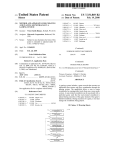
the up and doWn directions of the thumbstick, or some other
pre-de?ned control mechanism. The list 702 may be con
?gured to Wrap or not Wrap When the user reaches the top or
the bottom of the list. A select element 710 enables user
65
exemplary music player 800 that is accessible from the
music collection menu or, Where no music titles are listed,
upon loading a music disc. The music player alloWs the user
US 6,878,067 B2
10
to play back the current audio disc in the portable media
drive 106 or previously created soundtracks. The music
player 800 includes a track list 802 of the available audio
tracks and corresponding track lengths, an orb 804 that
contains a radial spectrum analyZer (or other music related
visual), and a status element 806 that displays the current
playback status and timeline of the current track. During
FIG. 10 illustrates the creation of a soundtrack using a
variety of different audio sources. Anew soundtrack 1002 is
created by selecting audio tracks from one or more different
audio sources. Exemplary audio sources illustrated in FIG.
audio playback, the current track being played within the
illustrated in FIG. 10, soundtrack 1002 can be created using
track list 802 is highlighted. The status element 806 renders
the following information for the user:
Current time within the current track
Visual progress bar for the current track
sent any number of artists. The audio tracks that comprise
soundtrack 1002 can be arranged in any order, regardless of
10 include audio CDs 1004 and 1006, game discs 1008 and
1010, WMA ?les 1012 and 1014, and audio DVDs 1016 and
1018. Although a limited number of audio sources are
audio tracks from any number of audio sources that repre
10
the audio source or the time at which the audio track was
retrieved or copied.
Simple playback icons to denote playback status (e.g.,
play, pause, stop, repeat, random)
A transport control panel 812 is displayed along the
bottom of the music player for playback control. An example
control panel 812 includes a play/pause button, a stop
Audio CDs 1004 and 1006 typically include multiple
audio tracks. Soundtrack 1002 may contain one or more
15 audio tracks from one or more audio CDs. Game discs 1008
and 1010 may contain one or more audio tracks that are
played during the game. One or more of those audio tracks
may be included in the user-created soundtrack 1002. WMA
?les 1012 and 1014 may be stored locally on the hard disk
button, a skip forward button, a skip back button, a random
track selection button, and a repeat button. When the user
?rst navigates into the music player from the main menu or
drive or available from an online source. Each WMA ?le
the music collection, the play button in the transport control
panel 812 is in focus by default. Buttons on the game
controller 104 may be mapped to the transport control
may contain one or more audio tracks. One or more audio
tracks from one or more WMA ?les may be included in
soundtrack 1002. Additionally, one or more MPEG Layer 3
buttons. For example, a white button on the controller might
be mapped to the play/pause toggle button, the black con
troller button might be mapped to the stop button, the left
(MP3) audio ?les (not shown) may be included in
25
trigger might be mapped to the previous track button, and
the Right trigger might be mapped to the next track button.
A “copy song” button 816 is also displayed in the music
player UI 800. When the copy song button 816 is selected,
DVDs 1016 and 1018 typically include multiple audio
tracks. Soundtrack 1002 may include one or more audio
tracks from one or more audio DVDs.
FIG. 11 is a How diagram illustrating a process 1100 for
creating a new soundtrack. The process 1100 is implemented
in software as computer-executable instructions that are
the user is navigated into the soundtrack creation tool with
the current audio disc or soundtrack as the source. The
soundtrack creation tool allows one or more tracks to be
executed by the CPU 200 to perform the operations illus
copied to a soundtrack. The soundtrack creation tool is
discussed in greater detail below.
A select element 808 enables user selection of the high
lighted audio track from list 802 using the “A” button on the
controller. Aback element 810 facilitates navigation back to
the previous menu by pressing the “B” button on the
controller.
soundtrack 1002. MP3 ?les may be stored locally on the
hard disk drive or available from an online source. Audio
35
trated as blocks. Initially, the gaming system 100 creates a
new soundtrack ?le to receive the selected audio tracks
(block 1102). The user is given the opportunity to name the
soundtrack. If the user does not provide a name, a default
name “Soundtrack n” is applied to the soundtrack. The
default name can later be changed by the user.
40
FIG. 9 illustrates a graphical user interface depicting a
At block 1104, the console application 260 presents a list
of audio sources from which to retrieve or copy audio tracks.
Next, the user selects an audio source from the list of audio
example screen display 900 used to select an existing
soundtrack or create a new soundtrack. As noted above,
sources (block 1106). The console application 260 then
users can create their own soundtracks by copying audio
presents a list of audio tracks available from the selected
tracks from one or more audio sources. Screen display 900 45 audio source (block 1108). The user then selects one or more
provides users with a list 902 of all soundtracks available to
audio tracks from the list to include in the soundtrack (block
the gaming system. Such soundtracks may be stored on the
hard disk drive 208, a portable disc medium 108 in drive
1110). At block 1112, the console application 260 retrieves
the selected audio tracks and adds the audio tracks to the
soundtrack. If necessary, the console application 260 con
verts the retrieved audio ?les into WMA format. For
106, a memory unit 140, or at remote storage 308 at an
online source 304. If the user has created at least one
available soundtracks. A user entered name, or a default
example, audio tracks from an audio CD or an audio DVD
are converted from their native format into WMA format
name “soundtrack 1”, “soundtrack 2”, etc., is shown on the
prior to adding the audio tracks to the soundtrack. Similarly,
soundtrack, the list 902 depicts one or more placards of
placards.
A “New Soundtrack” button 904 is positioned beside the
MP3 ?les are converted from MP3 format to WMA format
55
list to enable the user to create a new soundtrack. Upon
selection of a soundtrack in the list 902 or the “New
Soundtrack” button 904, the user is navigated to a track
selection screen described below with respect to FIG. 12. If
the user has not yet created a soundtrack, the list 902 of
whether more audio tracks are to be added to the soundtrack.
This determination is performed, for example, by querying
the user as to whether they want to add more tracks. If
additional tracks are to be added to the soundtrack, the
process 1100 returns to block 1104, where the user is
presented with a list of audio sources. Alternatively, the
process 1100 may return to block 1106, which allows the
available soundtracks is empty. Upon choosing the “New
Soundtrack” button 904, the user is presented with an area
for text entry and a virtual keyboard for typing a new name
for the soundtrack. By default, the name given to the
soundtrack will be “Soundtrack 1”, but any keyboard input
from the user will replace this default title with the entered
name.
before adding the audio tracks to the soundtrack.
At block 1114, the console application 260 determines
user to select another audio track from the same audio source
65
as the previous selection.
After all audio tracks have been added to the soundtrack,
the process 1100 returns to the music collection menu (block
US 6,878,067 B2
11
12
1116) shown in FIG. 7. At this point, the music collection
menu displays the neWly created soundtrack in the list of
available soundtracks.
of the game’s default soundtrack. This neW soundtrack is
referred to as a “user-associated soundtrac .”
The process 1300 begins When a user selects a game to
Each user of a game console 102 can have their
play (block 1302). The game may be selected, for example,
soundtracks stored separately from the soundtracks created
by inserting a game disc in the portable media drive 106, by
by other console users. For example, When a user completes
the creation of a neW soundtrack, the soundtrack is stored in
selecting a game from list of games stored on the hard disk
drive 108, or by selecting a game from an online source. The
an area on the hard disk drive associated With that user or a
console application 260 determines Whether the selected
game has a user-associated soundtrack (block 1304). If the
user attribute is stored With the soundtrack indicating the
creator of the soundtrack. Thus, When a particular user
identi?es themselves to the game console, the game console
10
selected game has a user-associated soundtrack, the game is
launched and the user-associated soundtrack is played dur
displays the soundtracks created by that particular user.
ing the execution of the game (block 1306).
FIG. 12 illustrates a graphical user interface depicting an
If the selected game does not have a user-associated
exemplary audio track selection screen 1200 displayed dur
ing the creation of a soundtrack. Audio track selection screen 15 soundtrack, the console application 260 presents the user
With an option to select a soundtrack or play the game using
1200 includes a list 1202 of available audio tracks (e.g.,
the default soundtrack (block 1308). Next, the console
from an audio disc or an online source), and a corresponding
application 260 determines Whether the user selected a
list 1204 of audio tracks that are already in the soundtrack.
soundtrack or the default soundtrack (block 1310). If the
The user then selects a single audio track, or multiple tracks,
user selects the default game soundtrack, the game is
to be included in the soundtrack. The screen 1200 also
launched and the default game soundtrack is played during
depicts a status area 1208 that identi?es the progress of the
the execution of the game (block 1312). If the user selects
total operation. The ordering of the audio tracks in list 1204
can be adjusted by dragging a particular audio track to the
desired location in the list and releasing the audio track. The
to choose a soundtrack, the user is presented With the
available soundtracks stored on the gaming system (block
list 1204 is then reordered to re?ect the neW location of the 25 1314). The game is then launched and the selected
soundtrack is played during the execution of the game
audio track.
(block 1316).
A particular implementation of the audio track selection
screen may include a “name soundtrack” button that alloWs
When the user selects a soundtrack to play instead of the
the user to assign a name to the soundtrack. The name can
default soundtrack, the user is presented With the option of
making the soundtrack change “permanent.” If the change is
be entered using a virtual keyboard or other character input
mechanism. The audio track selection screen may also
include a delete button that alloWs the user to delete a
made permanent, the selected soundtrack Will be played
instead of the default soundtrack each time the game is
particular song from the soundtrack.
played. Thus, the user is not required to select the neW
After the soundtrack is completed, a select element 1206
is activated by the using the “A” button on the controller.
This select element causes the system to navigate back to the
soundtrack each time the game is played—the system Will
35
remember the neW soundtrack until the user speci?cally
40
the playback of the soundtrack does not interfere With the
execution of the game from the game disc. The game disc
remains in the game console While the soundtrack executes,
thereby eliminating the game disruptions that Would occur if
music collection menu. A back element 1210 facilitates
navigation back to the previous menu by pressing the “B”
button on the controller.
If the user cancels a ?le copy operation, those audio ?les
being copied or retrieved Will be lost. If a poWer off occurs
While creating a soundtrack, any audio ?les being copied or
changes the soundtrack or speci?cally requests the gaming
console to begin using the default game soundtrack.
Since the soundtrack is played from the hard disk drive,
retrieved Will not be included in the soundtrack.
In a particular implementation, soundtracks are stored as
the game disc Was removed and replaced With an audio CD.
The user can change soundtracks in the middle of a game by
Speci?cally, WMA ?les for soundtracks are stored in a ?at
game is then “un-paused” and game play continues at the
point Where the game Was previously paused. The neW
soundtrack is played back from the hard disk drive While the
one or more WMA ?les on the gaming system 100. 45 pausing the game and selecting a different soundtrack. The
directory on the hard disk drive 208. This directory also
contains a text data ?le that maintains a reference of all
WMA ?les, as Well as the soundtracks to Which each WMA
game executes from the game disc.
Although the invention has been described in language
speci?c to structural features and/or methodological acts, it
?le belongs. Because the game console manages the
soundtrack directory, it is possible to keep this data ?le up
to date. An API (application program interface) may be used
is to be understood that the invention de?ned in the
to alloW a game to query such information as the list of
appended claims is not necessarily limited to the speci?c
available soundtracks, the ?rst audio ?le of a speci?c
soundtrack, the last audio ?le of a speci?c soundtrack, and
features or acts described. Rather, the speci?c features and
acts are disclosed as exemplary forms of implementing the
claimed invention.
What is claimed is:
55
the next audio ?le in a speci?c soundtrack.
FIG. 13 is a How diagram illustrating a process 1300 that
determines Which soundtrack to play When a particular game
is launched. The process 1300 is implemented in softWare as
computer-executable instructions that are executed by the
CPU 200 to perform the operations illustrated as blocks.
1. A method comprising:
executing a game application and playing a ?rst
the game’s default soundtrack or listen to a different
soundtrack on a gaming system;
receiving a request to select a different soundtrack;
determining a neW soundtrack to be played;
soundtrack. If the user becomes tired of the game’s default
continuing execution of the game application and playing
When a user plays a game, the user can choose to listen to
soundtrack, the user can create a neW soundtrack and 65
associate that soundtrack With the game title such that the
neW soundtrack is played When the game is launched instead
the neW soundtrack on the gaming system; and
pausing execution of the game application after receiving
the request to select the different soundtrack.