1
User Manual
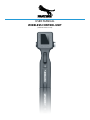
WIRELESS CONTROL UNIT
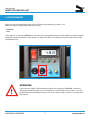
3.1 PROGRAM
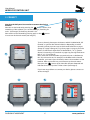
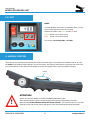
The wireless handset was designed to be operated identical like you do it with our standard dolly handset.
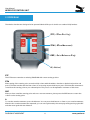
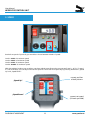
STF (= STore First flag)
STM (= STore Movement)
GRF (= Go to Reference Flag)
A (= Action)
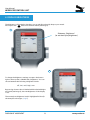
STF
The STF button overwrites an existing PROGRAM with a new starting position.
STM
After setting of the starting point, move the dolly column with the wireless handset to the desired position and
press STM. Please make sure that the column is not moving anymore before you press STM. Now the movement is
saved from the starting point to your selected point. This process can be repeated a maximum of 255 times.
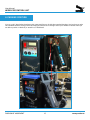
GRF
After you have saved the starting point and one or more movements, please press the GRF button to return the
column to the starting point.
A
To start the stored movements, press the A button. You can press the A button as often as you stored movements.
After the last saved movement was repeated, you can start again exactly the same program by pressing again GRF
and then start again with the A button.
PASSION OF MOVEMENT
8
www.panther.tv